How to set up
A BrandCloud administrator first enables MCP for your domain. Then you add BrandCloud to your AI tool and sign in. The connection itself takes about 5 minutes.
What you will need
- A BrandCloud account with access to the domain you want to connect.
- The MCP server URL, which your BrandCloud administrator will send you.
- An AI tool that supports custom MCP servers, usually on a paid plan. On business plans, the workspace administrator may need to allow the connection.
Activation for your domain by the BrandCloud administrator
MCP is enabled by the BrandCloud administrator, separately for each domain. Write to your BrandCloud administrator and include:
- the domain address (e.g. company.brandcloud.pro)
- when you want to start
After activation, image files in the domain receive contextual descriptions, so the agent can find them by what they show, for example. We will then send you a confirmation and the MCP server URL. If you have more than one domain, list all of them: the AI can see domains without MCP enabled, but cannot read their content.
Connecting to the MCP server
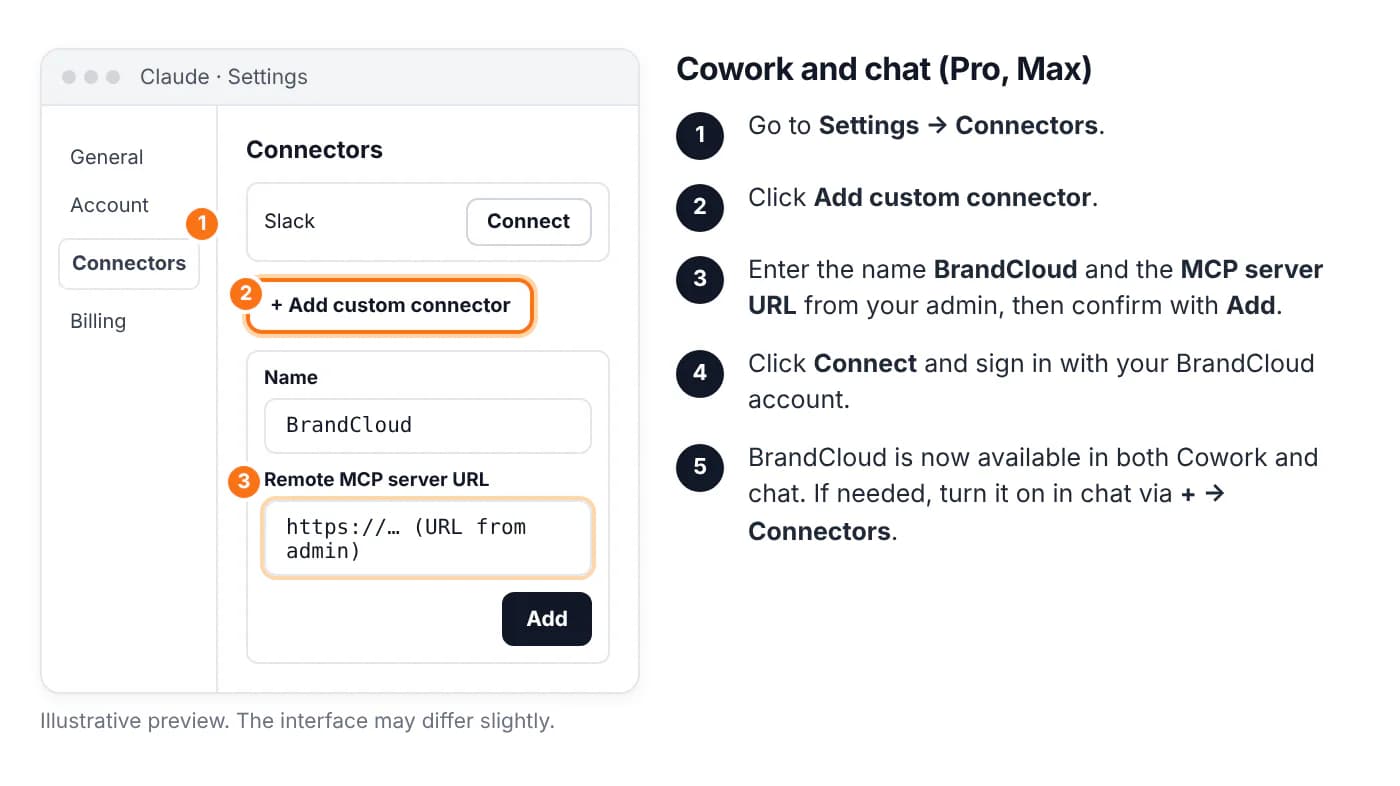
Claude: Cowork, Claude Code and chat
Custom connectors are available on the Pro, Max, Team and Enterprise plans. You add the connector once in Settings, and it works in the Cowork agent (the Claude desktop app), in chat on the web and on mobile. For developers, there is Claude Code.
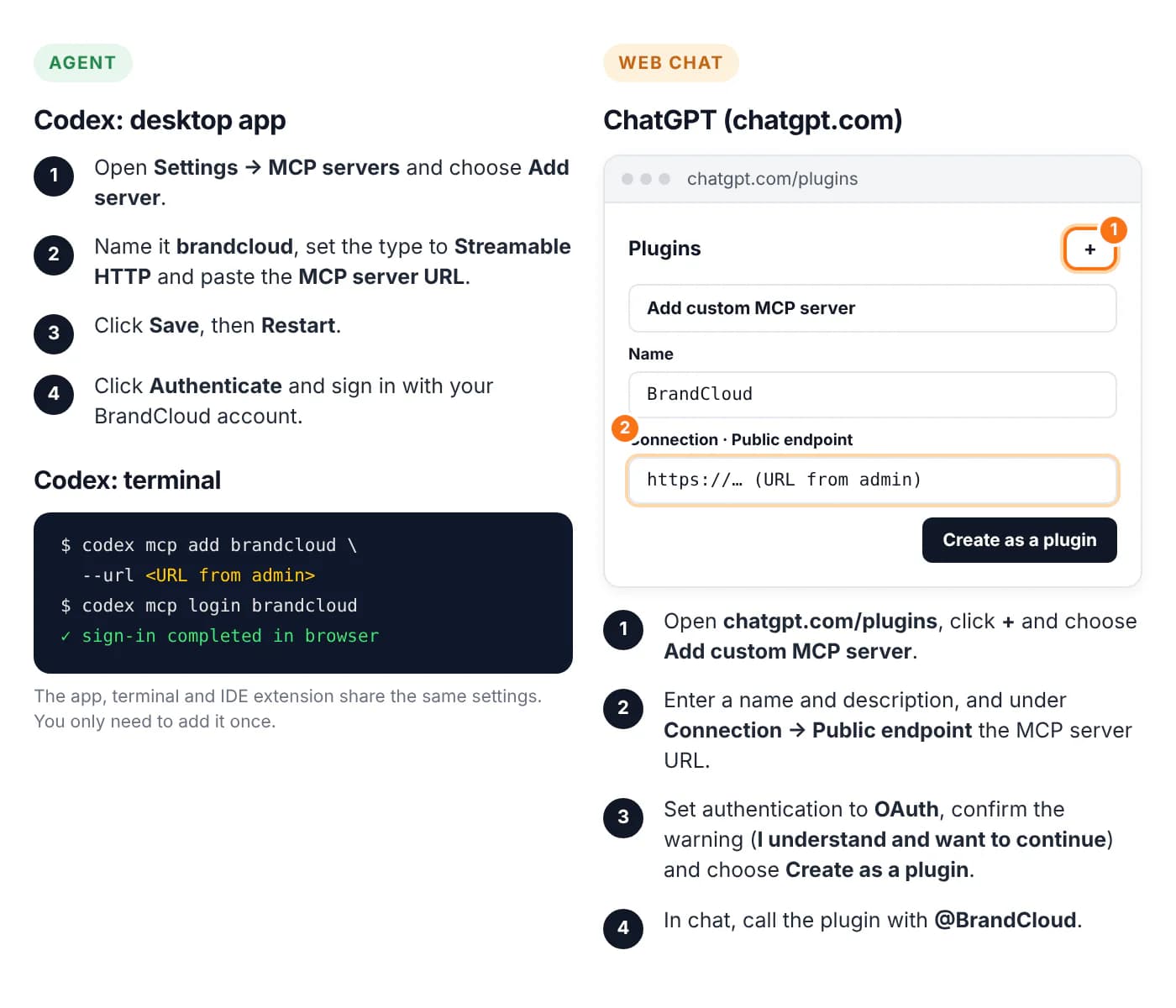
Codex and ChatGPT
At OpenAI, the agent is Codex (desktop app, terminal, IDE extension). It connects to MCP servers directly. In the web version of ChatGPT, you add a custom MCP server as a plugin.
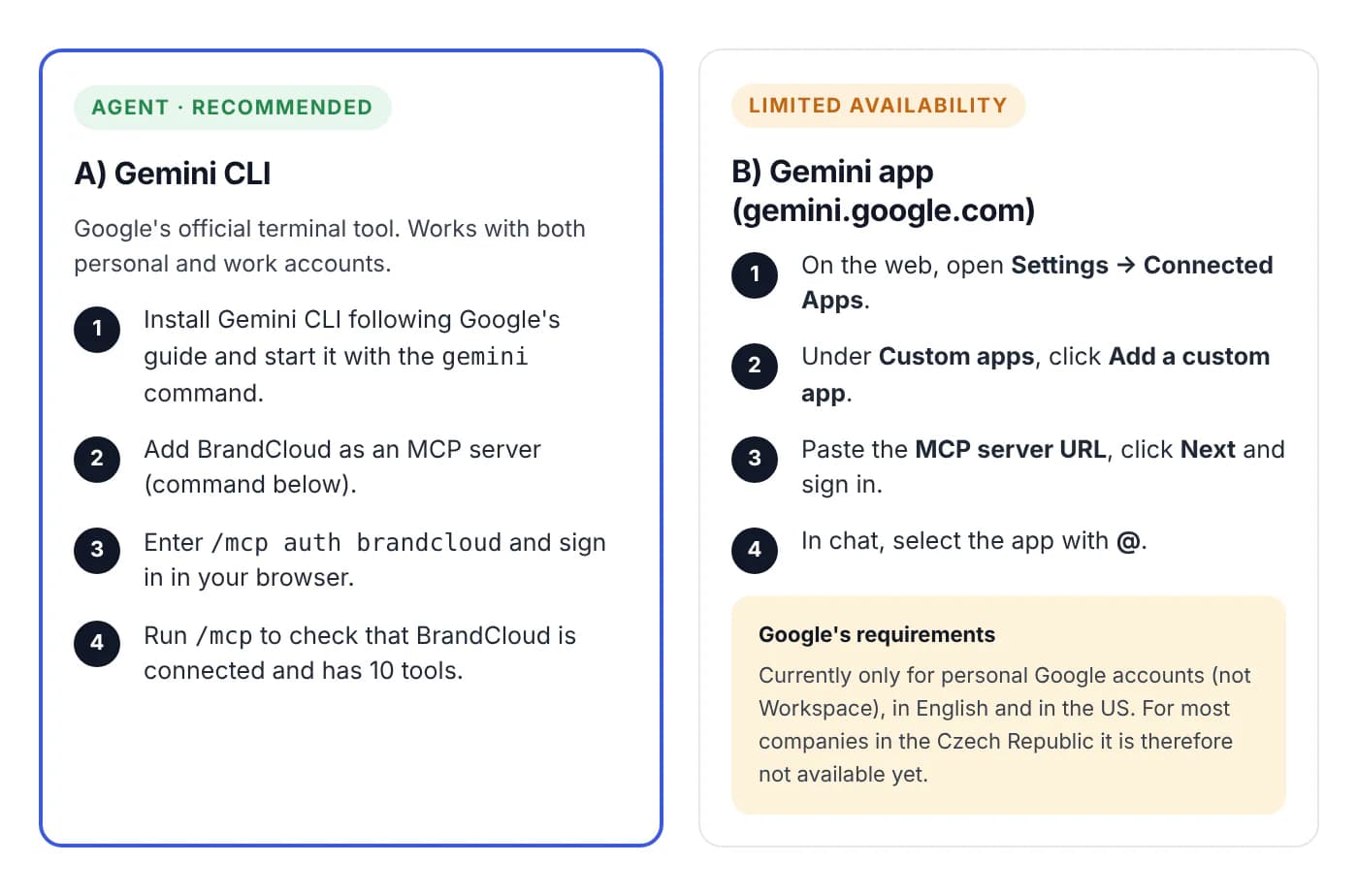
Gemini CLI and the Gemini app
At Google, the agent is Gemini CLI. It works with your files and projects and fully supports remote MCP servers with OAuth sign-in. The Gemini web app supports custom MCP apps only in a limited mode for now.
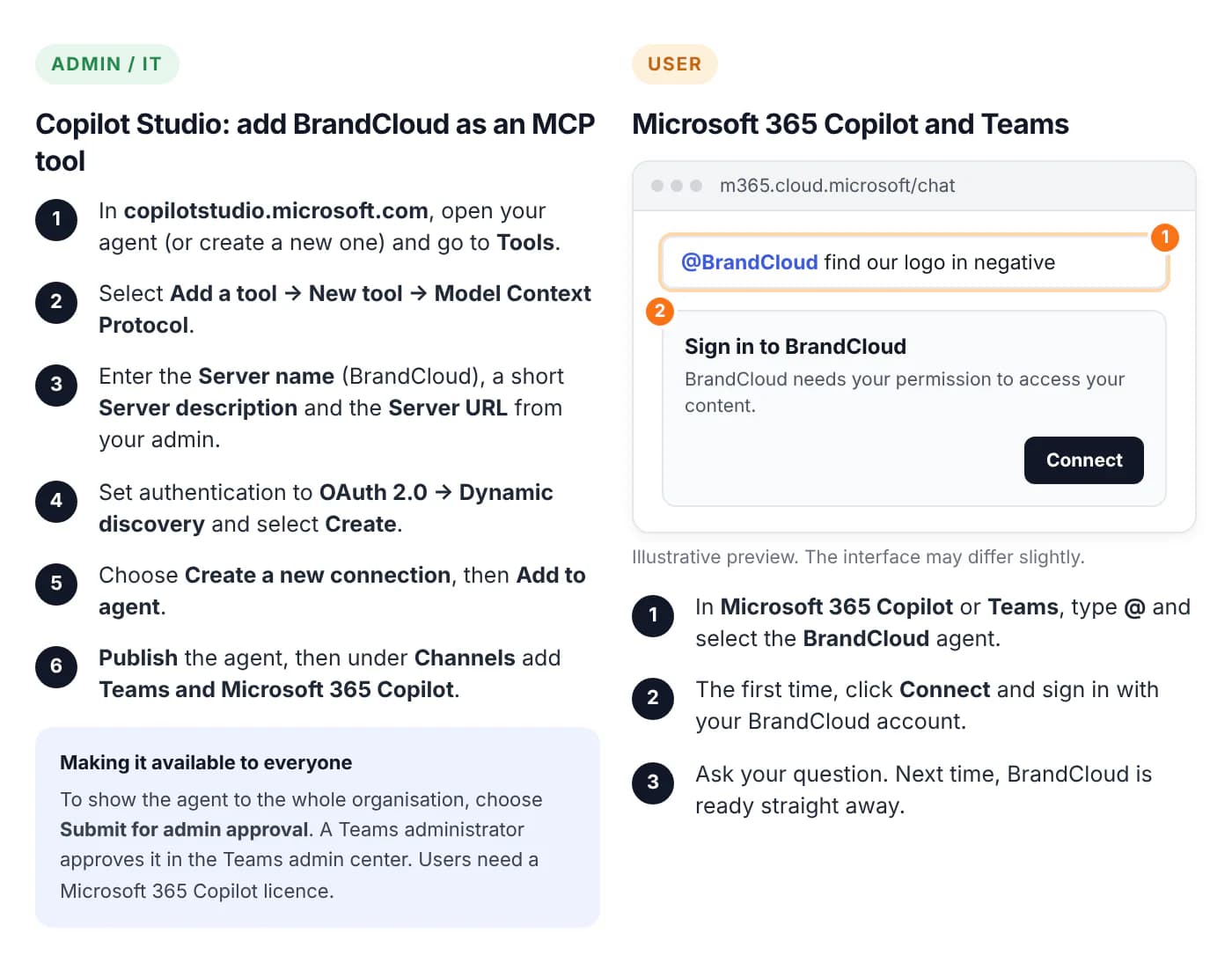
Copilot Studio and Microsoft 365 Copilot
In the Microsoft ecosystem, you connect the MCP server through Microsoft Copilot Studio, where you create an action / plugin (MCP connector). Once it is published, BrandCloud is available to your agent in Copilot Studio and in Microsoft 365 Copilot (Teams, web, Word, PowerPoint).