Teams Creation & Management
By default, BrandCloud includes the Edit All and View All teams. You can create additional teams, assign users, and configure access levels according to your requirements.
Creating a new team
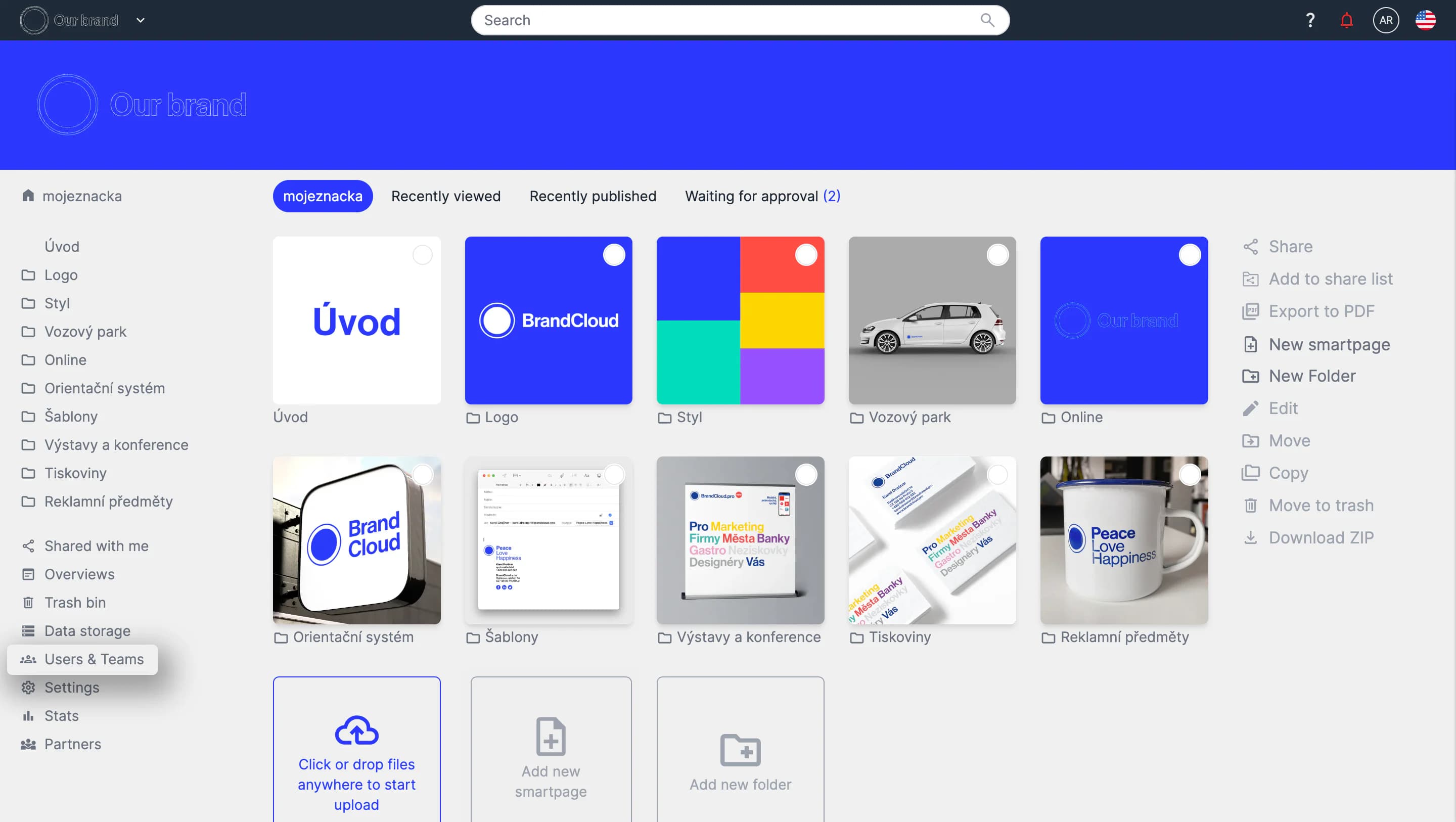
1. Go to the Users & Teams tab in the left panel.
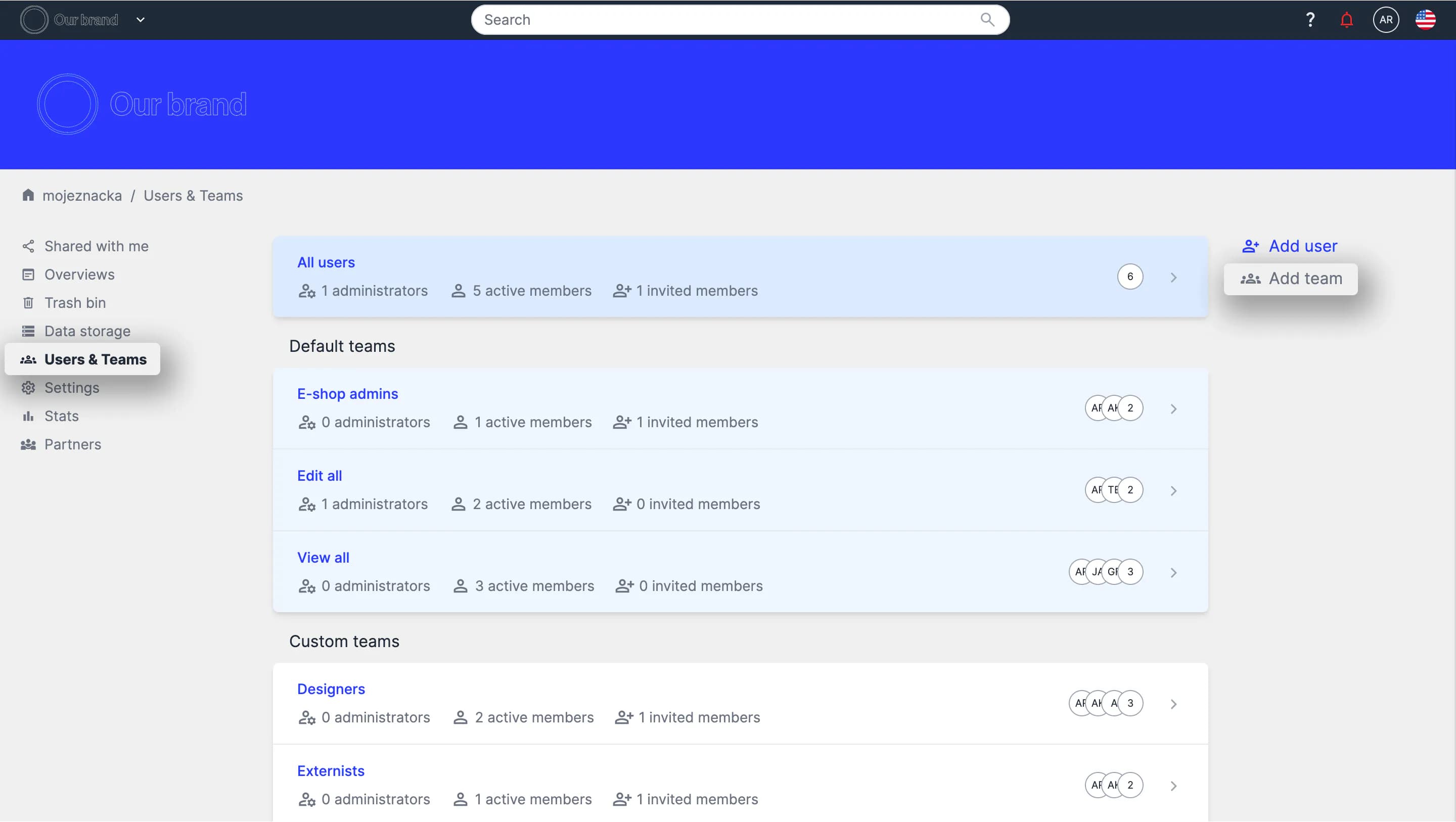
2. In the team structure view, select Add team in the right panel.
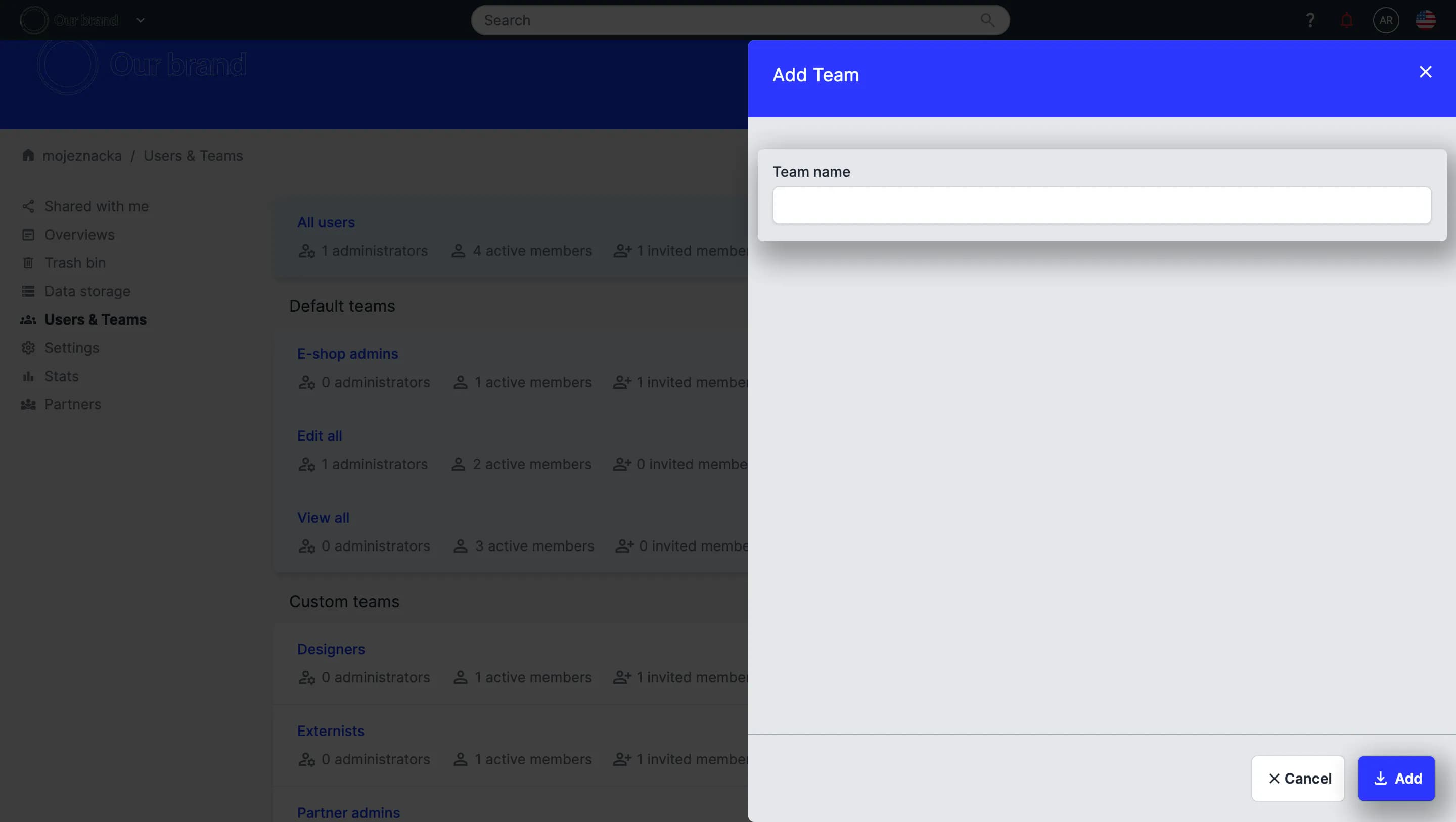
3. Enter the team name and confirm by clicking Add.
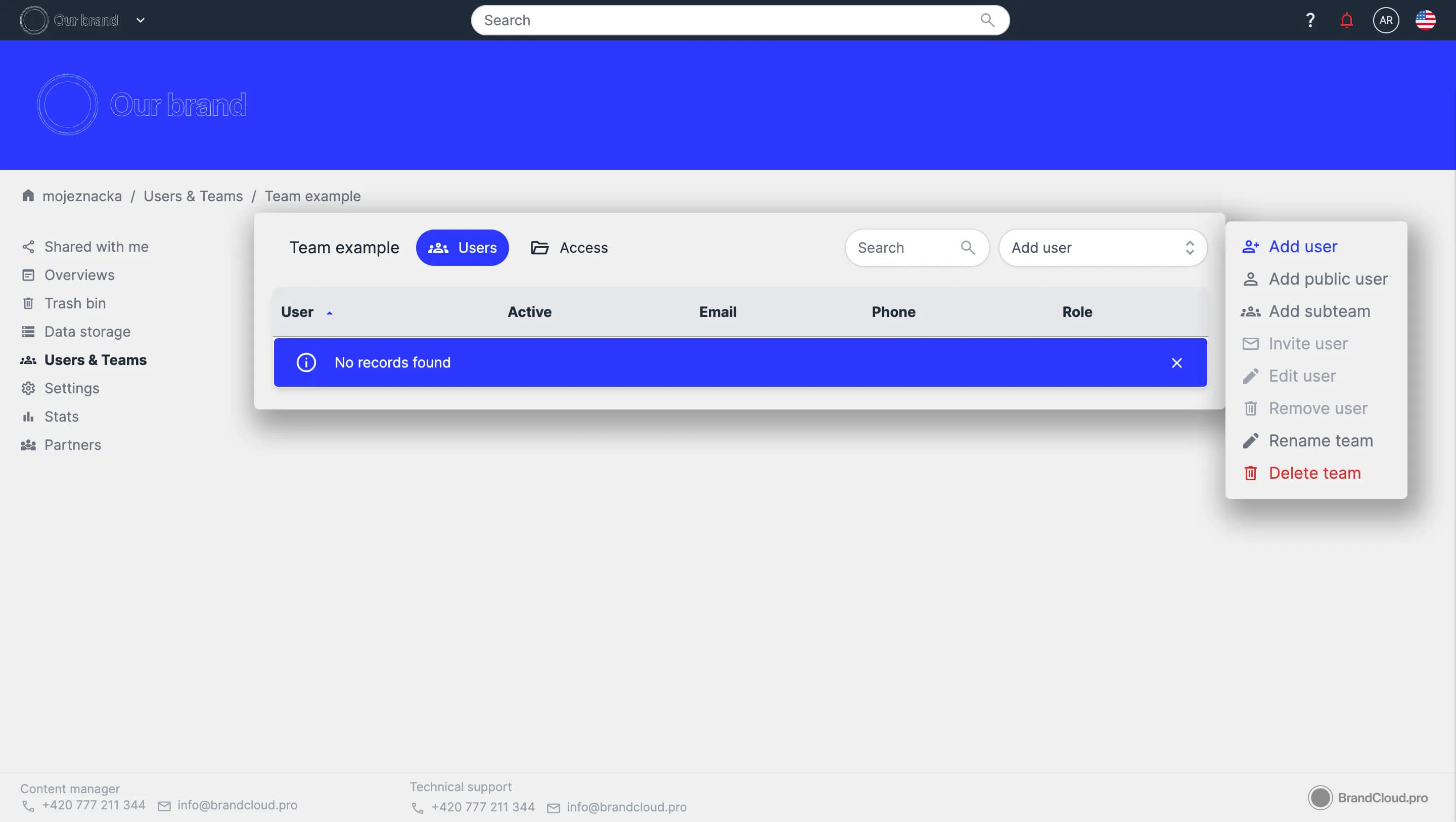
4. You are redirected to the new team, where you can add users, configure public access, create subteams, and manage other team settings.
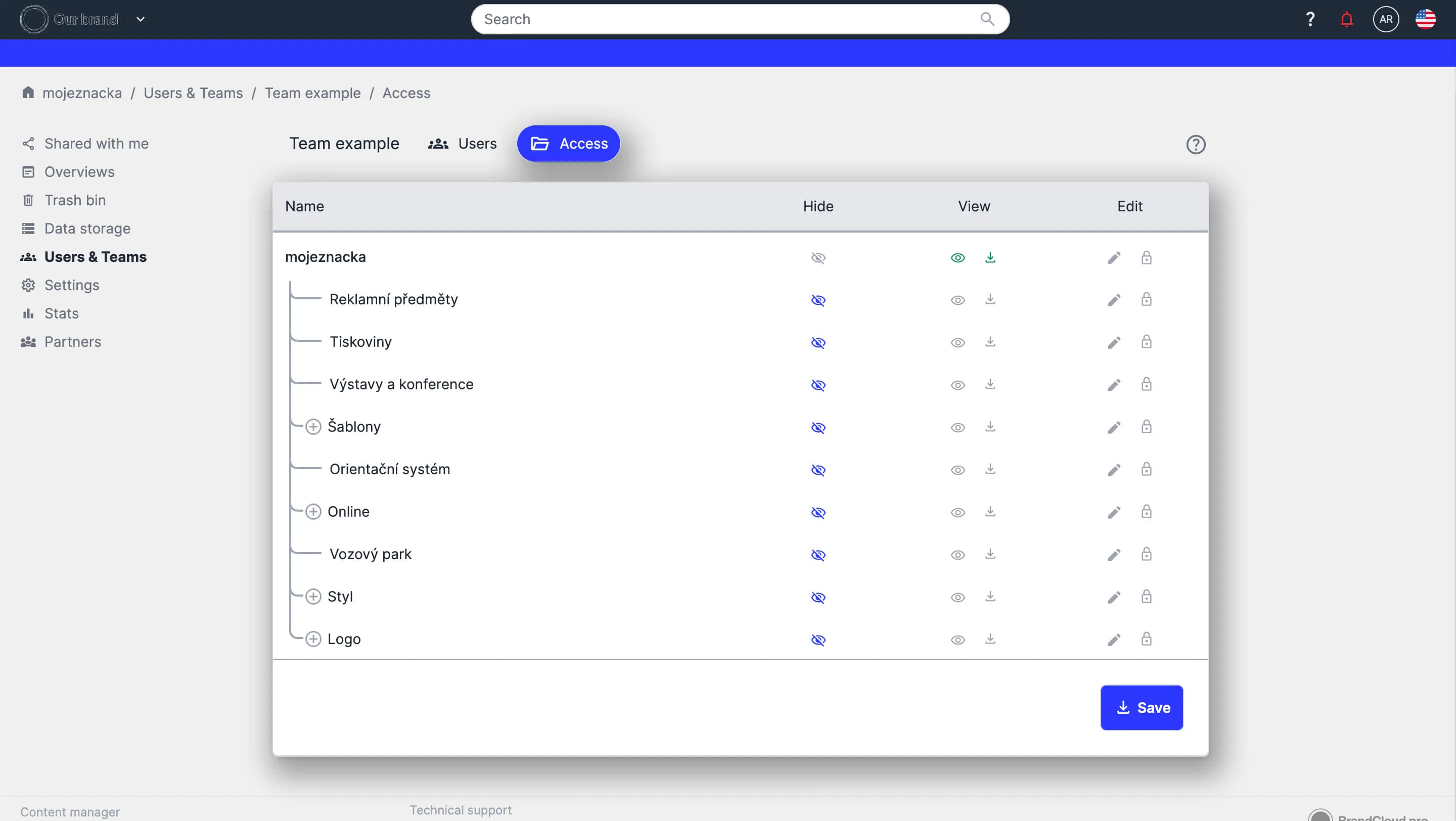
5. Open the Access tab next to the team name. The folder structure of your BrandCloud appears.
- You can configure access for each folder.
- Access cannot be set at the document level.
- Save the configuration by selecting Save at the bottom of the page.
For more information go to Access Settings.
6. The team is now created and configured.
Managing a team
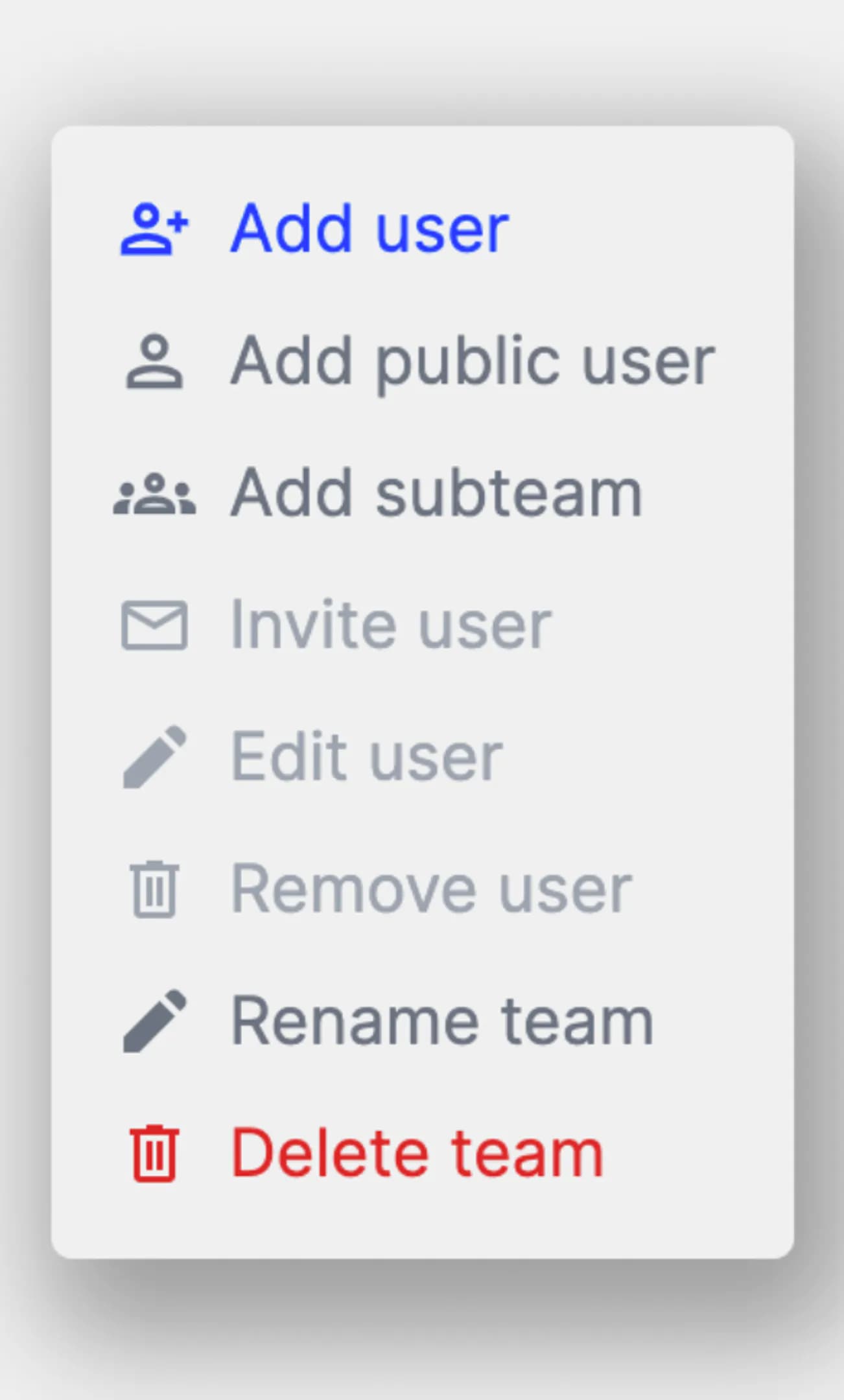
- In the right panel, you can manage the team and its users.
- You can update access settings at any time.
- To remove a team, you must first delete all users assigned to it.
- Select each user and click Remove user in the right panel.
Tip:
To add existing users quickly, use the quick-add function. Enter the user’s name or email in the Add user field to add them directly to the current team.