Approvals
The approval feature allows you to request that one or more users review and approve a specific smartpage. Selected users receive an email notification, and you can track the approval progress, including who has approved and when. Additional details are available in the Overviews section.
How to enable approvals on a smartpage
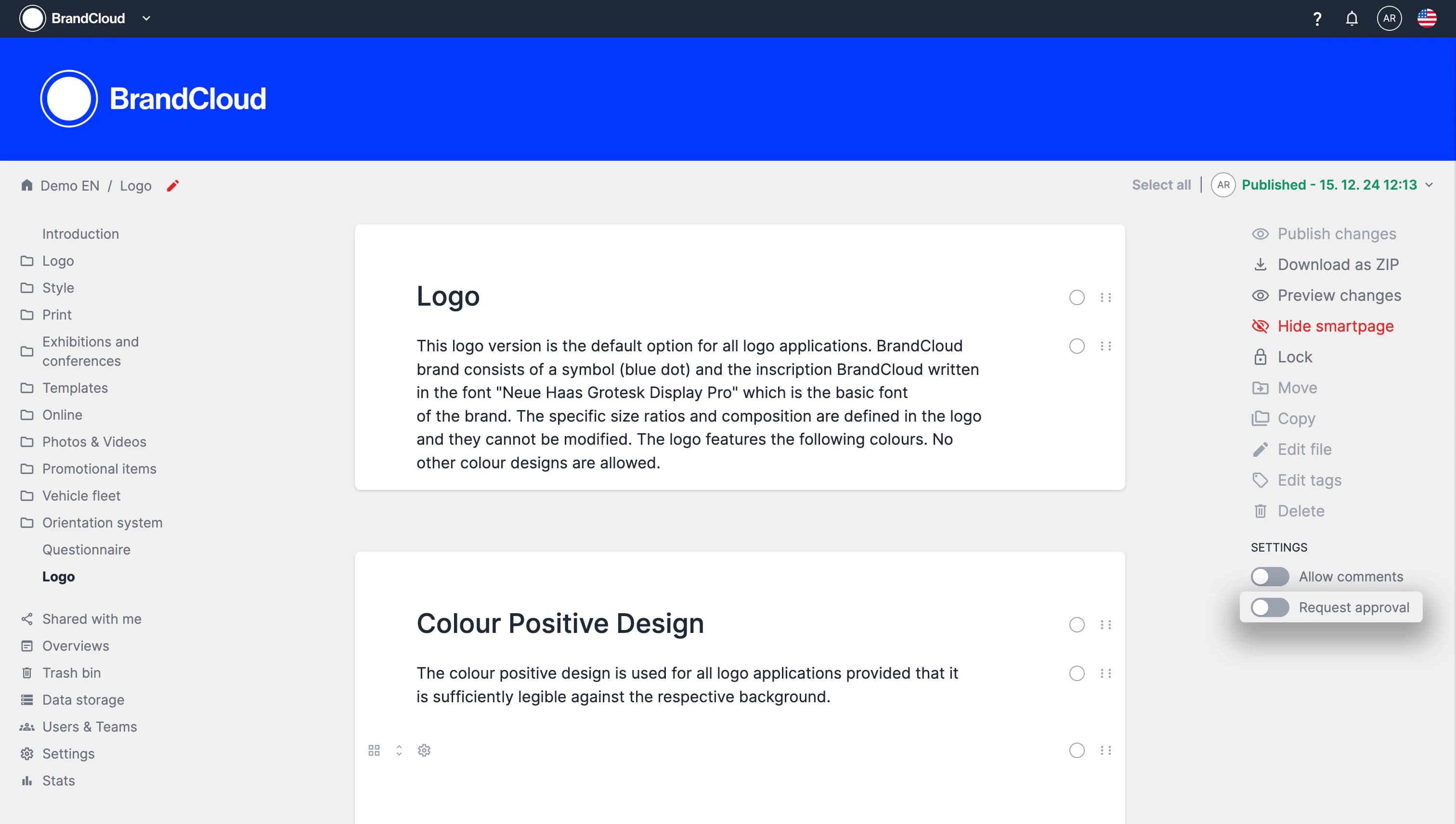
- Open the smartpage that requires approval.
- Switch to edit mode.
- In the right column, enable Request approval.
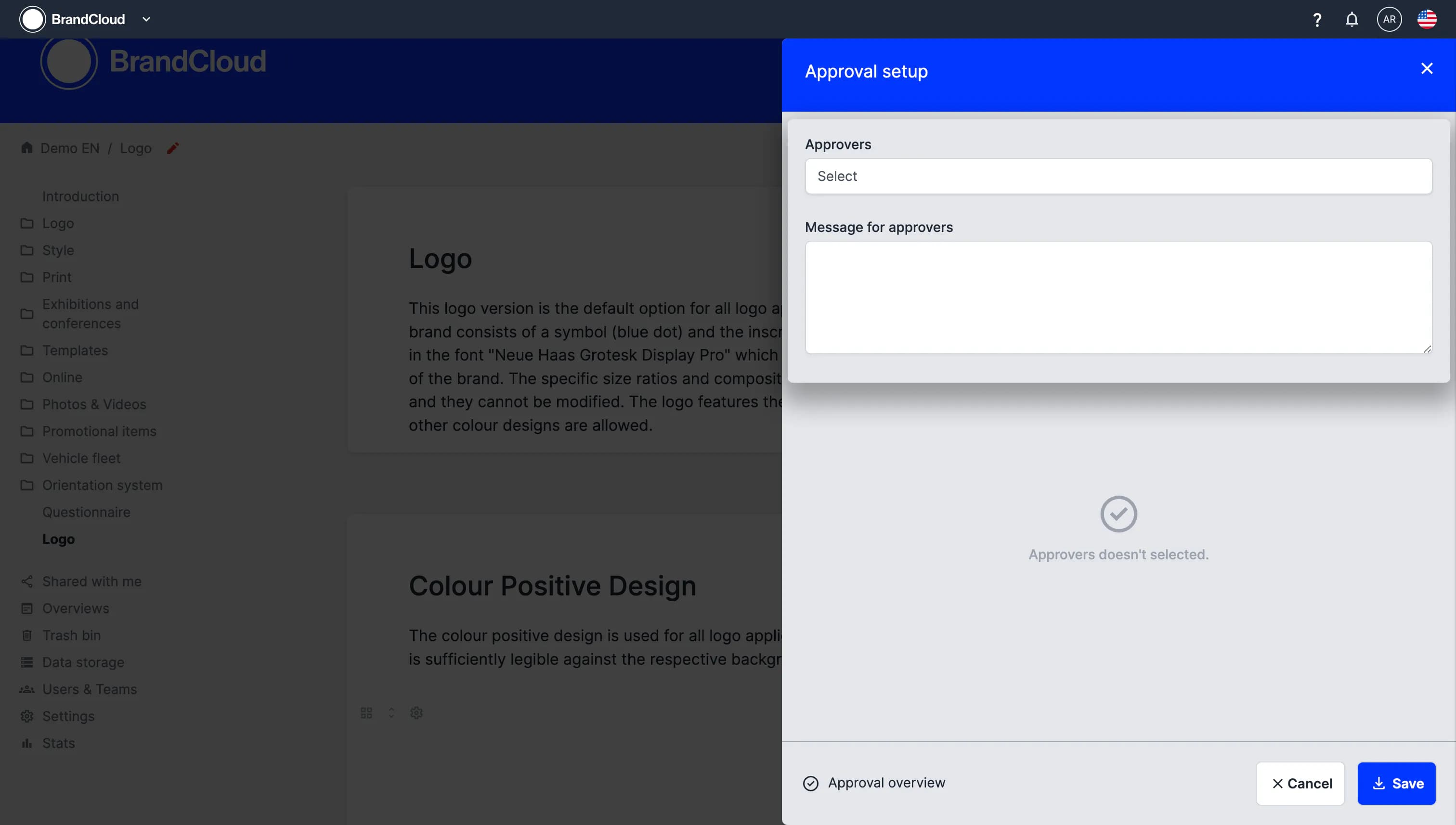
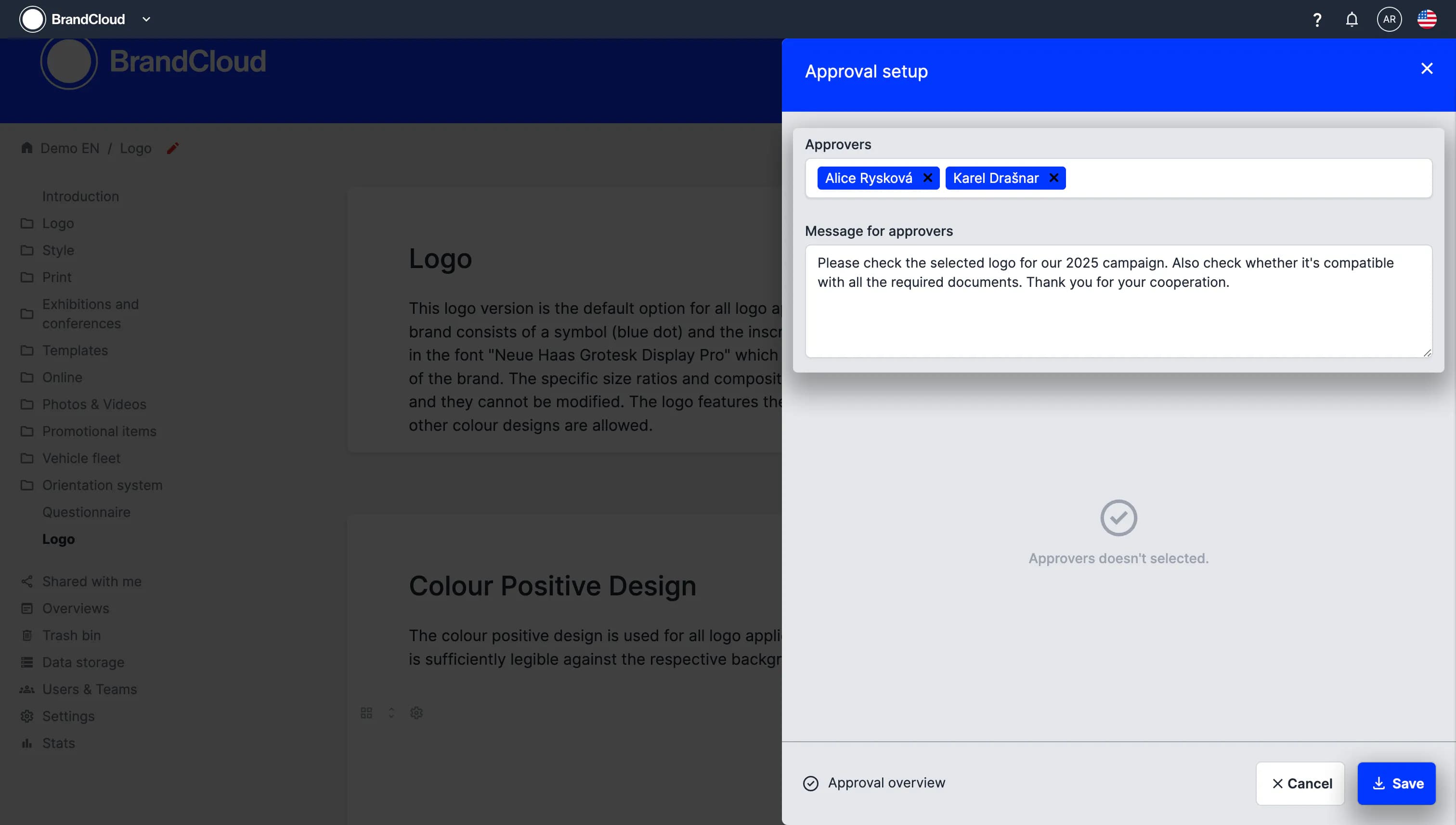
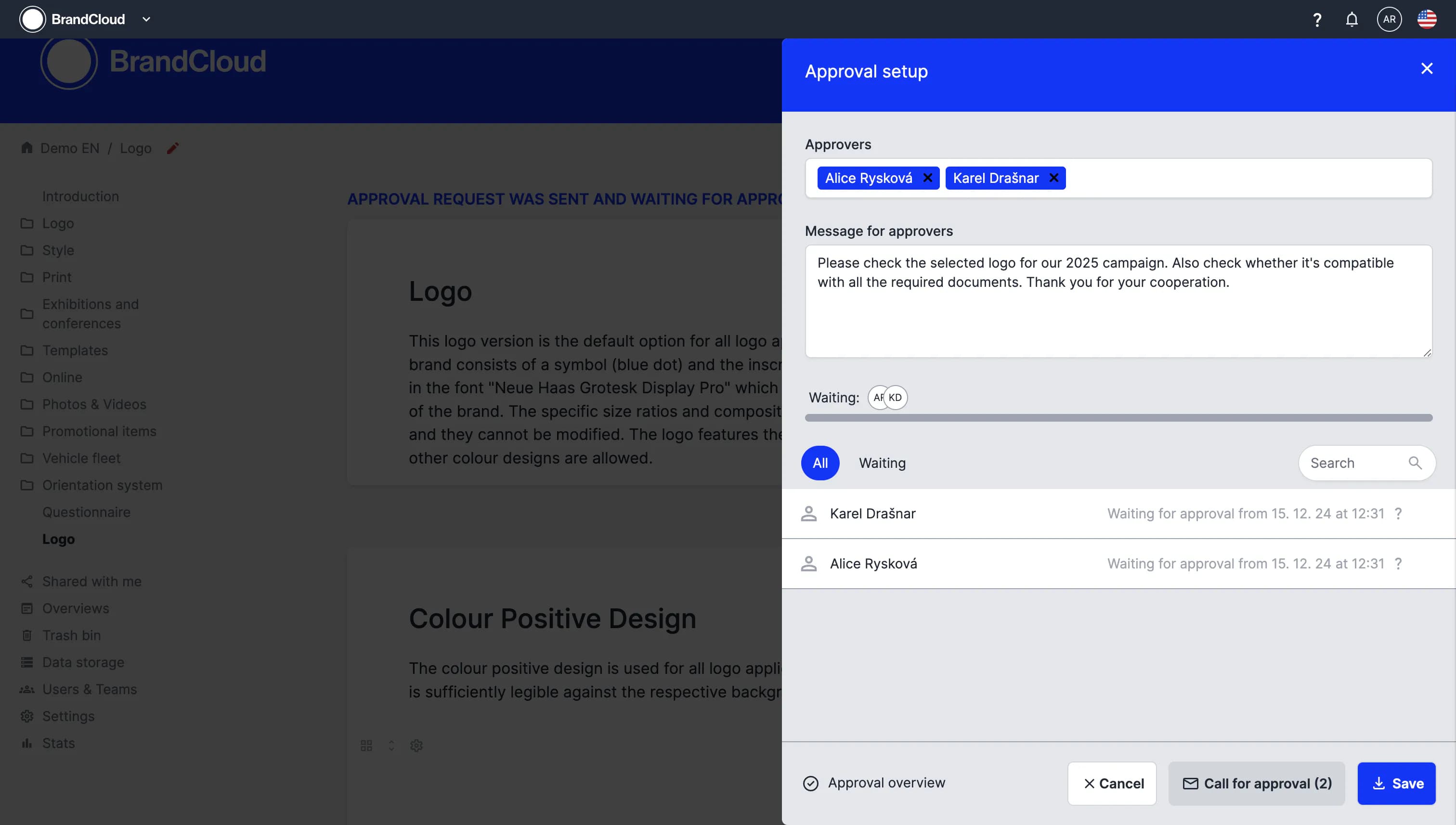
- In the pop-up window, select the users who should approve the smartpage.
- If needed, add a message for the approvers.
- Select Save to confirm the approval settings.
- Publish the smartpage.
After publishing, the selected approvers receive an email request, and the smartpage appears in their Waiting for approval section.
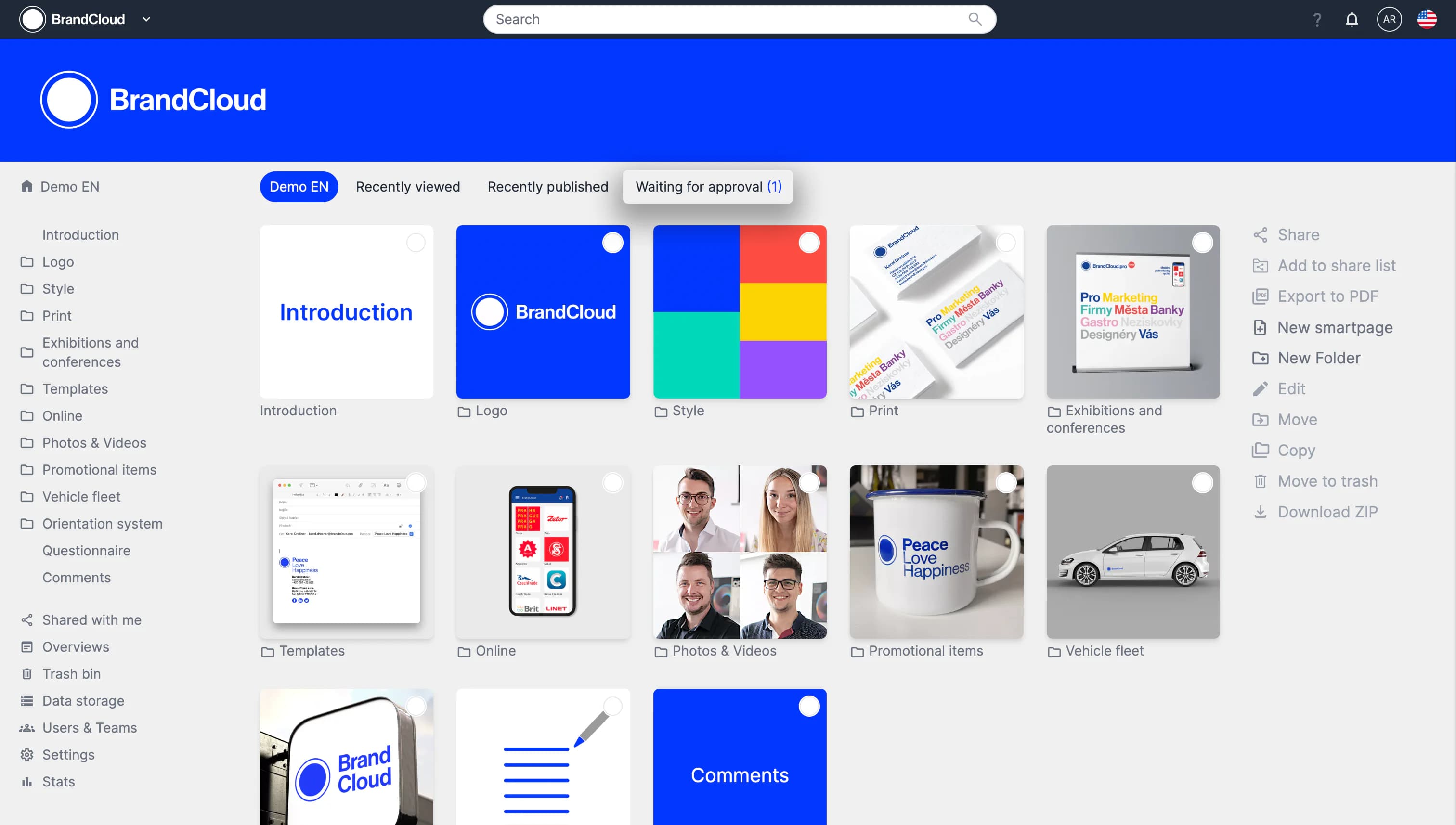
Detailed steps
Adding additional approvers
If you need to add more approvers after the request has already been sent, open the smartpage and switch to edit mode. In the right column, select Show approvals to open the approval settings. From there, you can add or modify approvers.
Reminding users who have not approved
You do not need to republish the smartpage to send a reminder.
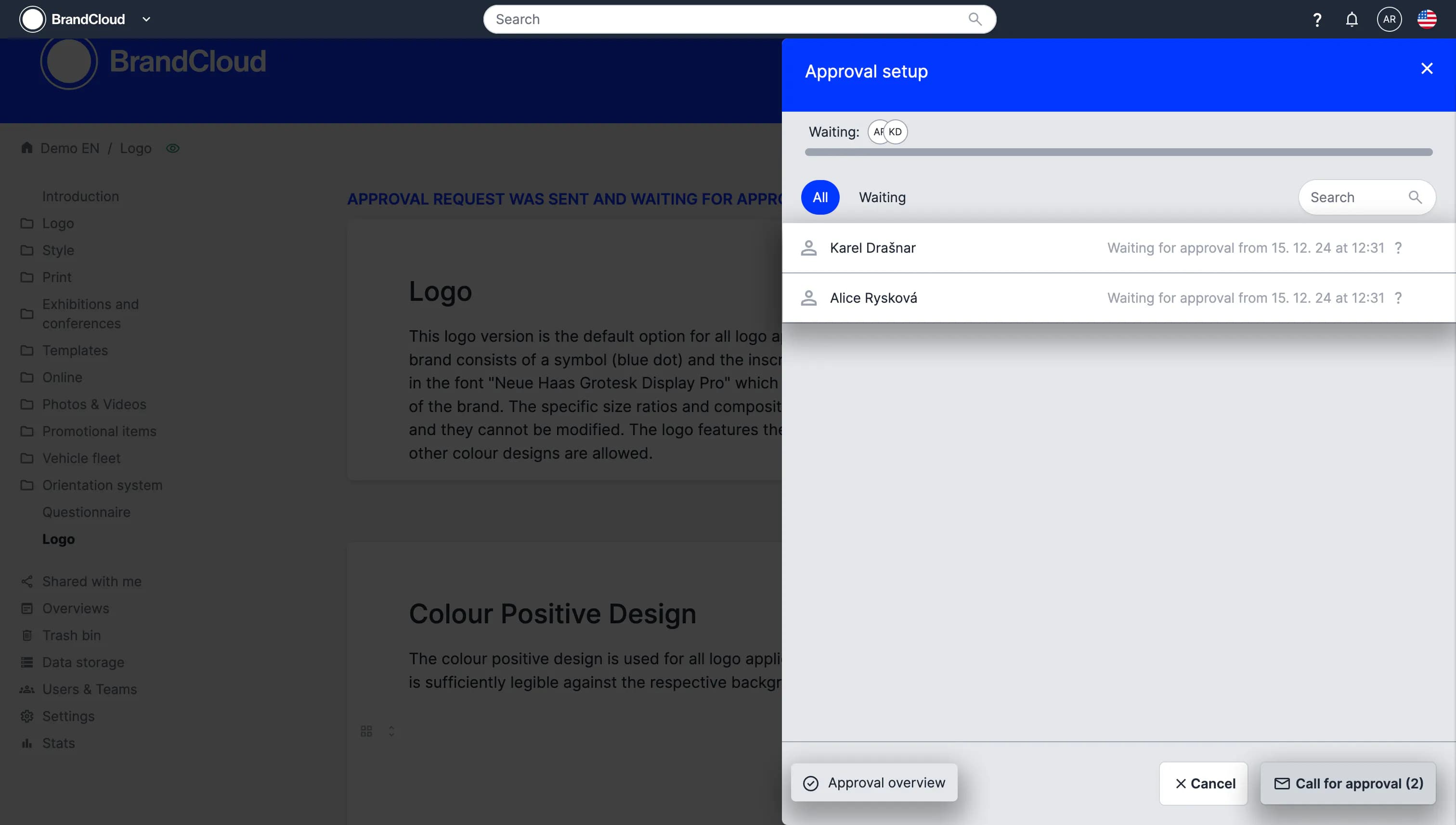
Open Show approvals on the smartpage and select Call for approval.
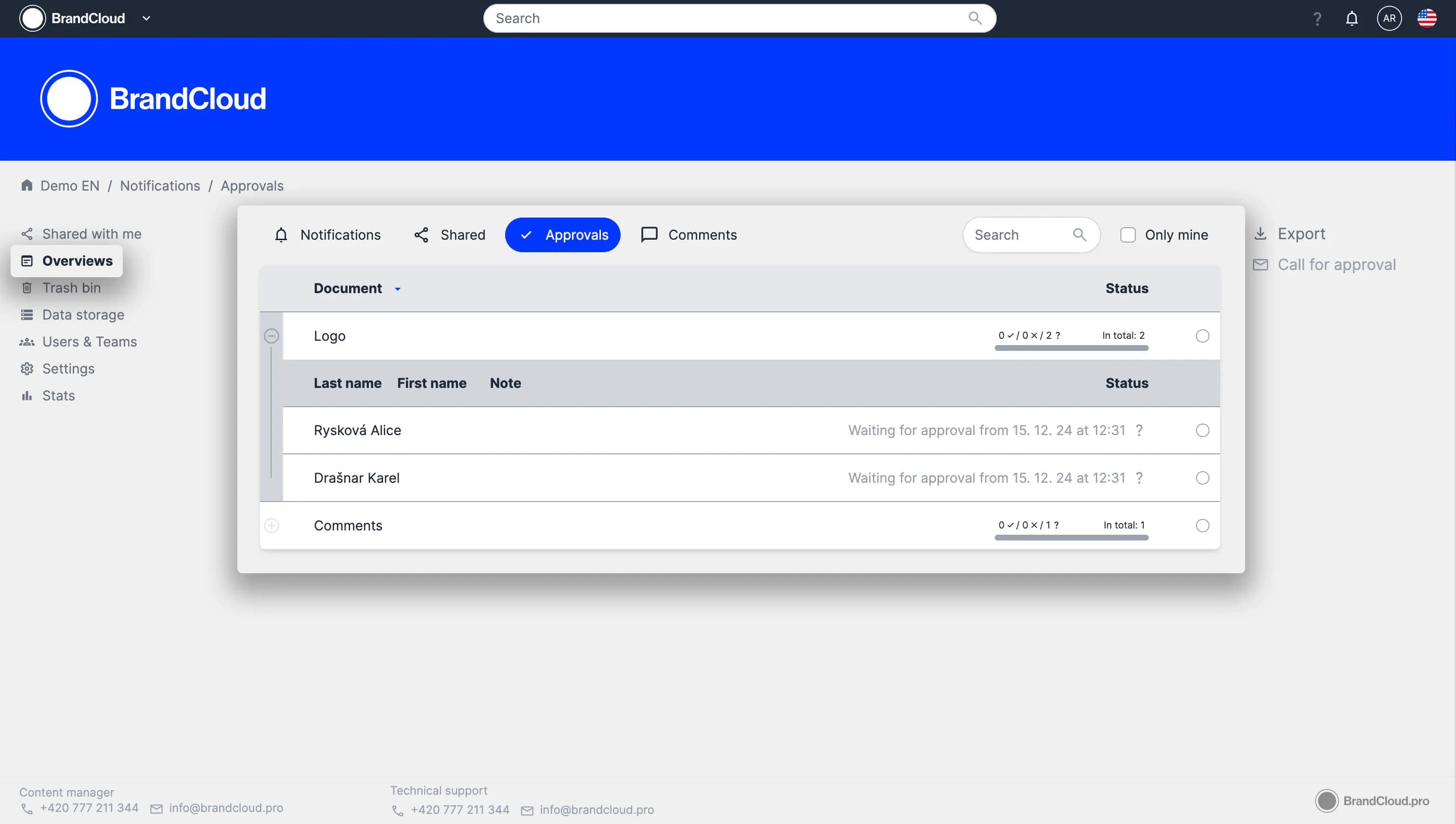
You can also resend the request from the Overviews section. Select the approval by clicking the circle next to it, then choose Call for approval in the right column.
Approval overview
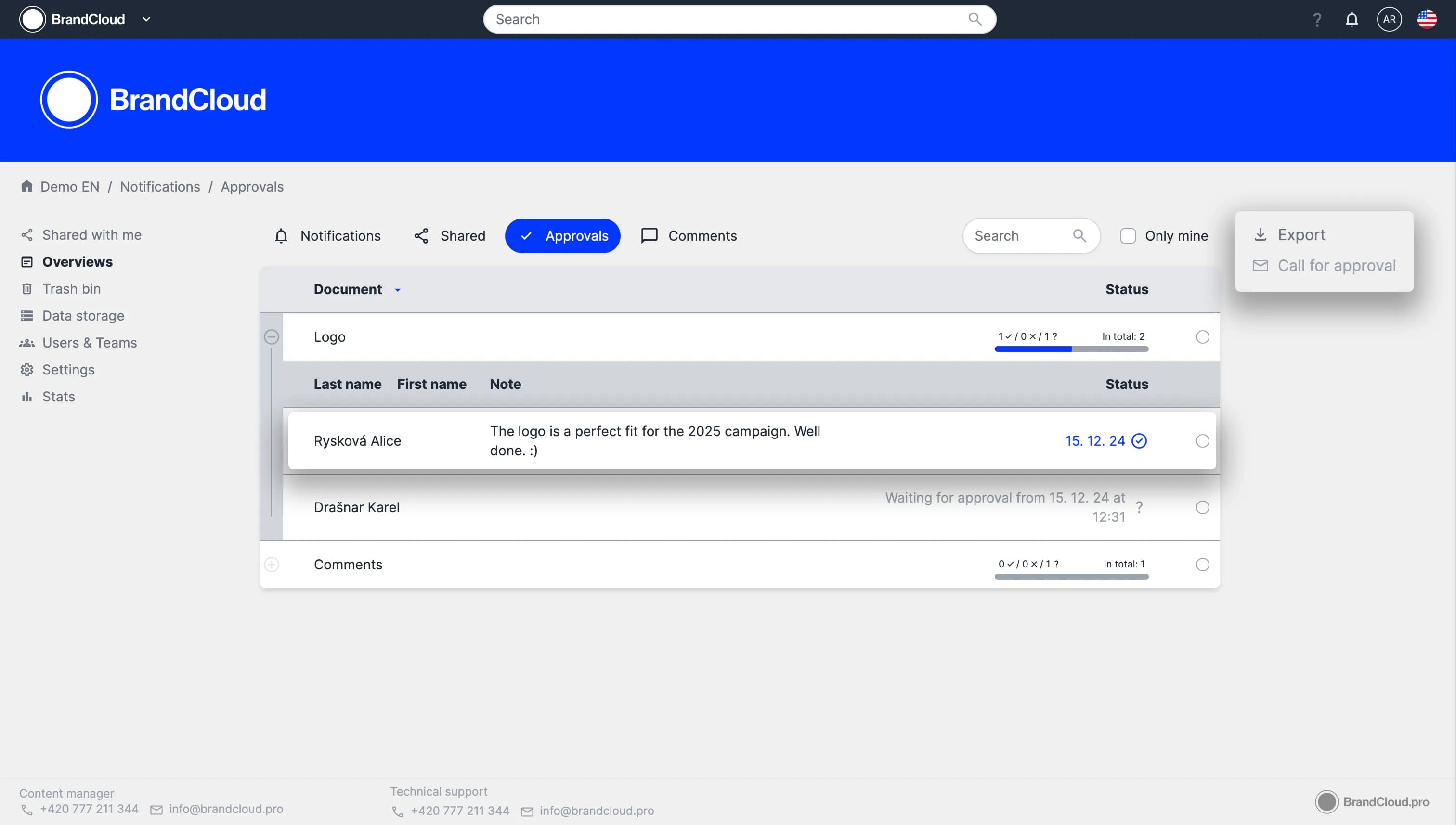
The Overviews section displays all approval requests and their details in one place. You can resend approval requests, view approval status, and track progress without opening the smartpage.
Users can add notes when approving or declining. These notes, along with timestamps for receiving and completing the approval request, are available in the Overviews section.
You can export approval data to an .xlsx file using the Export option in the right column.
Tutorial
What you can learn:
00:15 – How to activate and configure approvals
01:43 – How to track approval status and resend requests
02:15 – How to add additional approvers
02:55 – Full overview of approval requests
03:40 – Approvals from a user’s perspective
04:55 – Setting repeated approval notifications