User
Notifications
Notifications keep you informed about activity in your BrandCloud and about tasks that require your attention. They help ensure that every user stays aware of relevant updates.
How notifications work
- After logging in, you can access notifications by selecting the bell icon in the top-right corner. A red indicator shows that you have unread items.
From the Notifications tab, you can navigate to the Overviews section to review alerts, approvals, and comments. - By default, you receive a weekly email summary of activity in your BrandCloud.
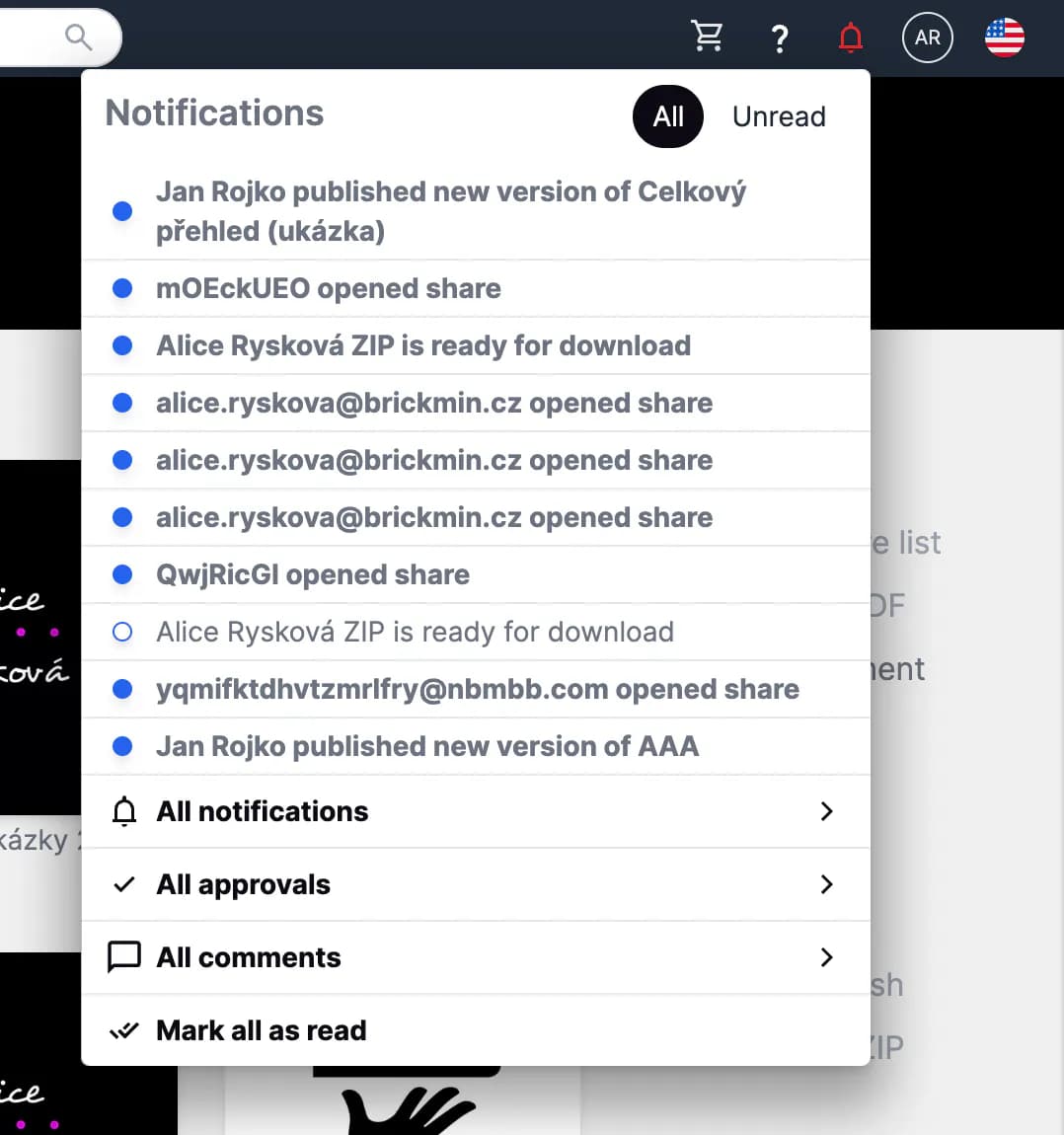
Preview of Notifications
Notifications settings
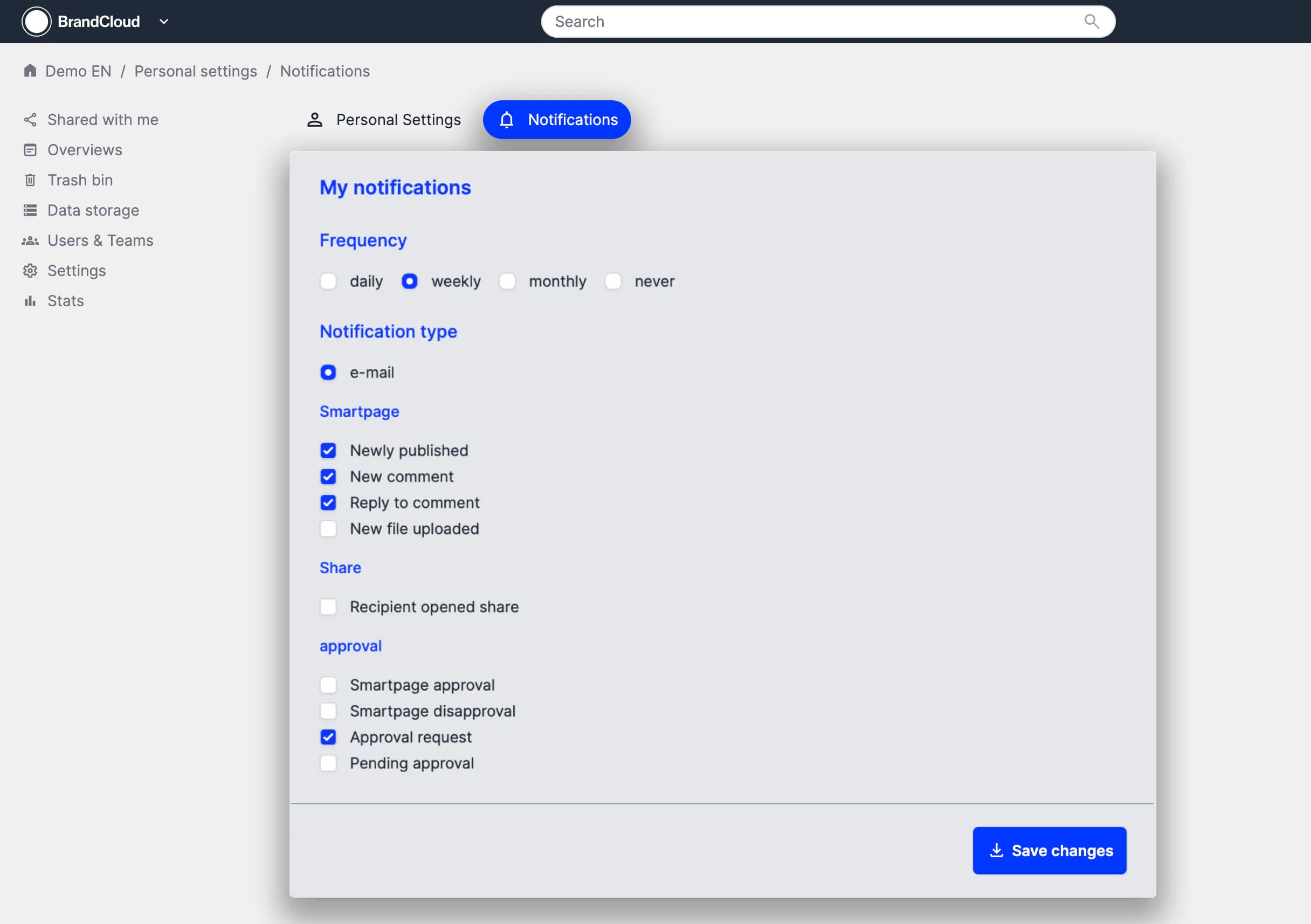
You can manage your notification preferences in your user profile.
In the Notifications section, you can adjust email frequency and select which types of notifications you want to receive.
How to:
1. Open your user profile.
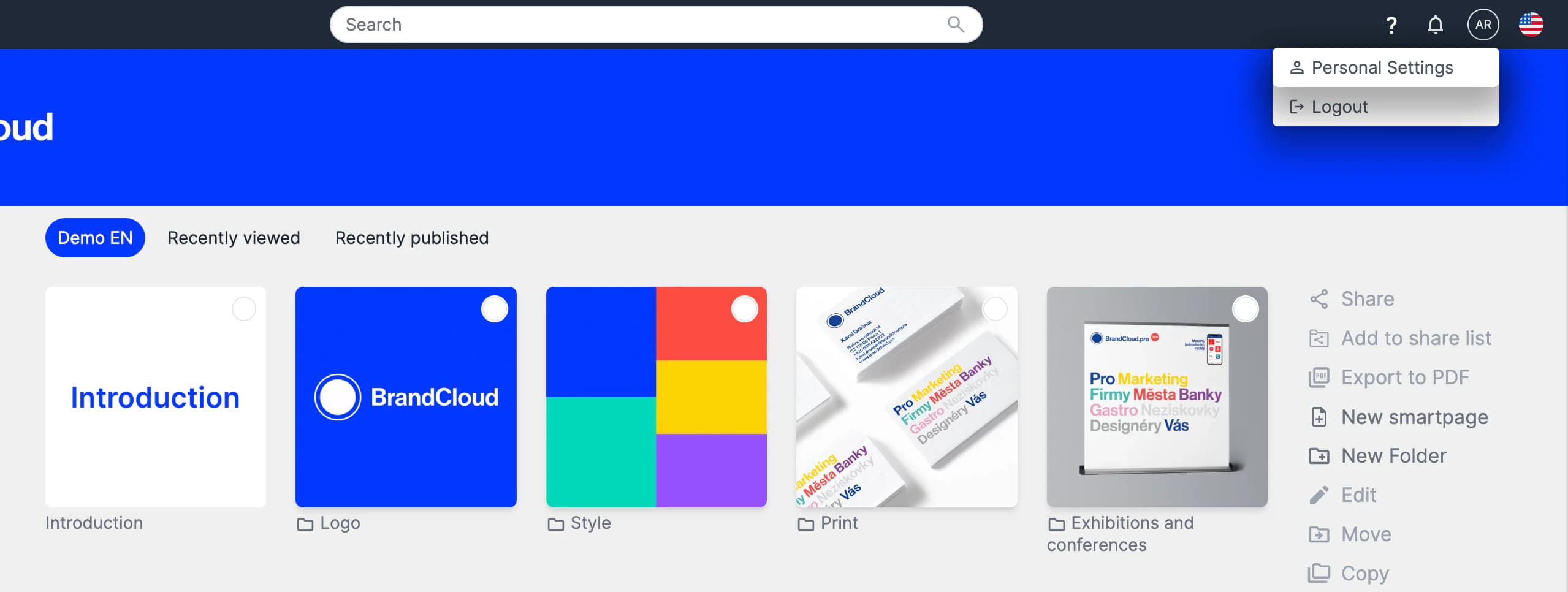
2. In Notifications, configure your preferred notification settings.