Teams
Access Settings
Access settings define what each team or subteam can view, edit, download, share, or lock with a password.
How to set accesses
1. In the selected team or subteam, open the Access tab.
2. Configure access for each folder in the structure:
- Hide – The folder is not visible to any user in the team.
- View – The folder is visible. Disable the download icon to prevent sharing or downloading.
- Edit – Users can edit content. Enable the lock icon to allow password protection for individual items.
3. Select Save to apply the changes.
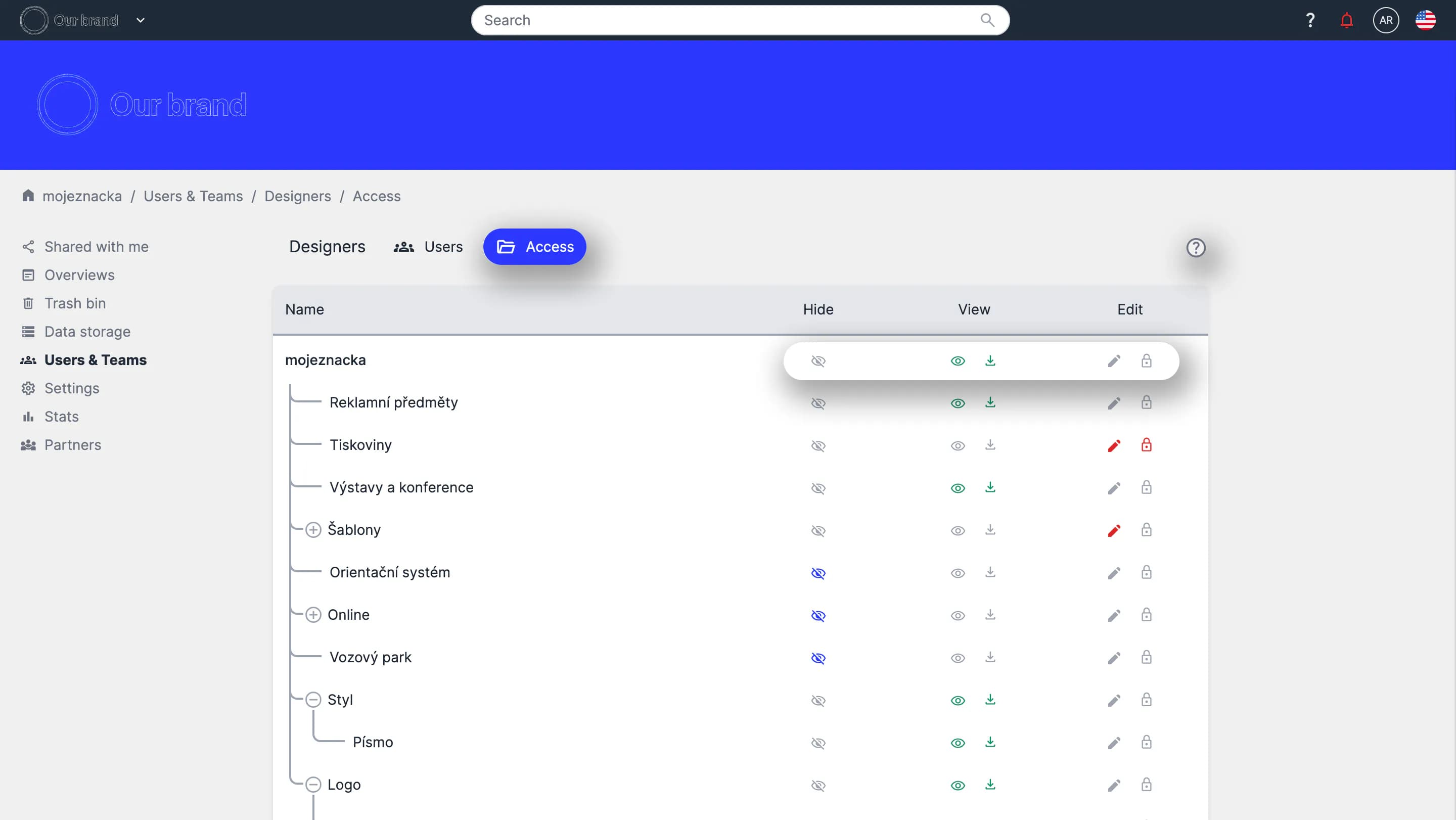
You can use the question mark icon in the top right corner to help you set up accesses.
Tutorial
How to set accesses (00:55)