Teams
Users Setup & Management
You can manage team memberships and administrator settings for each existing user. Personal information is managed directly by the user in the Personal settings section.
Team memberships types
- Member
A member has access to all content assigned to the team but cannot manage users or modify the team structure. - Manager
A manager can add or remove users, adjust team memberships within the teams they manage, and create or manage subteams.
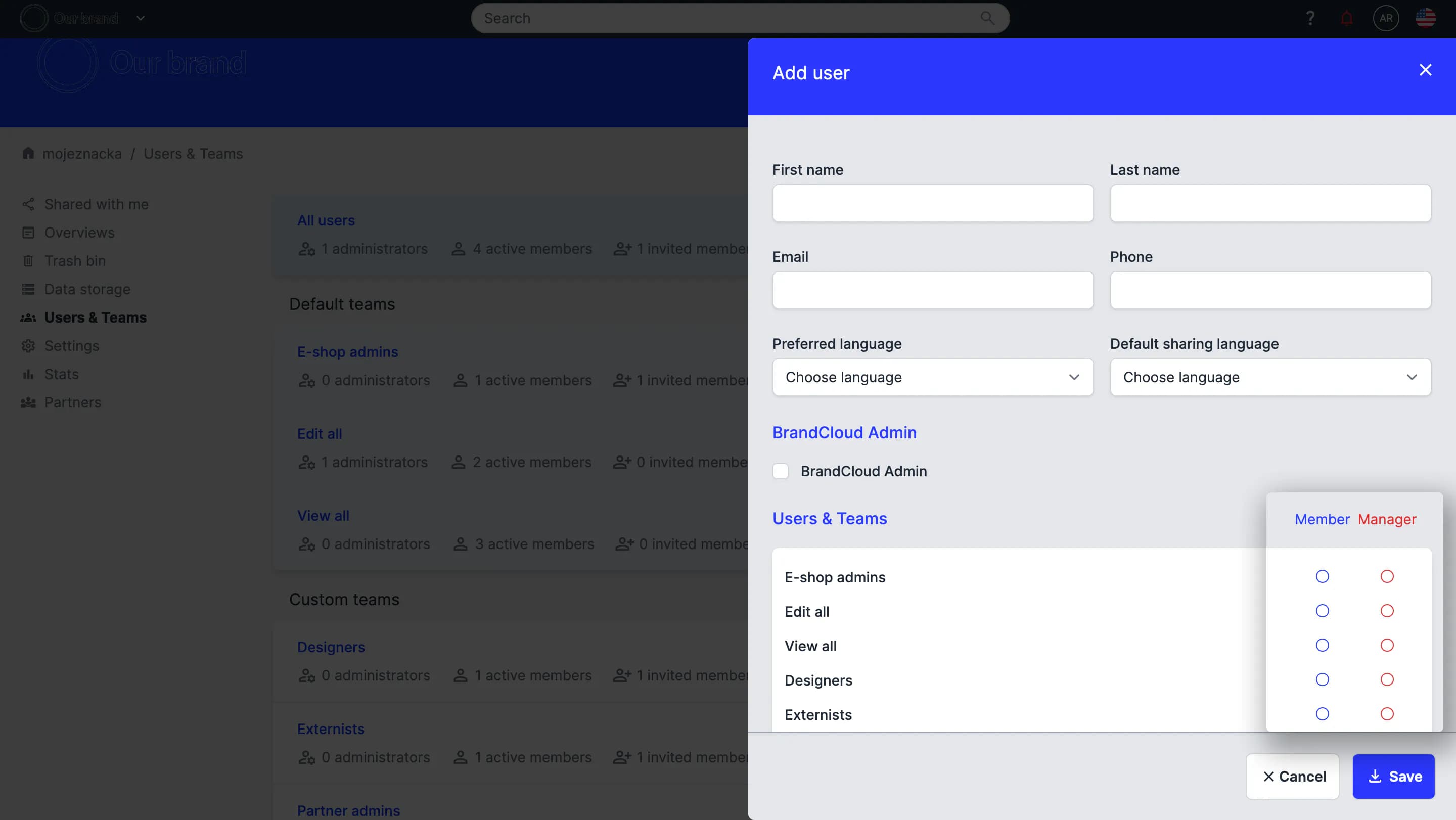
Location of the membership type setting
Administrator role
Administrators can manage the entire BrandCloud environment. They have access to all sections, can edit all users and teams, and configure permissions across the platform. Administrators can also access and edit all content in the repository.
Personal settings management
Each user can edit their own profile in the Personal settings section. For more details, see Editing a user profile.
Tutorial
Users management