Sharing
Manage Shares in Overviews
The Overviews section lists all shares you have created, whether sent by email or generated as a link. You can manage each share directly from this section.
How to manage your shares
- Edit share — update the share name and validity period.
- Cancel share — deactivate an active share before it expires.
- Export — download a table containing all shares and their related data.
You can open any share to review the shared content, verify that it is correct, or copy the link again if needed.
What you can track in overviews
- Share validity
- The user who created the share
- Shared content list
- Share name
- Recipients
For email shares, you will see the recipient email addresses. For link shares, you will see the generated link, which you can open or copy.
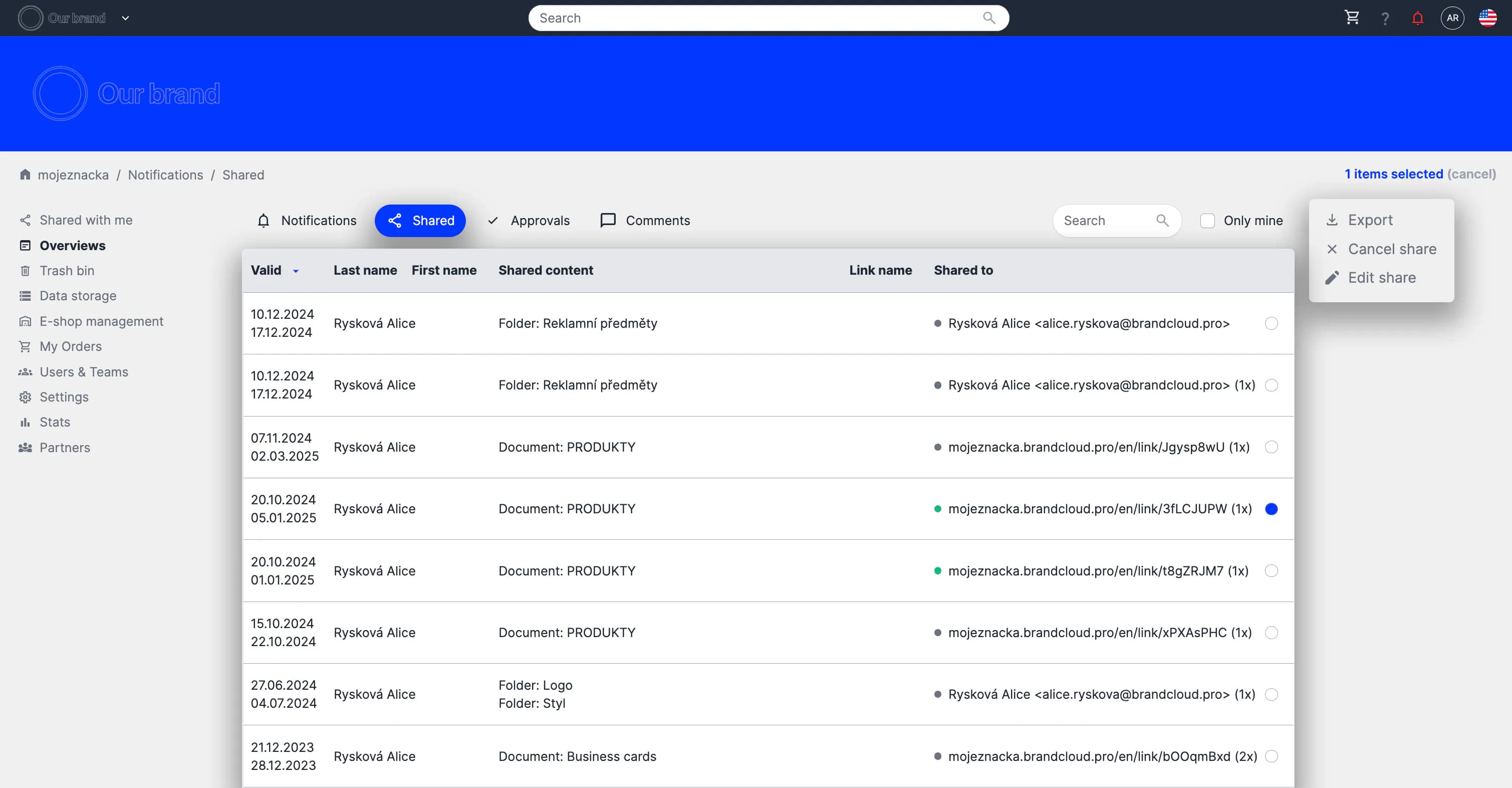
Preview of sharing in Overviews
Tutorial
Managing sharing in the Overviews section (before the Notifications section) - (03:20)