Teams
Structuring Teams – Subteams
Subteams allow you to extend existing teams. You can create any number of subteams. Subteams inherit all access settings from their parent team. You can use them to refine access for specific groups of users.
Example:
If your company has an HR team, you can divide its users into subteams such as Recruiting and Event Planning. Each subteam will have access only to the sections assigned to them.
Creating a subteam
1. Open the team for which you want to create a subteam (except Edit All and View All).
2. In the right column, select Add subteam.
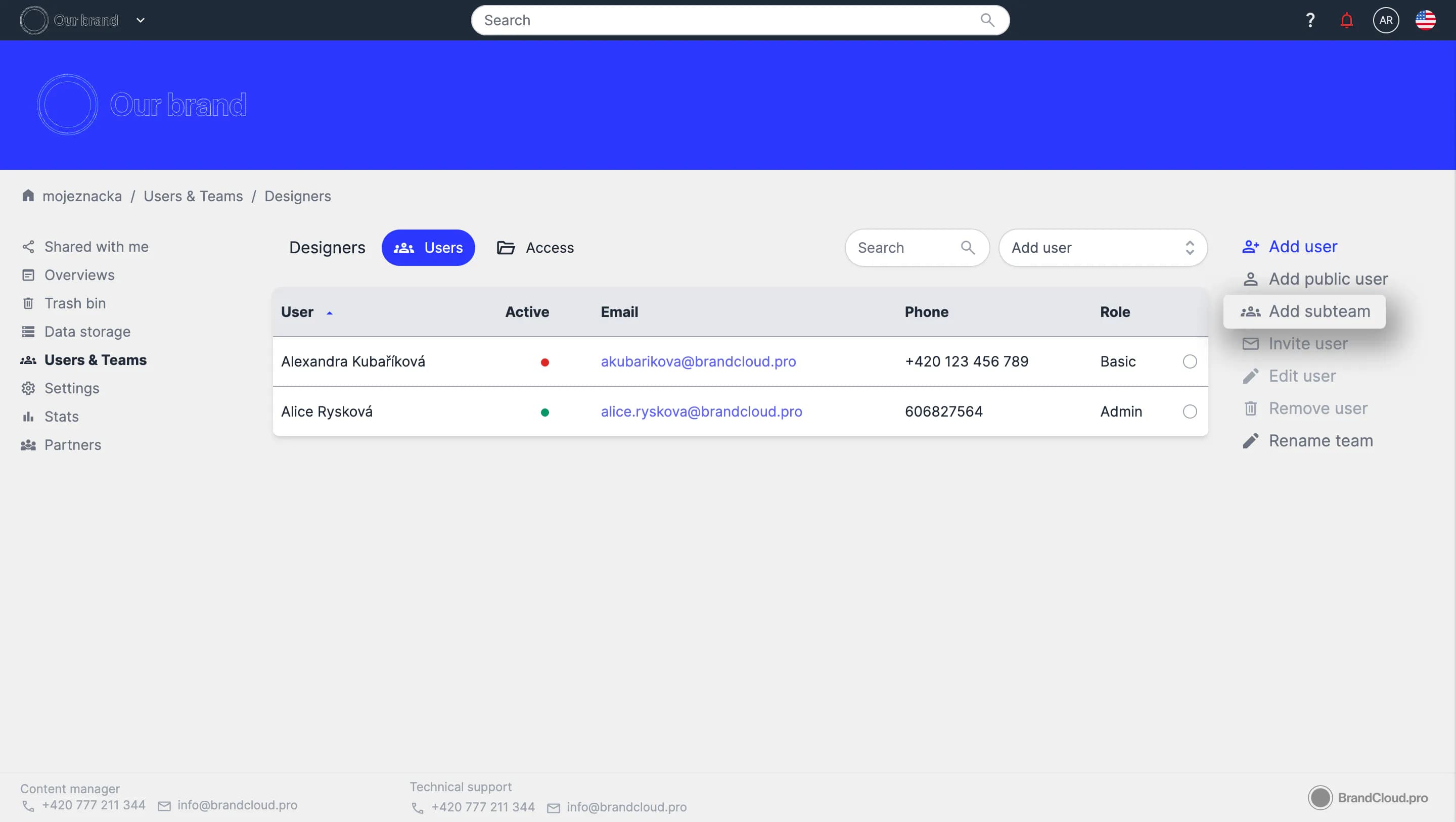
- Enter the subteam name and confirm with Add.
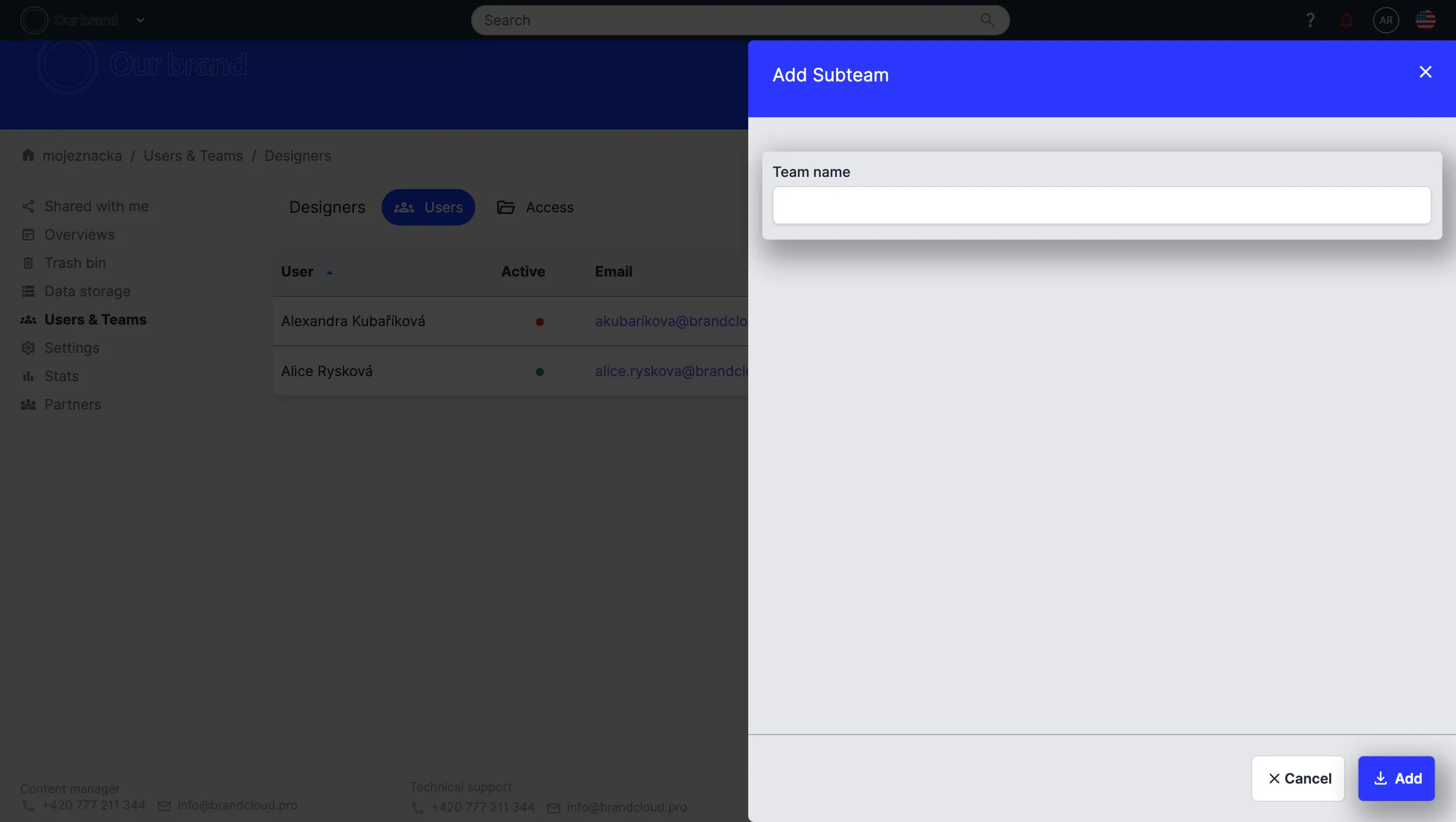
- Enter the subteam name and confirm with Add.
💡 Subteams can only use access rights already assigned to the parent team. You cannot grant a subteam access to a folder if the parent team does not have access to it.
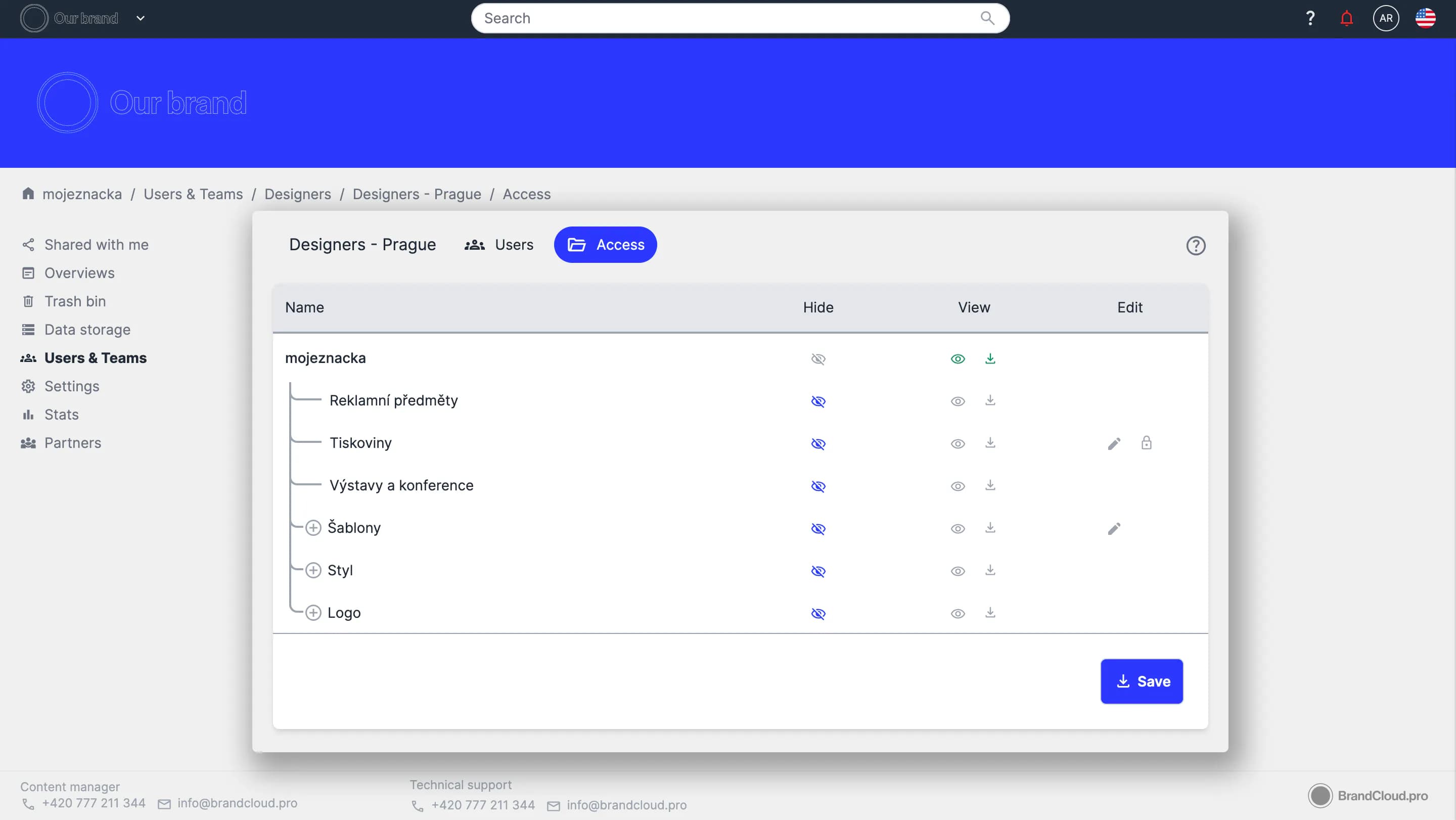
Example of default access settings for the Designers - Prague subteam → we can set access only to the Designers team structure.
Tutorial
Subteams, team manager & public access