Folder
Creating a Folder
Folders help you organize your repository so that content remains accessible and easy to navigate. You can assign permissions to each folder to control which users can view the folder and its assets.
How to create a folder
- On the home page, or inside any folder where you have edit rights, select New Folder. You can find this option at the bottom of the tile structure or in the right column of the page.
- Enter a folder name.
- Upload a custom folder preview if needed. You can update it later in the folder settings.
- If required, replace the image in the top bar. This image appears in the current folder, its child folders, and its smartpages.
- Select Save. The folder is created and appears in the structure for further use.
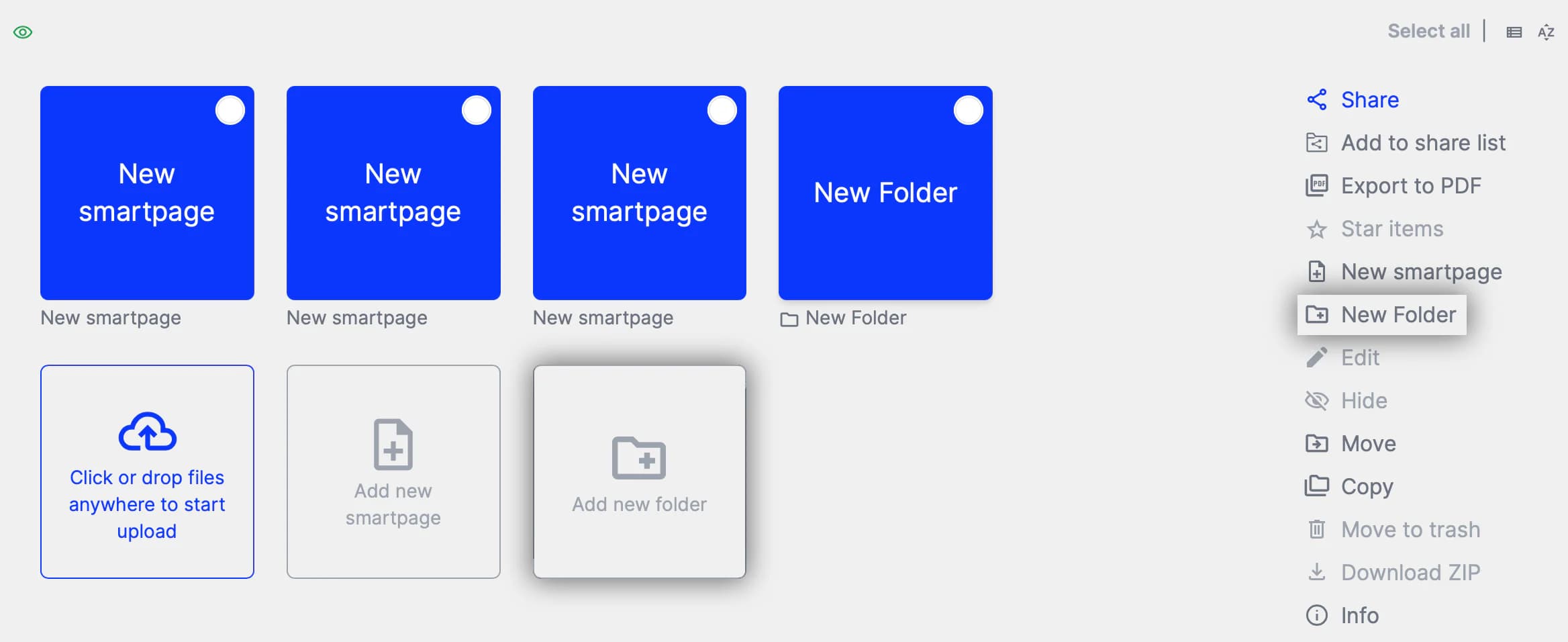
The button to create a new folder can be found both in the tile structure and in the right column of the page.
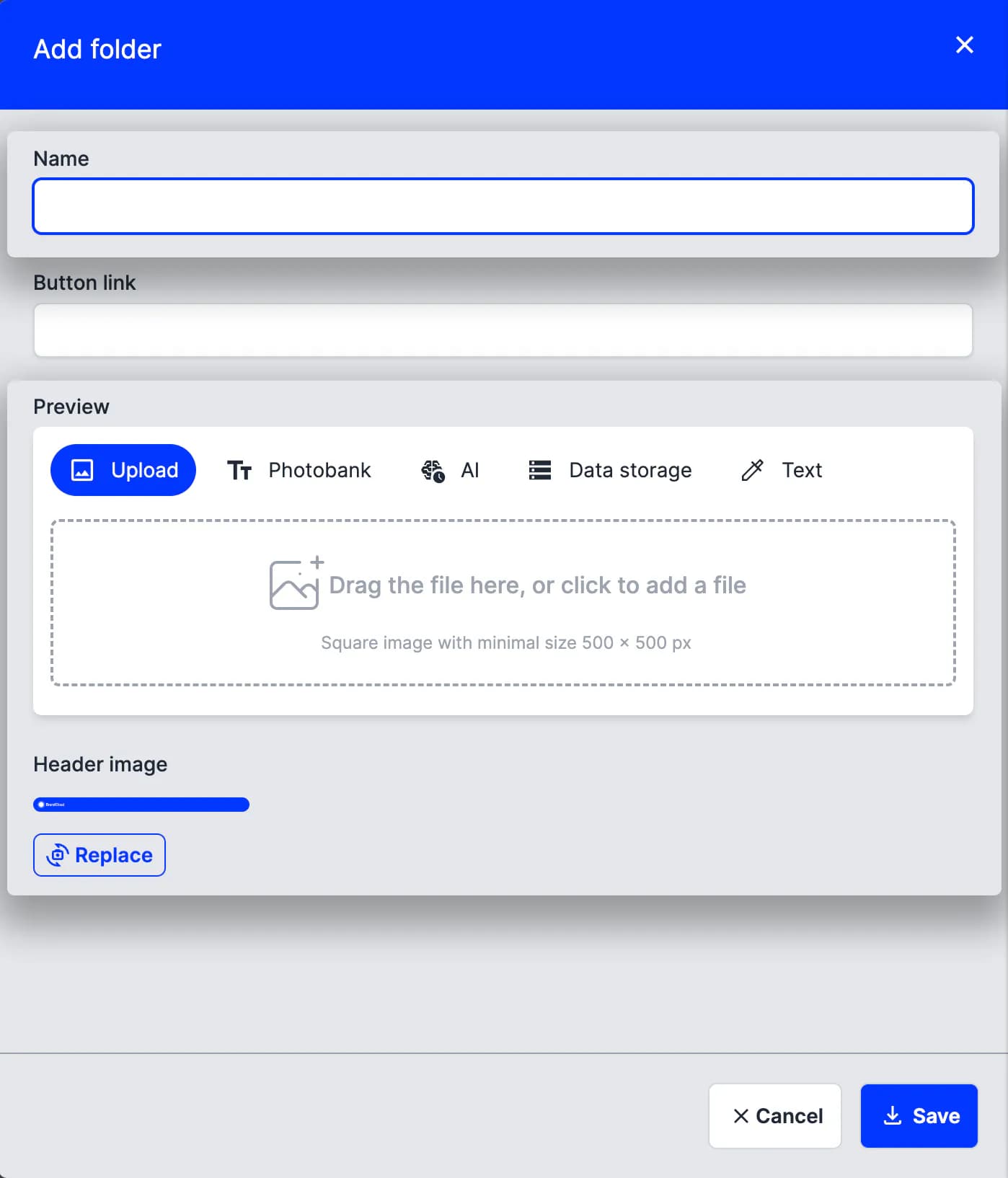
Preview of the pop-up window for creating a folder