Sharing
How to Share Content
You can share content with any BrandCloud user or external recipient. The platform supports two sharing methods: sharing by email and sharing using a link.
Who you can share content with
- BrandCloud users
You can share content with any user who has an account. Their available actions depend on their assigned permissions. - External recipients
You can share content with anyone by sending a link. The recipient does not need an account.
Types of sharing
- Sharing by email
- Sharing using a link
Sharing content by email
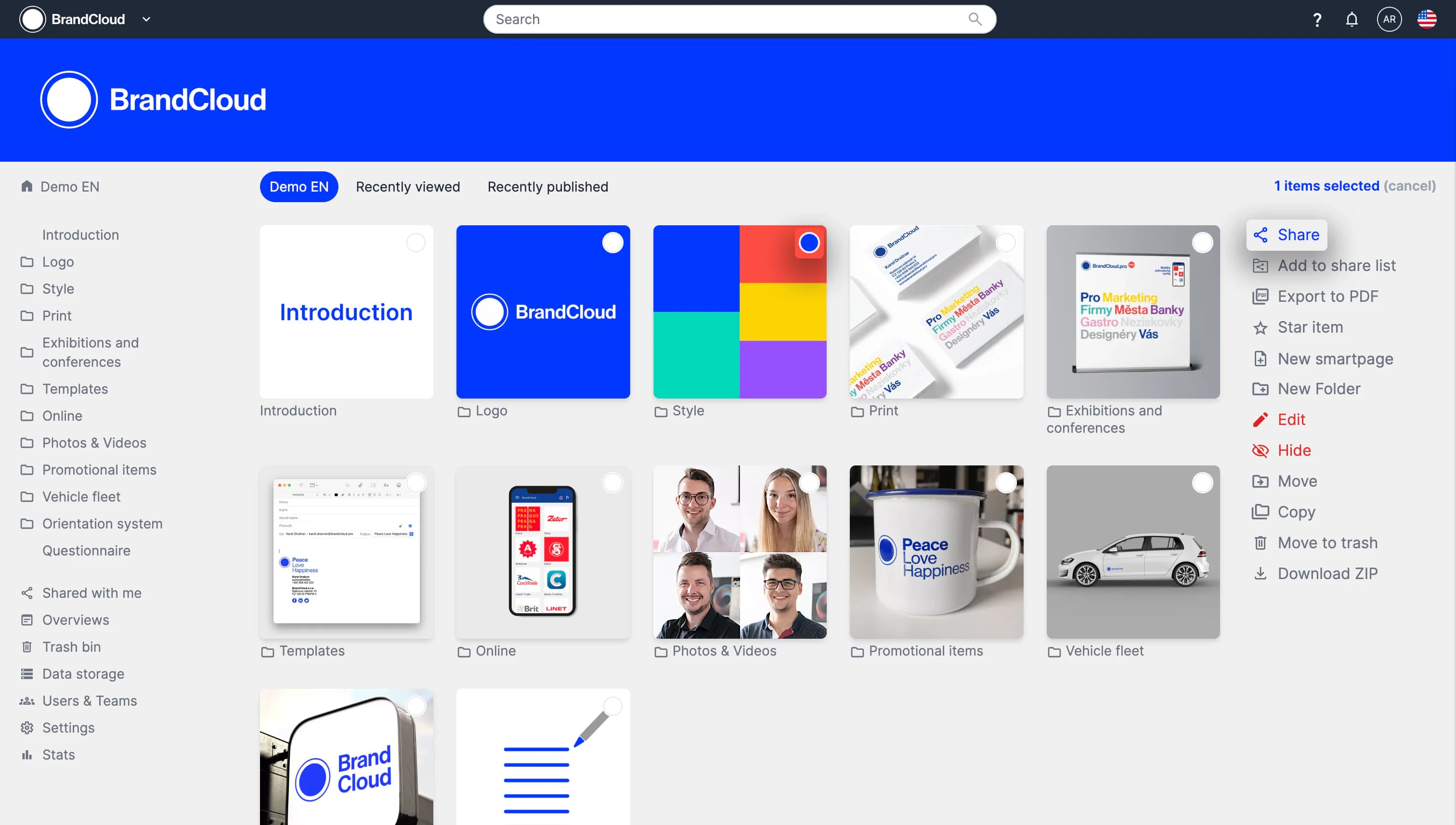
1. Select the content you want to share.
2. In the right column, select Share.
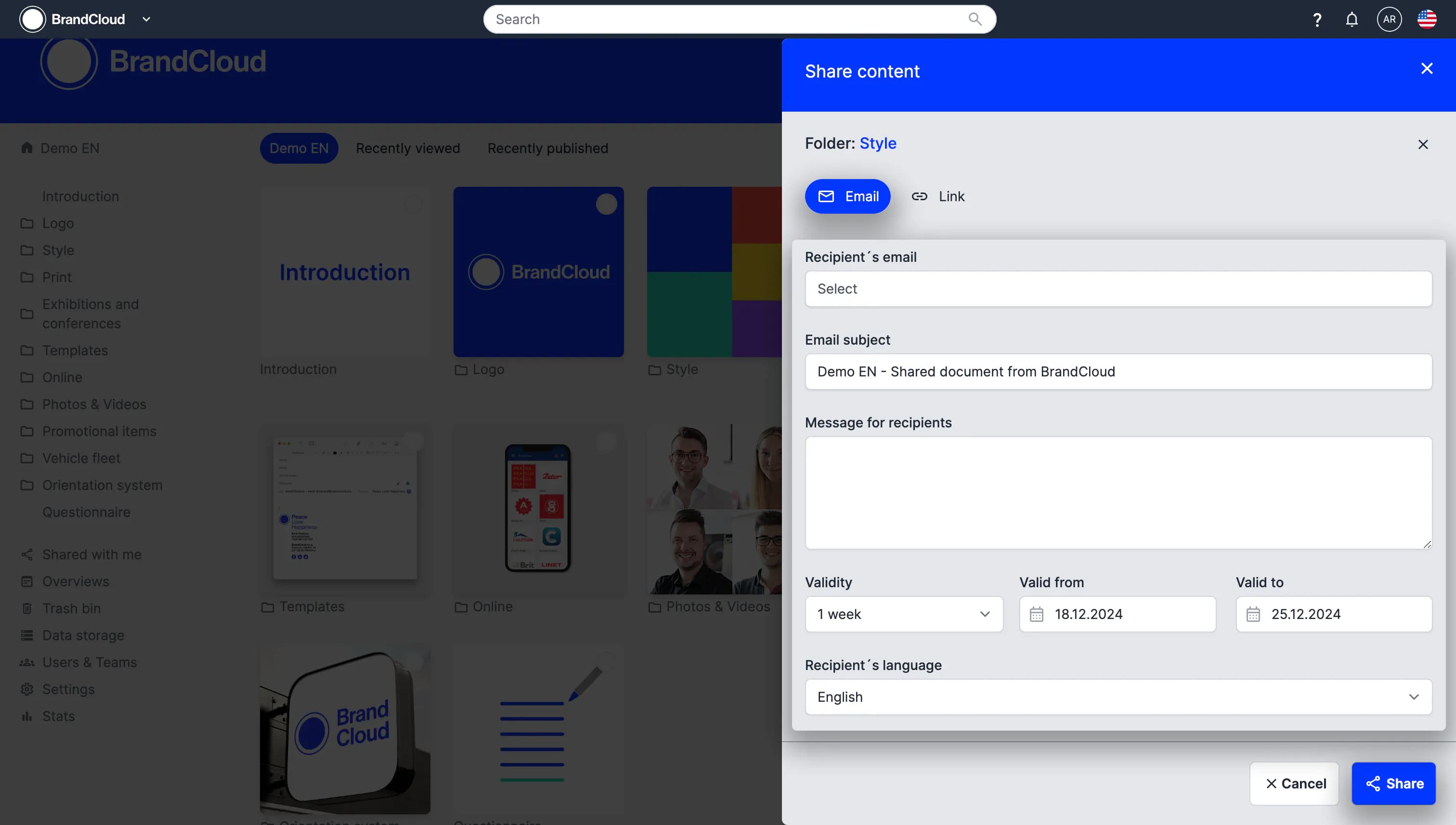
3. Email sharing opens by default.
4. Enter the following information:
- Message subject
- Message text
- Validity period
- Recipient language (this defines the language of the email and the BrandCloud interface after opening the share)
5. Select Share to send the content.
Sharing content using a link
1. Select the content you want to share.
2. In the right column, select Share.
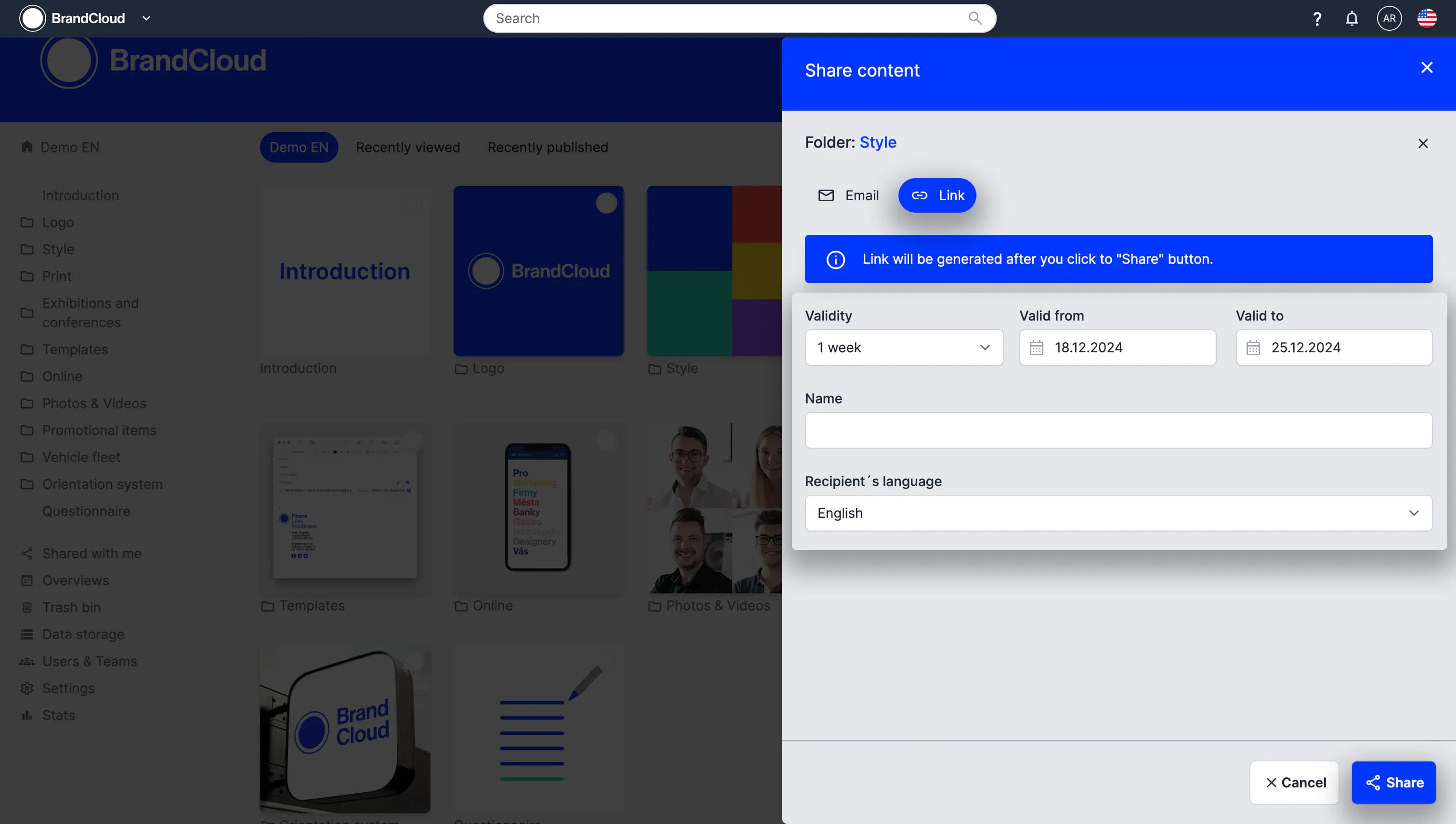
3. Switch to Link sharing.
4. Enter the following information:
- Validity period
- Share name (used to identify the share in Overviews)
- Recipient language
5. Select Share to generate the link. The link is automatically copied to your clipboard.
- 💡 Tip: You can share the generated link or copy the URL directly from your address bar once the link is open.
- ‼️ Important: This only works for the initial shared page. If you navigate into subfolders, the URL changes and will only lead external users to the login screen.
Sharing content using a share list
A share list allows you to collect multiple items from different locations and share them at once.
How to use a share list
- Select content and choose Add to share list in the right column. Repeat as needed.
- When ready, select Share list.
- Choose email or link sharing and follow the steps described above.
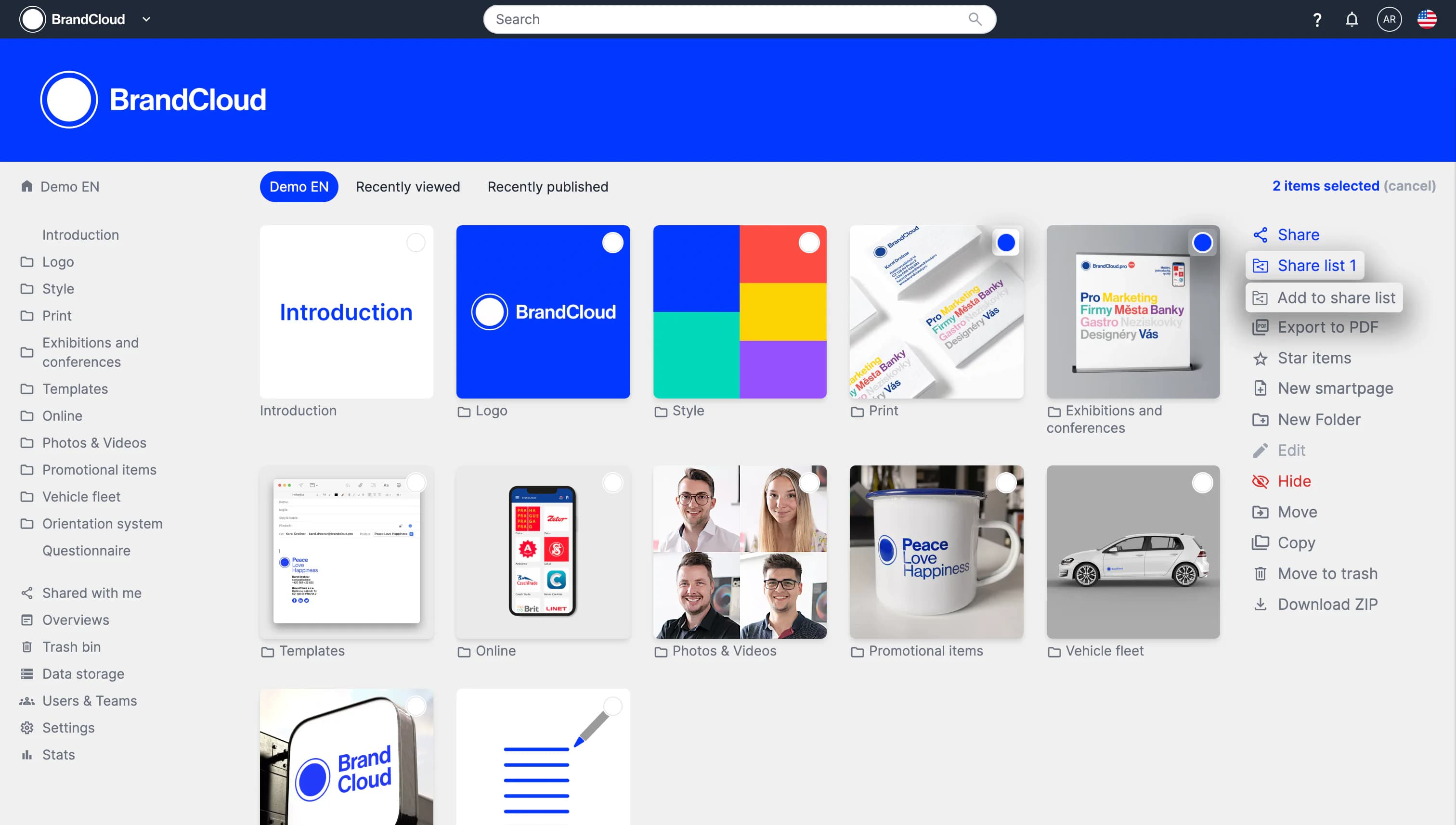
Preview of adding to a share list
Tutorial
This tutorial explains:
- How sharing works
- Who you can share with
- Where to find content shared with you
- How to share multiple files using the share list
- Differences between email and link sharing
- How the Overviews section helps you track shared content
- How to cancel an active share