E-shop
Managing Orders
In the E-shop management section under the Orders tab, you can manage all submitted orders.
Information available in the orders section
- Order number (assigned automatically and used for identification)
- Date and time of order creation
- Order status
- User who submitted the order
- Total price
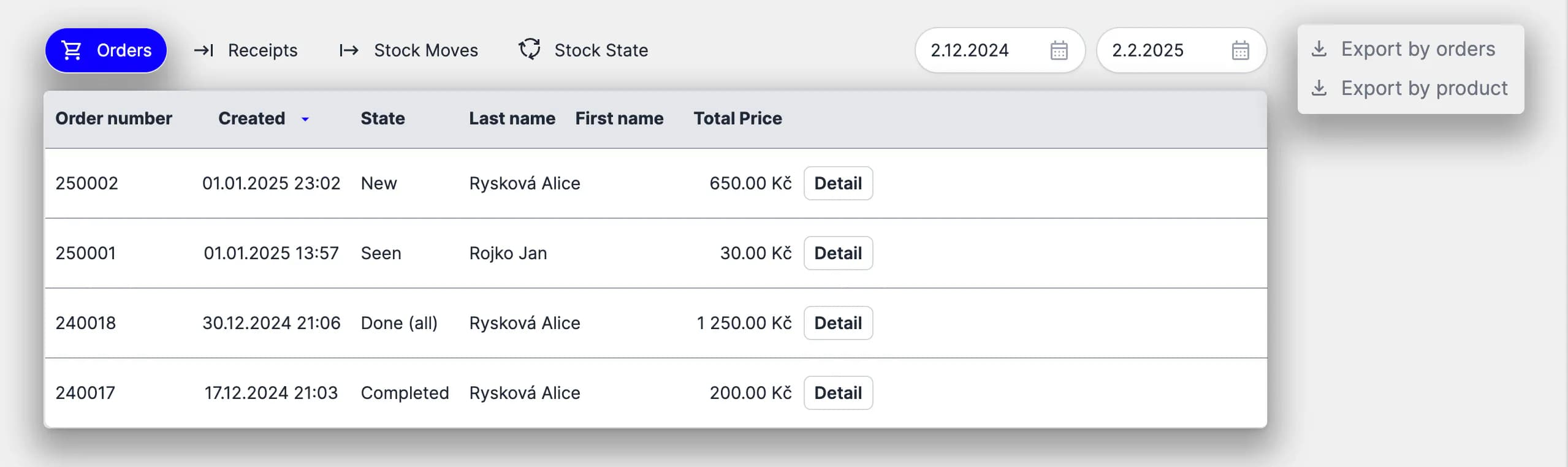
You can export orders to an .xlsx file. The export includes all relevant data and can be generated per order or per purchased product.
Managing an order
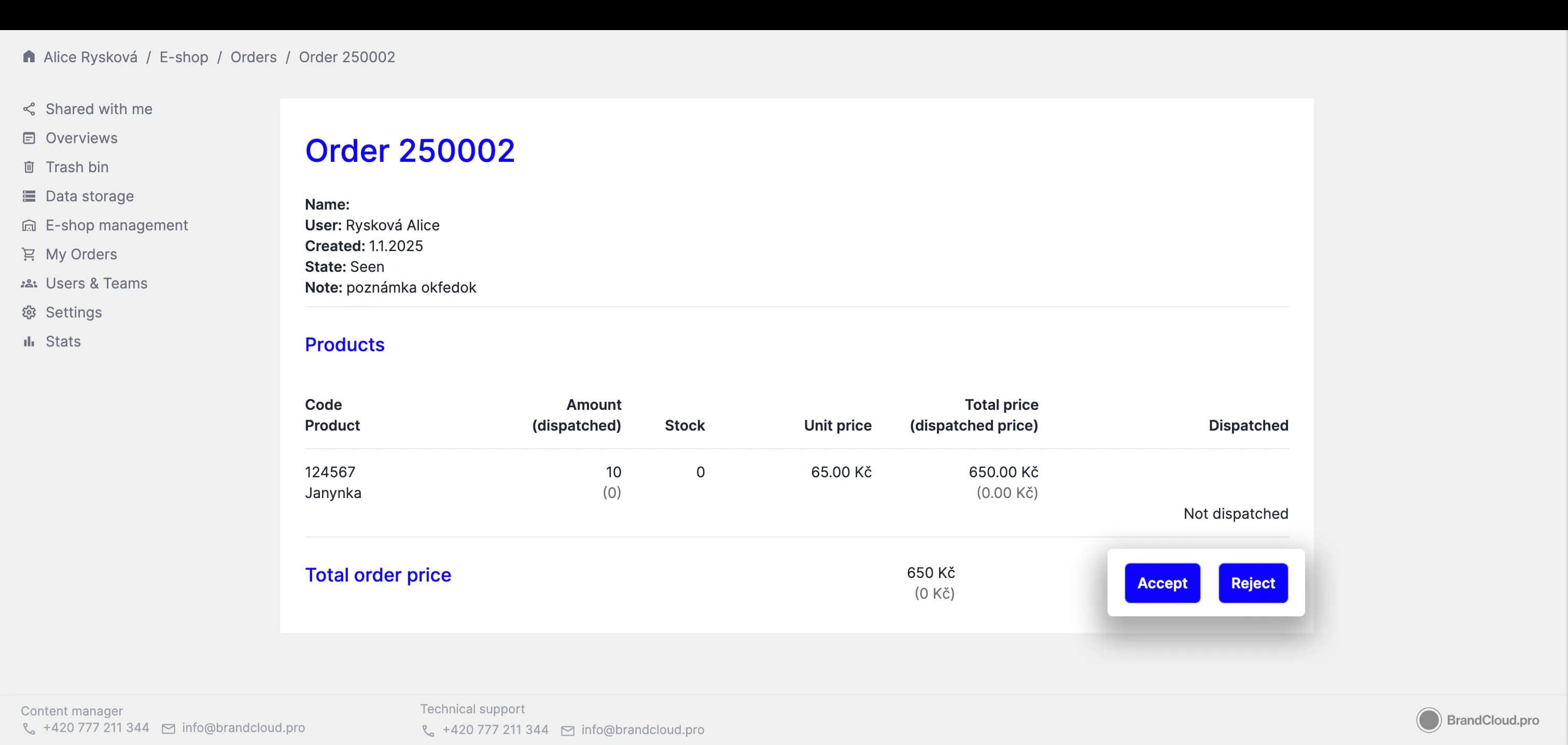
Open an order to manage its details and processing status.
When a new order arrives, you can accept or reject it.
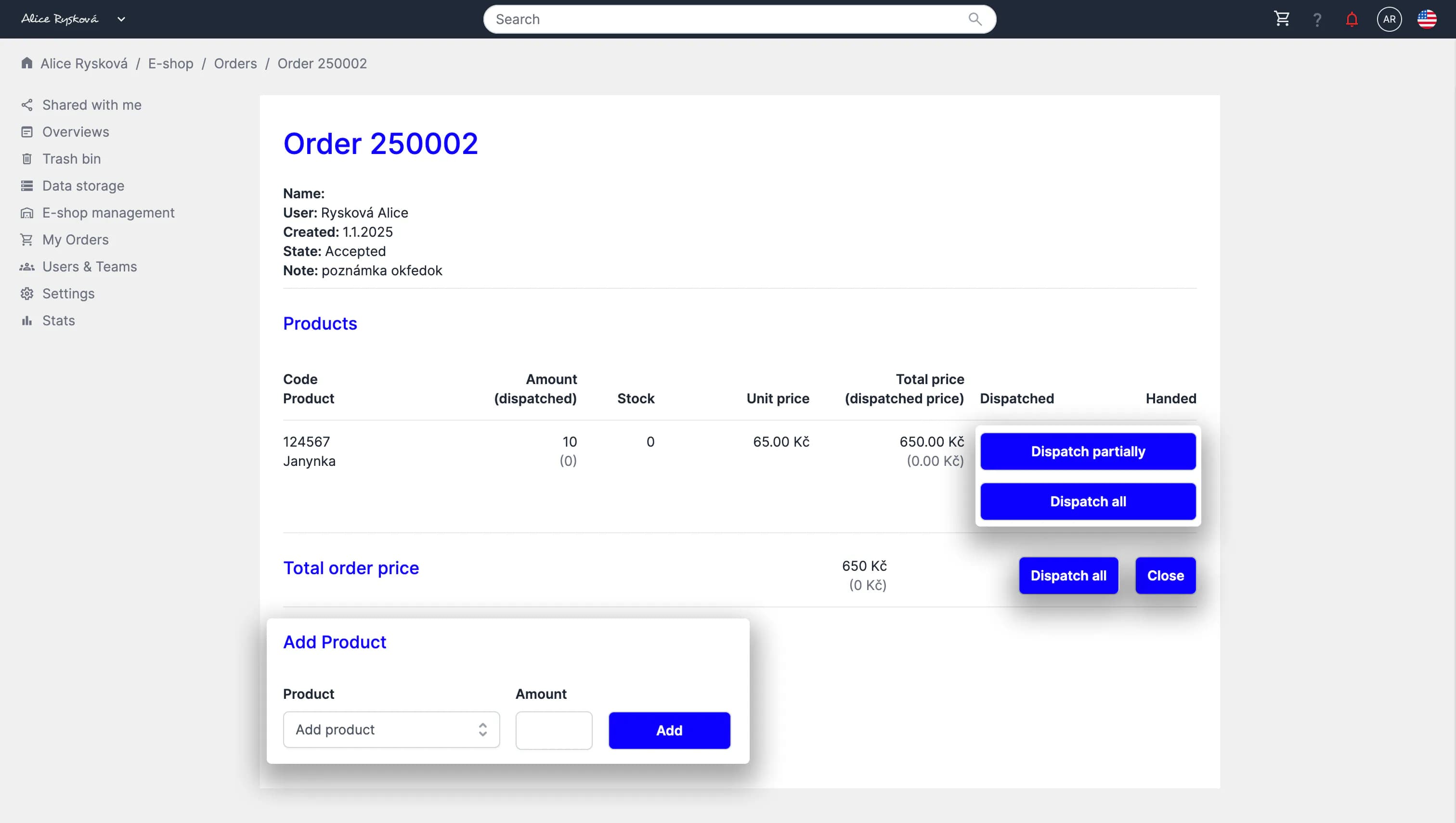
- After accepting an order, you can dispatch items partially or in full, add products to the order, and close the order once it is completed and delivered.
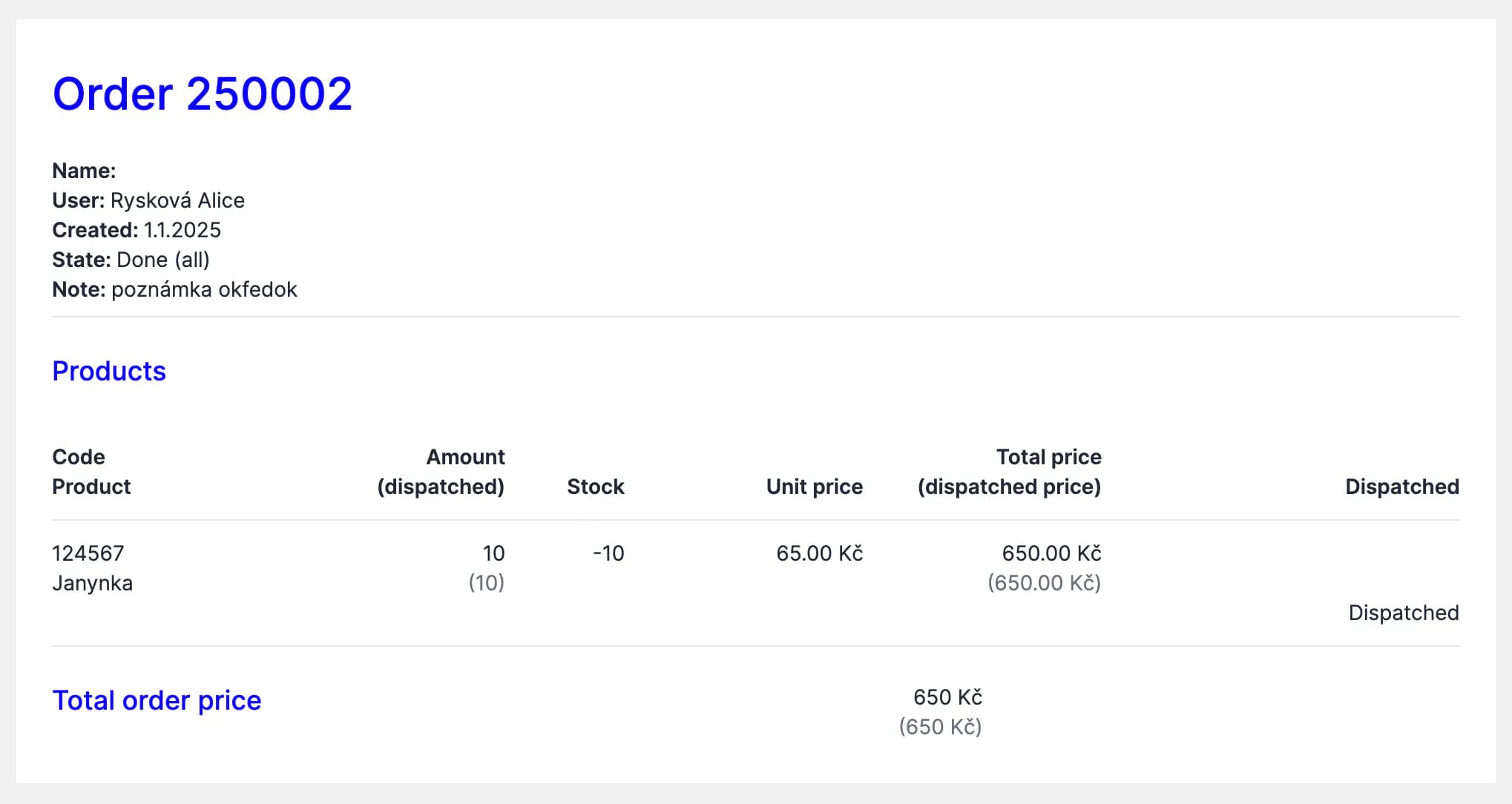
Preview of a closed order
Tutorial
Order management (03:34)