Features
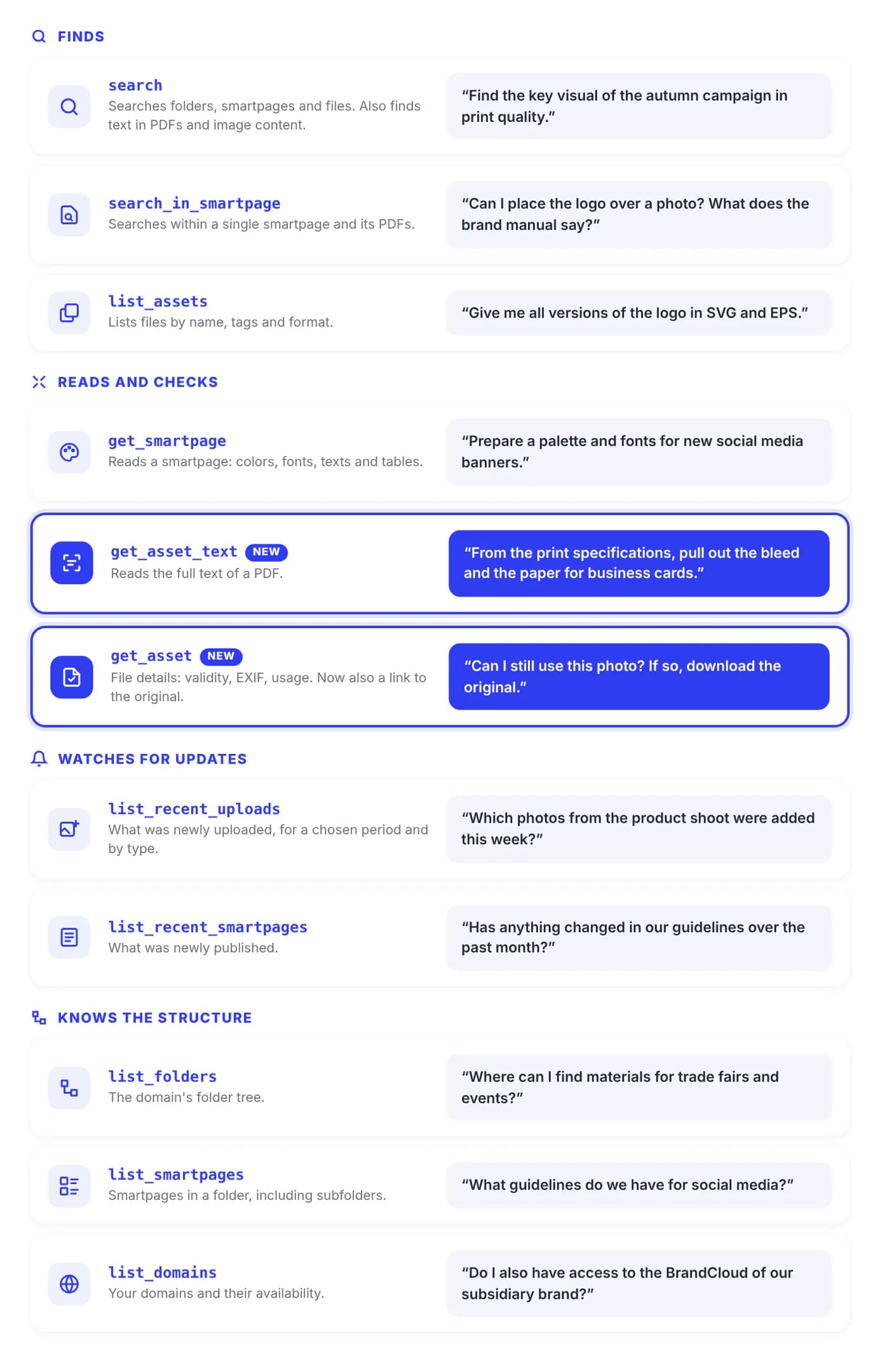
The AI in BrandCloud searches, reads and watches for updates using 11 tools. You don’t need to call them by name: the agent picks the right one for the task and returns the result with direct links to BrandCloud.
Search across BrandCloud
The AI searches folders, smartpages and files all at once. If you don’t specify a domain, it searches all the domains you have access to. If a result matches a specific element inside a smartpage, the link takes you straight to it.
“In the company.brandcloud.pro domain, find the negative logo as SVG or PNG and give me the download links.”
Search within PDF content
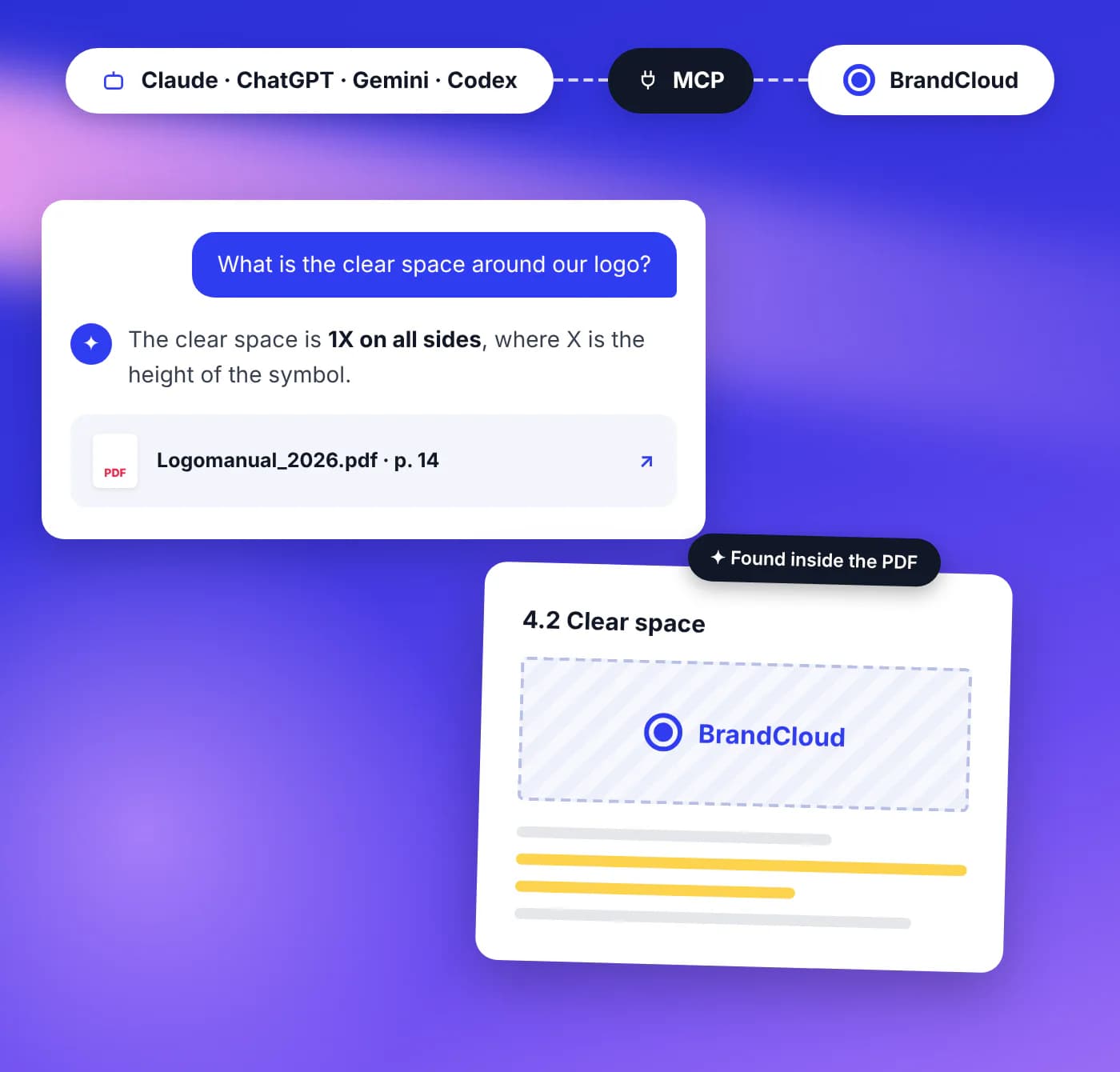
BrandCloud extracts the text from uploaded PDFs. This lets the AI find a document by what it says, not just by its name, and read its full text. Its answer therefore links to the specific file.
- Useful for logo manuals, price lists, specifications and print materials.
- The AI can only access the text of a PDF if you have the right to download the file. Reading the text is not recorded as a download.
“What is the minimum size and clear space for our logo? Cite the source.”
Images by context
When MCP is activated, images get a text description and keywords. The AI can then find them by what they show, even if the file is named IMG_4821.jpg. The agent then looks at the image it found itself. How well it understands what is in the image depends on the model used.
“Find product photos showing an orange on a white background.”
Reading smartpages
The AI reads the entire smartpage: headings, texts (including manually added ones), tables, colors with HEX, RAL and Pantone values, fonts and attached files. It can also search within a single page, including the text of attached PDFs. Unlike reading, searching is not recorded in the view statistics.
“Read our brand manual and prepare a cheat sheet: colors, typefaces and logo rules.”
File details
The AI shows the description, tags, EXIF data, validity, file history and the smartpages where the file is used. It gets a link to both the preview and the original, so it can look at the file and create output in the format you need from the source material.
“Until when is the file logo_main.svg valid, and can I use it for these purposes?”
What’s new
The AI lists what was uploaded or published in a chosen period, optionally only a specific file type.
“What has changed in BrandCloud over the past week? What was uploaded, what was changed, and what is it used for?”
Master rule
In the agent’s settings, you can set a rule for individuals or for the whole company that the agent will follow in all its outputs. For example: “Whenever you create something, always check the logo manual in BrandCloud first”, plus a link to the folder or PDF with the manual.
Overview of all tools
Tips for writing prompts
- Specify the domain. If you have more than one, the AI doesn’t have to search them all.
- Specify the type. “Files only”, “PDFs only”, “pages only”.
- Ask for the source. Request a link with every answer, or ask straight away to download it.
- Specify the output. Where to save it, who to send it to, in what format.
- Follow up. “Now list only the colors from that page.”