E-shop
Ordering from the Customer’s Point of View
Customers can access the My Orders section, where they see all previously submitted orders and their current status.
To place an order, the customer opens the product smartpage, selects the required products, adds them to the cart, and submits the order from the cart after completing the required information.
Adding products to the cart
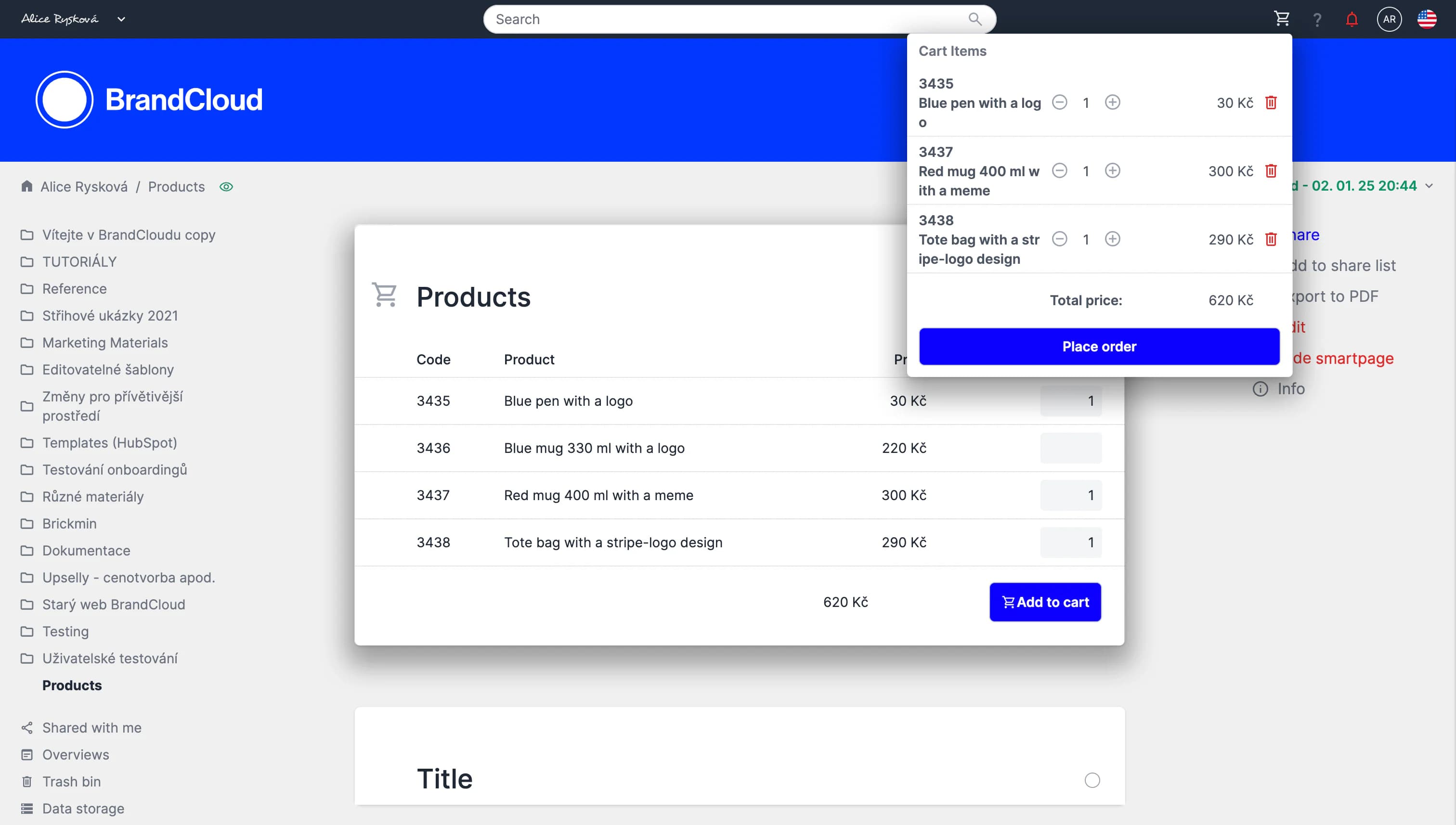
Once added, users can manage and edit the quantity of items in the cart in the cart pop-up window.
Placing an order
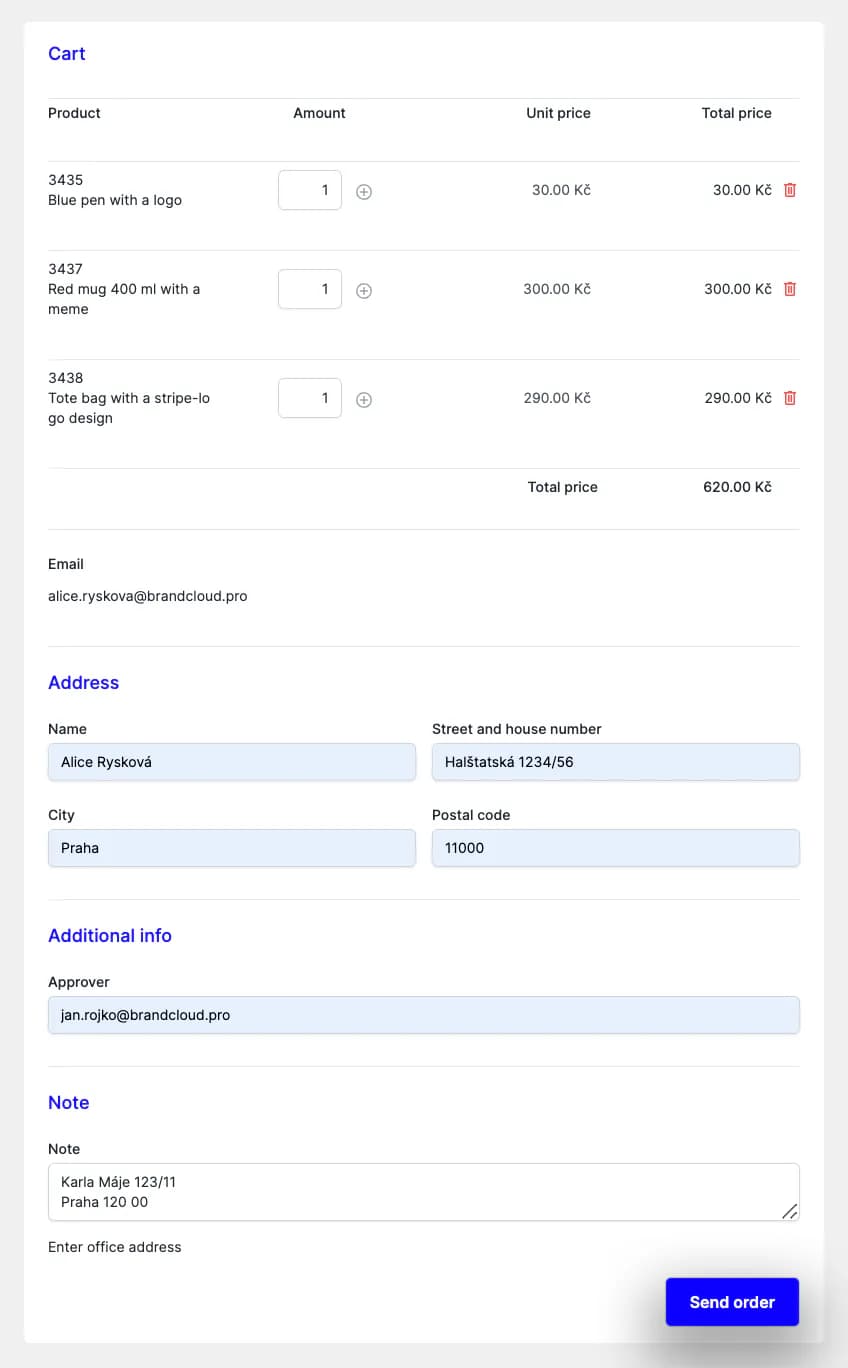
After filling in the necessary data, the user can submit their order.
Order confirmation
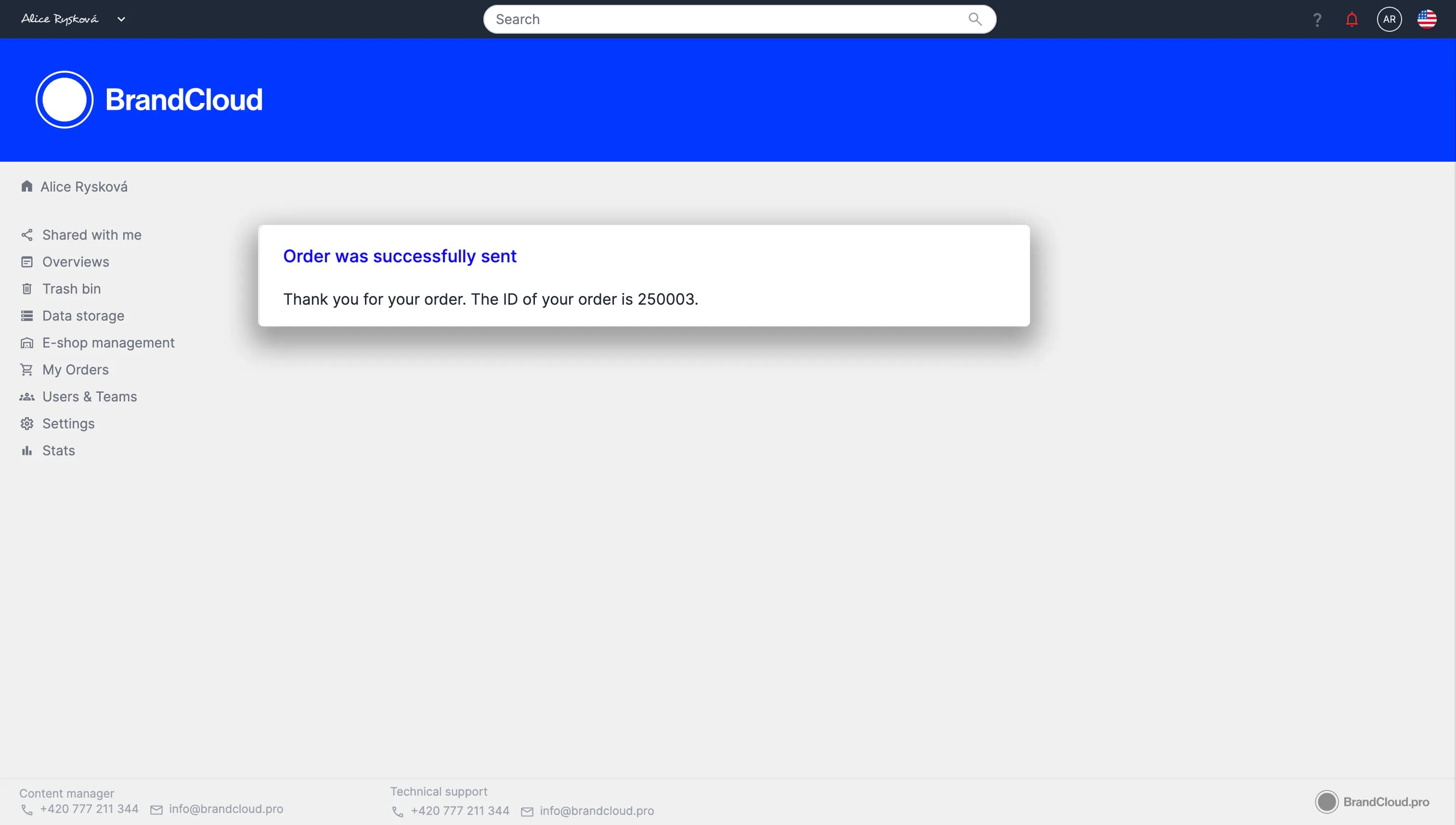
It will appear immediately after the order is placed.
Order status tracking
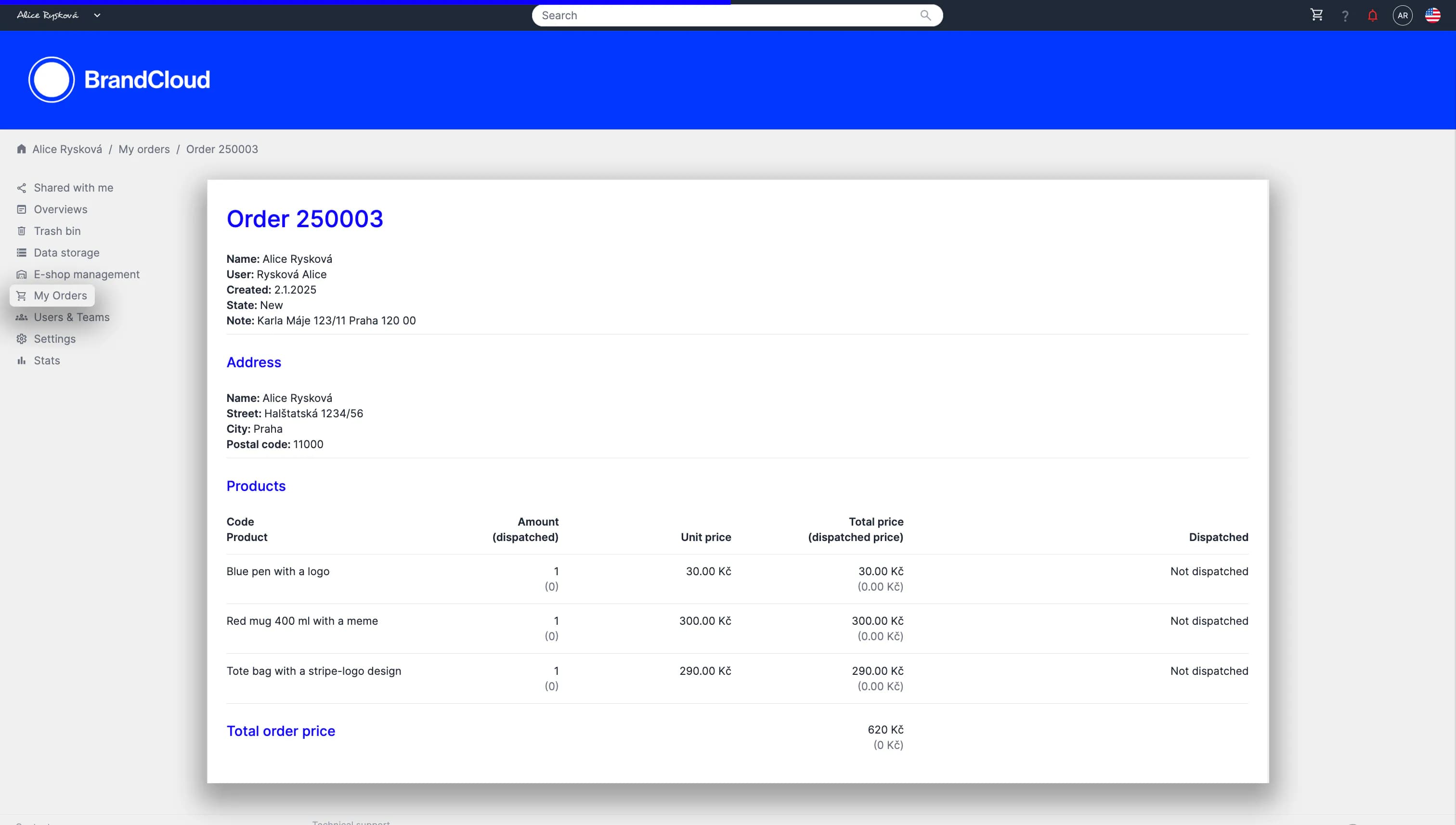
In the order details you can see the status of individual items in addition to the status of the entire order.
Tutorial
Ordering from the customer's point of view (06:10)