If your organization stores digital assets in Google Drive, OneDrive, or Dropbox, you've likely encountered challenges such as finding the right files, managing multiple document versions, or navigating an increasingly complex folder structure. Moving to a Digital Asset Management (DAM) system can significantly simplify content management. However, simply transferring files isn't enough to achieve the desired results. A successful migration depends on careful planning, well-organized content, and a properly structured migration process.
Start with an Audit of Your Digital Assets
The first step is to understand exactly what you're migrating. In most organizations, digital assets aren't stored in a single location. Instead, they're often scattered across multiple cloud storage platforms, network drives, and employees' personal folders.
During the audit, it's worth identifying:
- where your assets are stored,
- which files are actively used,
- how much duplicate content exists,
- which assets are outdated,
- who owns each asset.
This stage often reveals that a significant portion of the content is no longer relevant. Migrating everything without reviewing it first simply transfers years of accumulated clutter into your new DAM.

Clean Up Your Content Before Migrating
Migration is an ideal opportunity to remove content your organization no longer needs.
Typical examples include:
- outdated logo versions,
- multiple copies of the same document,
- images without descriptions or ownership information,
- assets from old marketing campaigns,
- files that haven't been used for years.
The cleaner your content is before migration, the easier it will be to manage afterward. A DAM system won't automatically fix poorly organized data—it can only manage your assets effectively if they are well prepared before being imported.
Define Metadata Before Folder Structure
One of the biggest differences between cloud storage and a DAM system is how users find content.
While users often rely on folder hierarchies in Google Drive or OneDrive, DAM platforms are built around metadata. This allows a single asset to be found by product, campaign, market, language, or license without navigating through dozens of folders.
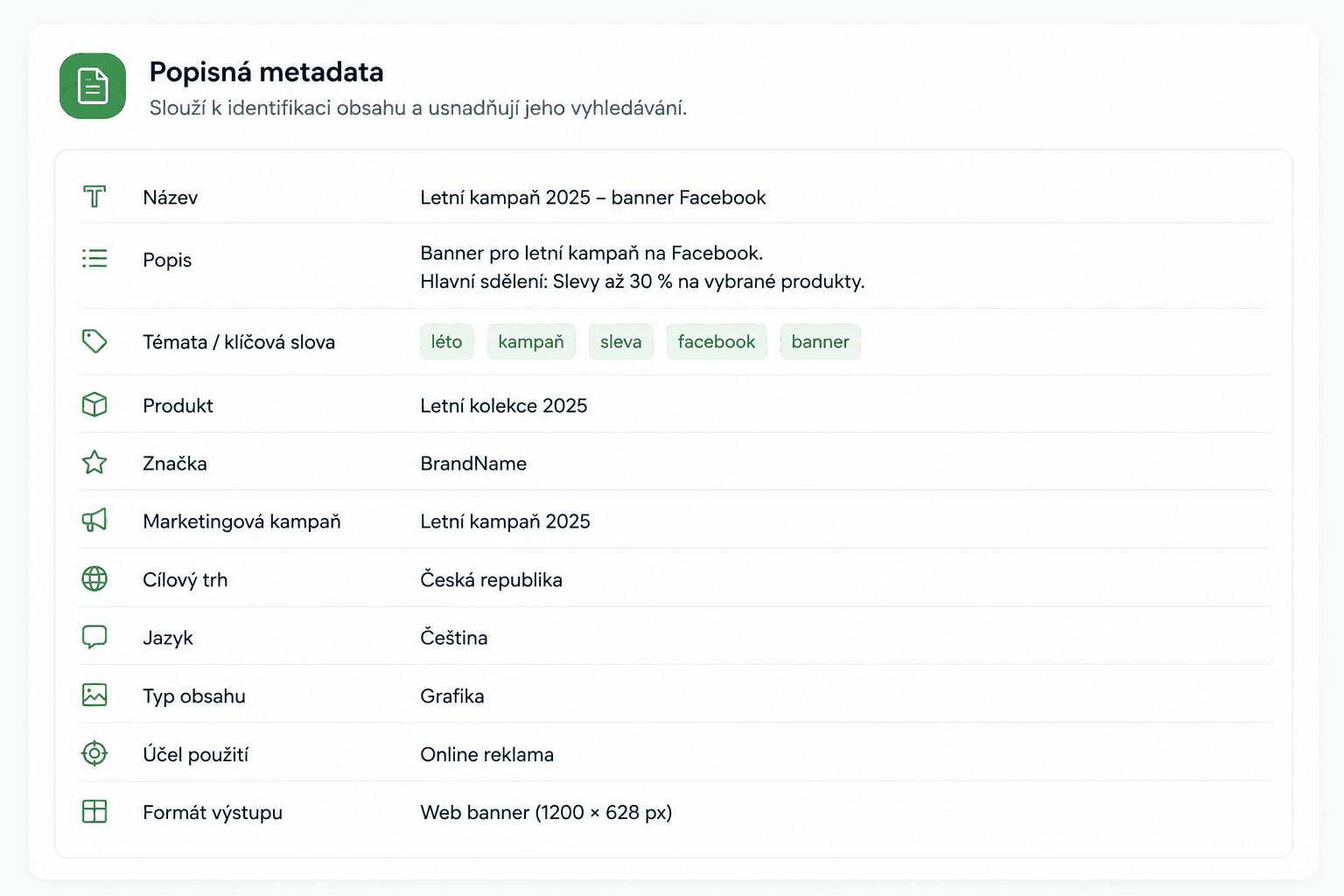
Before migrating, consider defining metadata such as:
- asset type,
- product or service,
- brand,
- language,
- target market,
- creator,
- license,
- creation date,
- marketing campaign.
Well-designed metadata makes assets much easier to find and supports efficient content management long after the migration is complete.
Test the Migration with a Small Sample
Migrating your entire asset library at once is rarely the best approach. It's much safer to start with a smaller sample of content.
A pilot migration allows you to verify that:
- metadata has been transferred correctly,
- files are assigned to the right locations,
- user permissions work as expected,
- search delivers accurate results,
- no content has been lost during the process.
If any issues arise, they can be resolved before migrating the rest of your digital asset library.
Verify the Results and Prepare Your Users
The work doesn't end once the files have been imported. Your DAM should be ready to support everyday work across the entire organization.
It's worth confirming that:
- all files have been migrated successfully,
- metadata is complete and accurate,
- user permissions are configured correctly,
- every team understands how to work with the new system.
Without clear governance and consistent processes, even a well-designed DAM can gradually become as disorganized as the cloud storage it replaced.
What If You Don't Want to Migrate Everything at Once?
Moving to a DAM doesn't have to happen overnight. Many organizations choose a phased approach, keeping part of their content in cloud storage while gradually introducing the new system across different teams.
BrandCloud integrates with both Google Drive and OneDrive, allowing users to access and work with files stored in these platforms directly from within the DAM environment. This integration makes it possible to migrate content in stages rather than all at once, helping organizations transition at a pace that fits their needs.
A Well-Planned Migration Lays the Foundation for Better Digital Asset Management
Migrating from cloud storage to a DAM system is about much more than moving files. It's an opportunity to organize your digital assets, establish consistent management practices, and create an environment where content is easy to find and use across the organization. When the migration is carefully planned, a DAM delivers far more than a new storage location—it improves collaboration, increases efficiency, and helps teams get more value from their digital content every day.