Documents today are no longer created simply to be downloaded and stored on someone's computer. They are reviewed, approved, shared across teams, and often generate more discussion than the content itself. Yet most PDFs are still shared the same way they were years ago—as files sent via email or shared through a link.
That is exactly what Adobe aims to change. PDF Spaces is not a new document format but a new way of collaborating around documents. And that's what makes it such a significant step forward.
Why Adobe Introduced PDF Spaces and How They Work
For decades, PDFs have been treated as the final version of a document. Once created, they were sent to recipients, and the process was essentially complete. Today's workflows look very different.
A single document often goes through multiple rounds of review. Marketing teams, sales representatives, legal departments, and external partners all contribute to the process. Conversations move between emails, chat platforms, and online meetings, resulting in multiple versions of the same document and making it difficult to track the latest information.
PDF Spaces is Adobe's response to this challenge.
Credit: Adobe
A Document as a Collaborative Workspace
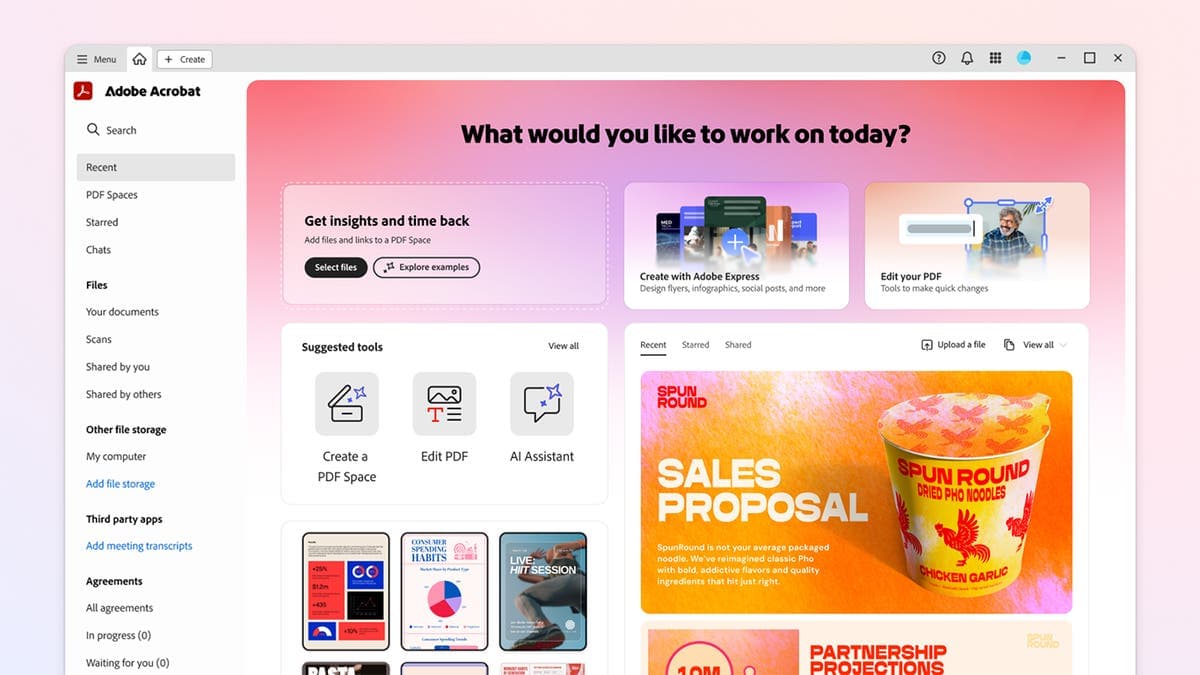
PDF Spaces creates a shared workspace around a document, bringing everything together in one place. In addition to the PDF itself, users can access:
- comments,
- related documents,
- AI-generated responses,
- conversation history.
Instead of switching between multiple applications, teams collaborate within a single environment built around the document.
The Role of Artificial Intelligence
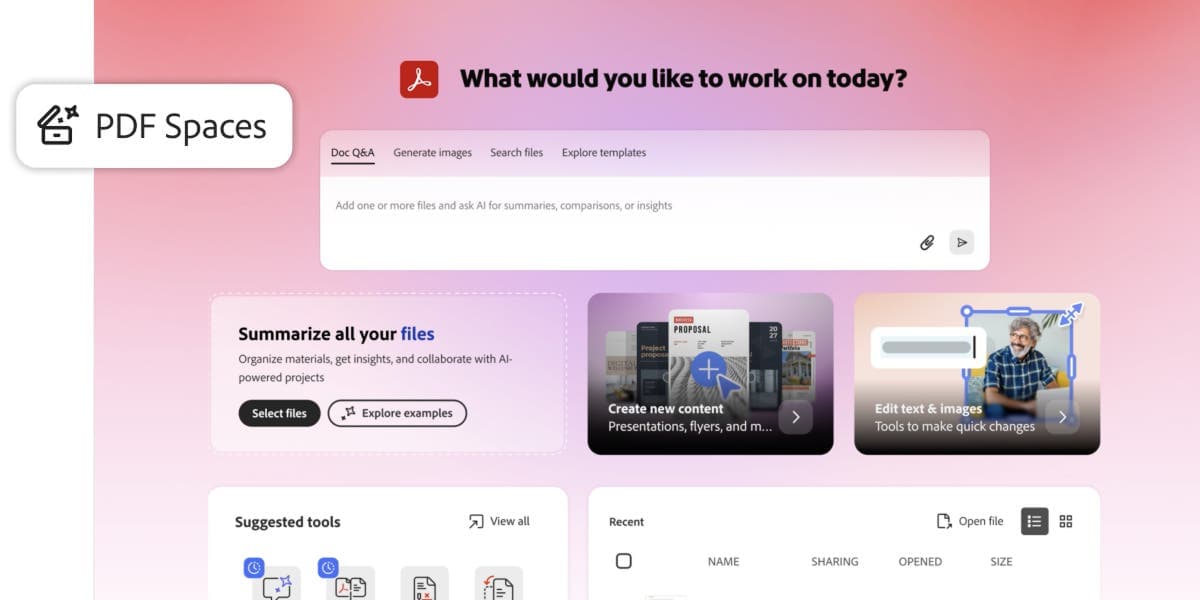
Artificial intelligence is more than just an additional feature. It helps users work with document content more efficiently.
For example, it can:
- summarize lengthy documents,
- answer specific questions,
- locate important sections,
- explain complex information.
Imagine reviewing a technical manual with hundreds of pages or a lengthy legal agreement. Instead of manually searching through the document, users can ask a question and receive an answer in seconds, along with a reference to the relevant section.
Credit: Adobe
Why PDF Spaces Is Not Competing with Google Docs or Microsoft 365
Following the announcement of PDF Spaces, many compared it to Google Workspace and Microsoft 365. In reality, Adobe is addressing a different stage of the document lifecycle.
Google Docs and Microsoft Word are designed primarily for creating and editing content. Multiple users can write, revise, and collaborate on the document simultaneously.
PDF serves a different purpose. In most cases, it represents the final version of a document that should retain its formatting and remain unchanged.
Typical examples include:
- contracts,
- annual reports,
- product catalogs,
- technical documentation,
- brand guidelines.
This is the point where collaboration begins. Stakeholders review the document, ask questions, provide feedback, and approve the final version. Rather than competing with office productivity tools, Adobe focuses on improving what happens after the document is finished.
A Document Is No Longer Just a File
PDF Spaces reflects a much broader shift than a single Adobe product update.
Today, organizations are no longer managing files alone. They need to manage the entire lifecycle of every document.
This includes:
- version history,
- approval workflows,
- metadata,
- user permissions,
- related documents,
- communication between stakeholders.
The file itself is only one part of the overall process.
The same principle applies to digital asset management. Storing marketing materials in shared folders is no longer enough. Organizations need to know which version is current, who approved it, and where it is being used.
BrandCloud supports this approach by centralizing digital assets, including version control, metadata management, and access permissions. As a result, employees and external partners always work with approved, up-to-date content instead of searching for the correct files.
How Document Work Is Changing
Adobe's latest innovation highlights an important shift: a document is no longer the final output of a project. It has become part of a broader digital ecosystem where it is created, reviewed, shared, and continuously enriched with additional information.
If an organization frequently struggles with multiple document versions or employees spend too much time searching for feedback, the issue usually isn't the PDF format itself. More often, the missing piece is a system that manages the document throughout its entire lifecycle.
When evaluating current document workflows, consider the following questions:
- Is there always a single, up-to-date version of each document?
- Are comments and approvals managed in one place?
- Can version history be easily tracked?
- Do users have access only to the documents they need?
- Are documents connected to other relevant business assets?
PDF Spaces offers a glimpse into the future of document collaboration. Regardless of how quickly the concept gains adoption, it reflects a broader trend: the value of a document is no longer defined solely by its content, but also by how easily it can be shared, managed, and used throughout everyday collaboration.