A file may look correct on screen but still fail to meet the printer’s requirements. Missing fonts, incorrectly prepared colors, or transparent objects can cause problems.
PDF/X standardizes the technical requirements for print files and helps reduce errors when they are exchanged. It makes collaboration between the designer, client, and printer easier.
What PDF/X is and what it is used for
PDF/X is a family of standards for exchanging graphics files for professional printing. It belongs to the ISO 15930 series. The file retains its .pdf extension but must meet specific requirements.
In the commonly used PDF/X-1a and PDF/X-4 variants, the fonts and image data used must be embedded in the document. This means the printer does not have to rely on files stored on the creator’s computer.
The document also contains information about the intended printing conditions through an ICC color profile. This profile characterizes factors such as a particular printing process and paper type.
How PDF/X-1a and PDF/X-4 differ
The variants differ mainly in their support for color and transparency. Before exporting, it is therefore worth checking which one the printer requires.
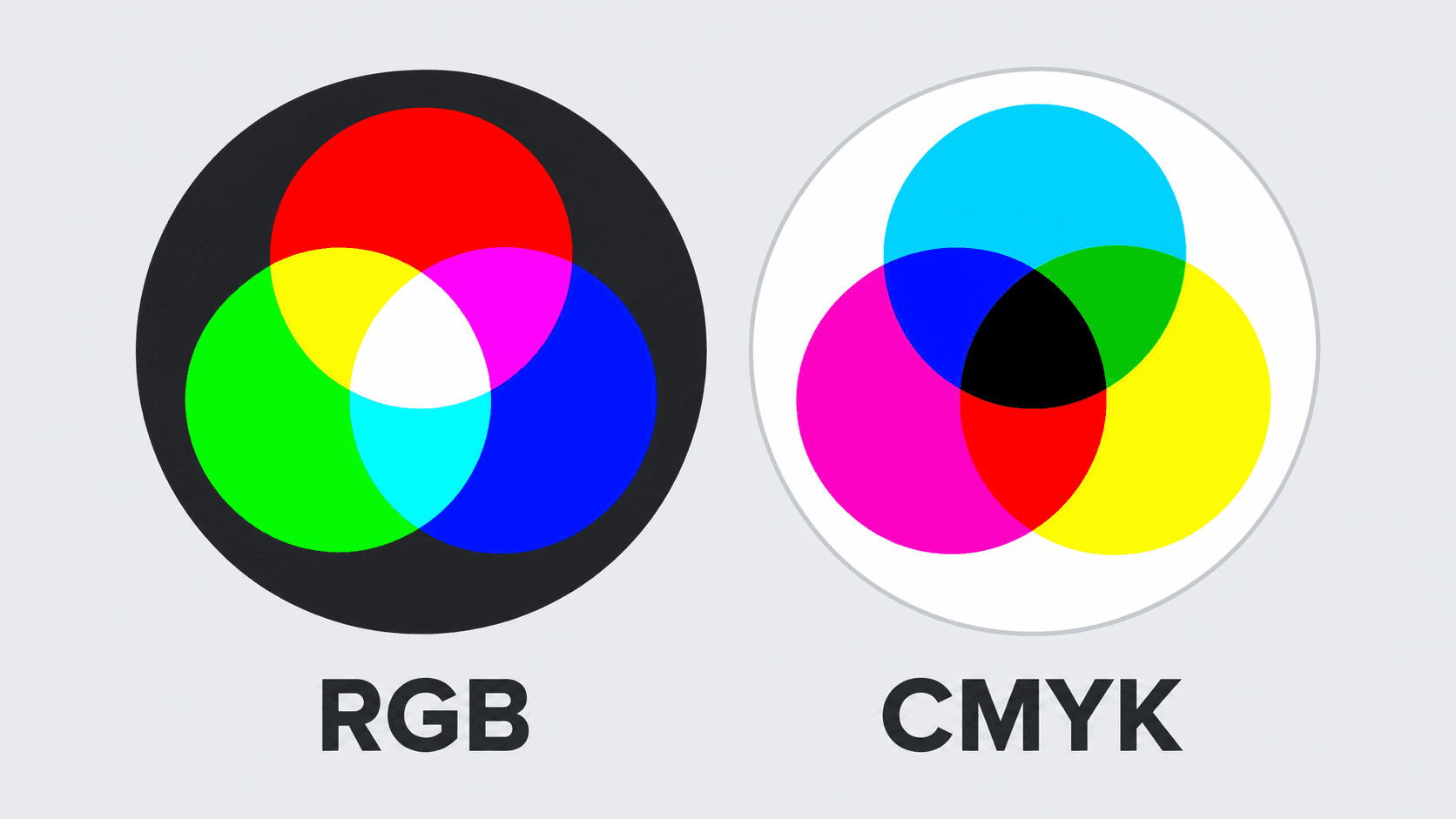
- PDF/X-1a supports CMYK, the four process printing colors, as well as grayscale and spot colors, which are printed separately. Transparency, such as that used in shadows, must be flattened when preparing the file.
- PDF/X-4 allows transparency to be preserved and supports color management, including RGB images with appropriate color information. RGB is a color model commonly used for screens.
Other variants exist, including PDF/X-3. The choice should match the workflow used by the particular printer. A higher version number alone is therefore no reason to change the required settings.
What PDF/X compliance alone does not guarantee
PDF/X compliance does not guarantee that every aspect of the printed piece is correct. The standard does not specify a universal minimum image resolution or the size of the artwork extension beyond the trim edge, known as bleed.
This extension provides a margin for trimming materials printed right to the edge. Its size depends on the printer’s requirements. The final dimensions, page order, and document content must also be checked separately.
Exporting to PDF/X will not fix a typo, an incorrect price, or a photograph with insufficient resolution. Both technical and visual checks are therefore recommended before sending the file.
Approved print files in one place
Once a document has been approved, it should be clear which file is intended for printing. The print PDF should therefore be stored in BrandCloud and clearly labeled. When a colleague needs to order flyers or catalogs, they then have access to an approved file prepared for that printer.