
PDF is one of the most widely used formats for sharing documents. It is commonly used for contracts, manuals, proposals, invoices, annual reports, and marketing materials. Because it preserves the same layout across different devices and operating systems, it is often considered the final version of a document.
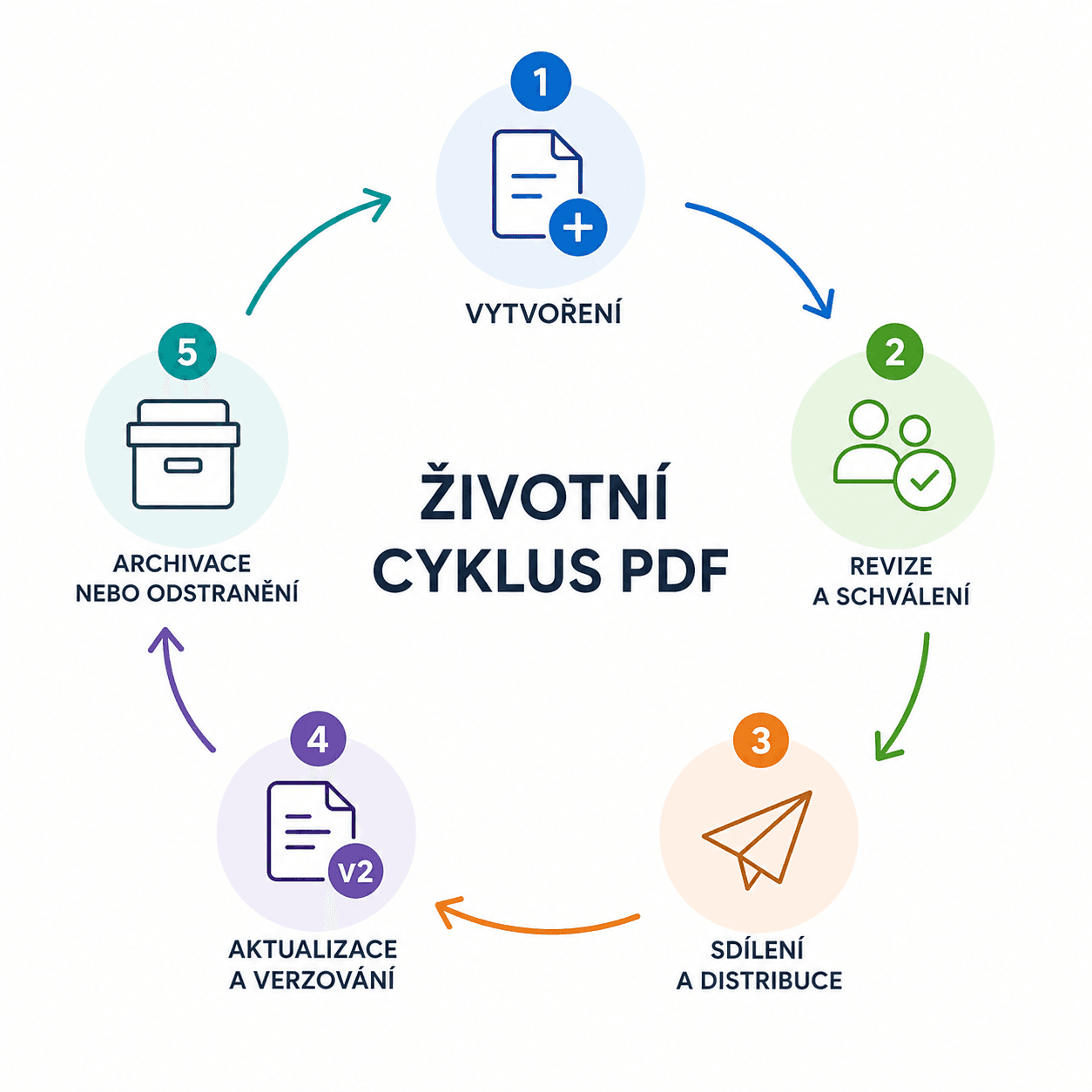
In reality, however, a document's journey does not end when it is exported as a PDF. Quite the opposite. It continues through review, approval, distribution, updates, and archiving. Together, these stages form what is known as the PDF lifecycle.
When this entire process is properly managed, organizations gain better control over their documents, reduce duplicate versions, and improve collaboration across teams.
What Is the PDF Lifecycle?
The PDF lifecycle covers every stage a document goes through—from its creation to the point where it is archived or deleted. It is not just about the file itself, but about how the document is managed throughout its entire existence.
A product catalog is a typical example. It starts as a draft prepared by the marketing team. The document is then reviewed by colleagues, approved, and published. A few months later, new products are introduced or prices change, requiring the catalog to be updated. Older versions are often retained for internal records or future reference.
The same lifecycle applies to:
- contracts,
- price lists,
- technical documentation,
- HR documents,
- company policies,
- annual reports.
Each of these documents has its own lifecycle. The more documents an organization manages, the more important it becomes to maintain control over the entire process.
The Stages of the PDF Lifecycle
Although document workflows vary from one organization to another, most PDF documents go through similar stages.
Document Creation
The first stage is content creation. A document is prepared in a word processor, graphic design application, or another specialized tool before being exported as a PDF.
At this point, it is rarely the final version. Instead, collaboration usually begins.
Review and Approval
The document is reviewed for content accuracy, design, and formal requirements. Feedback may come from multiple departments or managers.
This is where problems often begin.
One version is circulating by email. Another is stored on a shared drive. A third has been downloaded to someone's computer. Suddenly, no one knows which version is the correct one.
Without a structured approval process, outdated or unapproved documents can easily be published by mistake.
Sharing and Distribution
Once approved, the PDF is ready to be shared. It may be published on a website, sent to customers, or made available to employees.
At this stage, it is important to ensure:
- everyone has access to the correct version,
- only authorized users can access the document,
- documents are easy to find,
- files can be shared securely.
Distribution is often the point where the difference between ad hoc file management and a well-organized document management system becomes most apparent.
Updates and Version Control
Very few documents remain unchanged for years.
Contact details, terms and conditions, pricing, product information, or even a company's visual identity may change over time. Every update creates a new version of the document.
Effective version control offers several benefits:
- preserving the history of changes,
- allowing users to return to previous versions,
- ensuring everyone works with the latest approved document,
- making changes easier to track.
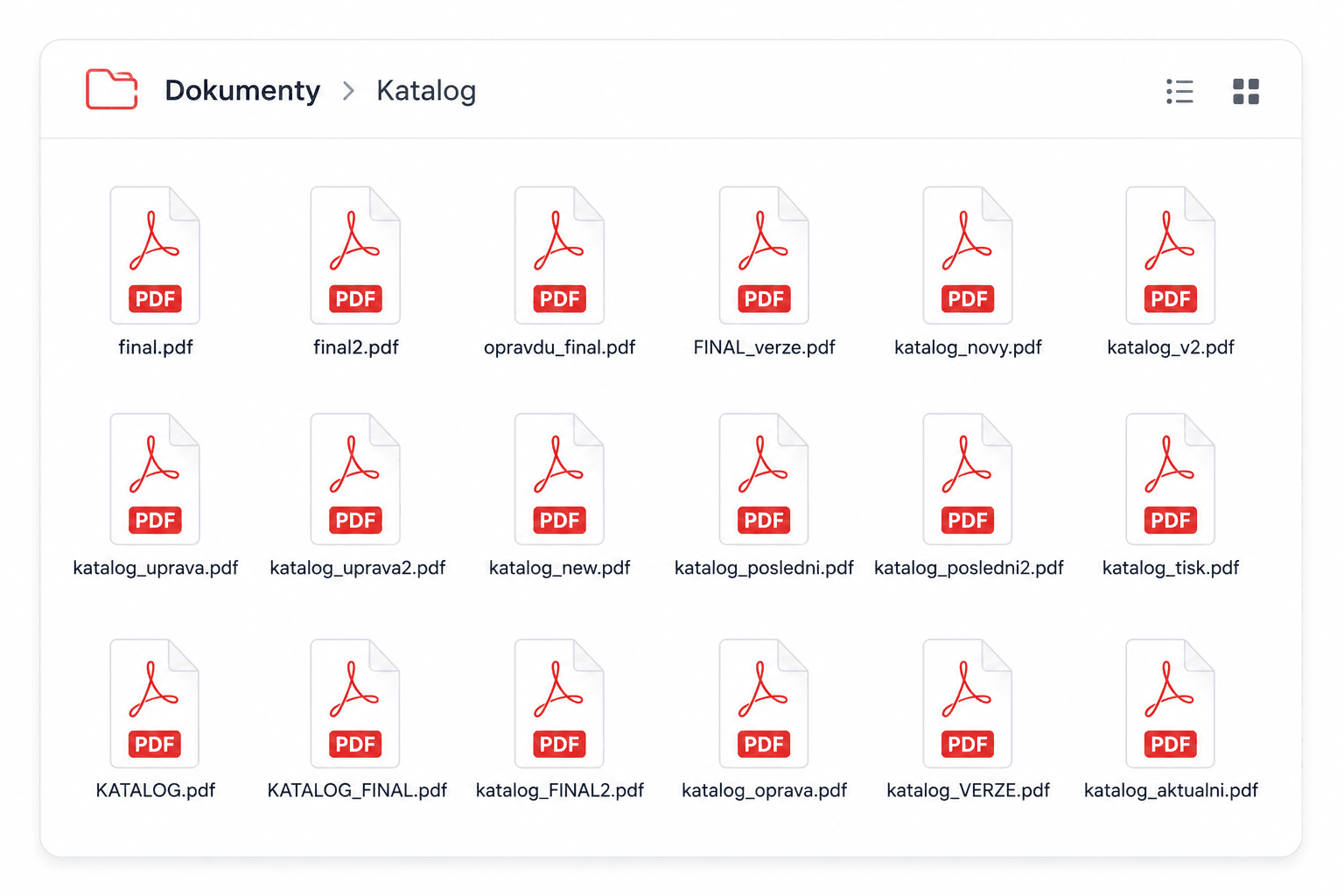
As a result, organizations avoid creating files named final.pdf, final2.pdf, or really_final.pdf—a surprisingly common source of confusion.
Archiving or Deletion
The final stage begins when the document has fulfilled its purpose.
Some PDF files must be retained for many years, while others can be safely deleted after a certain period. Well-defined archiving policies make documents easier to organize while also supporting internal governance and regulatory compliance.
How Modern Document Management Simplifies PDF Workflows
Once an organization manages dozens or even hundreds of documents, storing PDFs in shared folders is no longer a sustainable solution.
Employees spend valuable time searching for the right version. Documents are copied into multiple locations. Access permissions become inconsistent, and the history of changes gradually disappears.
Modern document management systems simplify the entire process by enabling organizations to:
- centralize all documents in one place,
- manage user access permissions,
- control document versions,
- search documents using metadata,
- track revision history,
- reduce duplicate files.
BrandCloud enables centralized management of digital assets and documents, including PDFs. With built-in version control, access management, and an intuitive document structure, employees always have access to the latest approved version. This gives organizations greater control over their content while making everyday collaboration significantly more efficient.
A PDF Is Not a Static File
At first glance, a PDF may seem like a finished document that requires no further attention once it has been saved. In reality, it represents just one stage in a much longer process.
Every creation, approval, update, and archival action is an essential part of the document lifecycle. When these steps are managed effectively, organizations work more efficiently, reduce the risk of errors, and maintain better control over their documentation.
The more documents a company creates and shares, the more important it becomes to manage their lifecycle strategically. Doing so transforms a PDF from a simple stored file into a reliable source of information that remains accurate, accessible, and trustworthy throughout its entire lifespan.