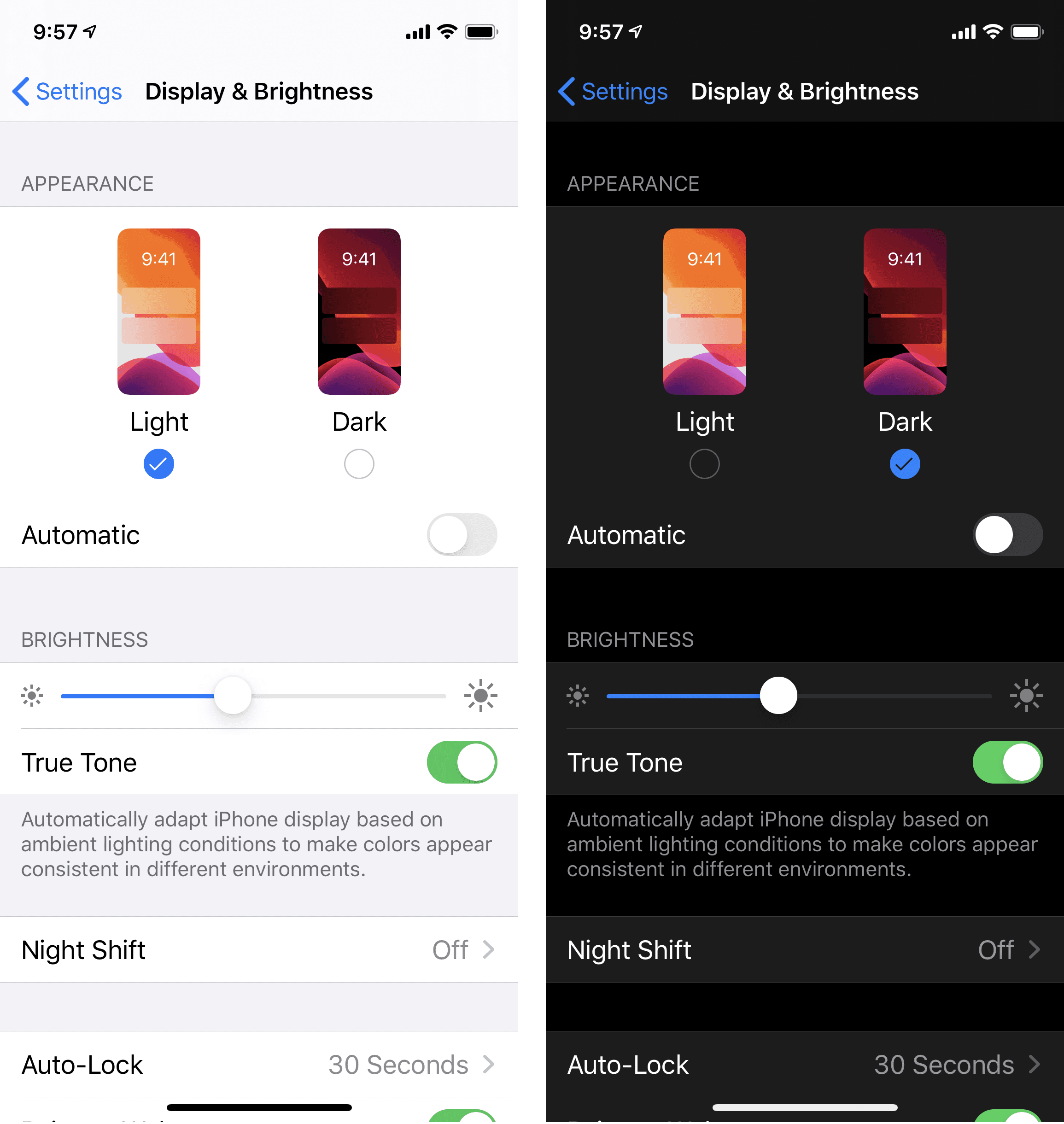
Light and dark mode are among the fundamental display variants of user interfaces in digital products. Light mode is based on a bright background, most commonly white or a very light shade, on which dark text and interface elements are placed. This approach is rooted in the traditional way of reading printed text and has long represented the standard in digital environments. Dark mode, by contrast, works with a dark background—typically black or dark gray—on which light text and elements are displayed. This display style has gained significant traction with the rise of modern operating systems and mobile applications, where the need to reduce light intensity and adapt interfaces to different usage conditions has been taken into account.
In recent years, increased attention has been given to this topic, as it has been confirmed that the choice is not purely a matter of visual preference. The selected mode influences content readability, level of focus, eye strain, and the overall perception of a product. Dark mode is often considered a more modern option; however, it is not suitable for every situation.
A simple decision.
A significant impact.
Source: Nielsen Norman Group
How light and dark mode affect readability and comfort
The difference between the two modes becomes most evident when working with text and longer content. A light background supports more natural reading, as it corresponds to the way users are accustomed to processing information from printed materials and common digital interfaces. In this case, text is more legible, contrast is more stable, and navigation through content is faster, which contributes to overall comfort during use.
Dark mode introduces a different visual approach. In low-light environments, glare is reduced, resulting in a calmer visual experience. This mode can be particularly suitable for evening use or when consuming visual content. However, when reading longer texts, a decrease in readability may occur, especially if contrast is not properly adjusted.
More style does not mean better usability.
Impact on user behavior in digital environments
The chosen mode also influences how users interact with a product. Dark mode is often associated with a less distracting environment in which attention is primarily focused on content. This approach is used, for example, by platforms designed for video consumption such as Netflix, where a dark interface helps maintain focus and minimize visual noise.

Source: Figma
Tools designed for working with text or data, on the other hand, more frequently rely on light mode, as it enables faster orientation and more efficient workflows. An example is Google Docs, where the interface is built with an emphasis on clarity and readability. The distinction between content consumption and active work is fundamental in this context and should be reflected in interface design decisions.

How mode influences product visual identity
The choice between light and dark mode also affects the overall visual identity of a product. Dark mode tends to create a more compact impression, highlighting individual interface elements and reinforcing a sense of a more controlled and contained environment. Color elements often stand out more prominently, which can be used to emphasize important parts of the interface.
Light mode, by contrast, supports a sense of openness and transparency. The interface appears more spacious, elements are easier to read, and the structure of content is clearer. This approach is particularly suitable in environments where larger amounts of information need to be processed or where clarity and orientation are prioritized.
BrandCloud enables visual identity to remain consistent across both modes without the need to create separate brand versions. All elements are managed centrally, making it easier to maintain control over how the brand appears across different environments.
Limitations of dark mode
Although dark mode is often perceived as a modern solution, it comes with certain limitations. If contrast is not properly configured, readability may decrease and user comfort may be reduced. Light elements on a dark background can appear sharper and may lead to increased eye strain during prolonged use.
In content-heavy interfaces where large amounts of text or detailed information are presented, dark mode may be less suitable. If applied without careful consideration of context, visual appeal may be prioritized at the expense of functionality.
Typical issues associated with dark mode include:
- insufficient contrast between text and background
- reduced readability of smaller elements
- unsuitable color combinations for extended use
Light and dark mode do not represent competing solutions but rather two distinct approaches that should be selected based on the specific purpose and context of use. When this choice is made thoughtfully and aligned with the overall brand identity, it can result in an environment that is clear, comfortable, and sustainable over time.