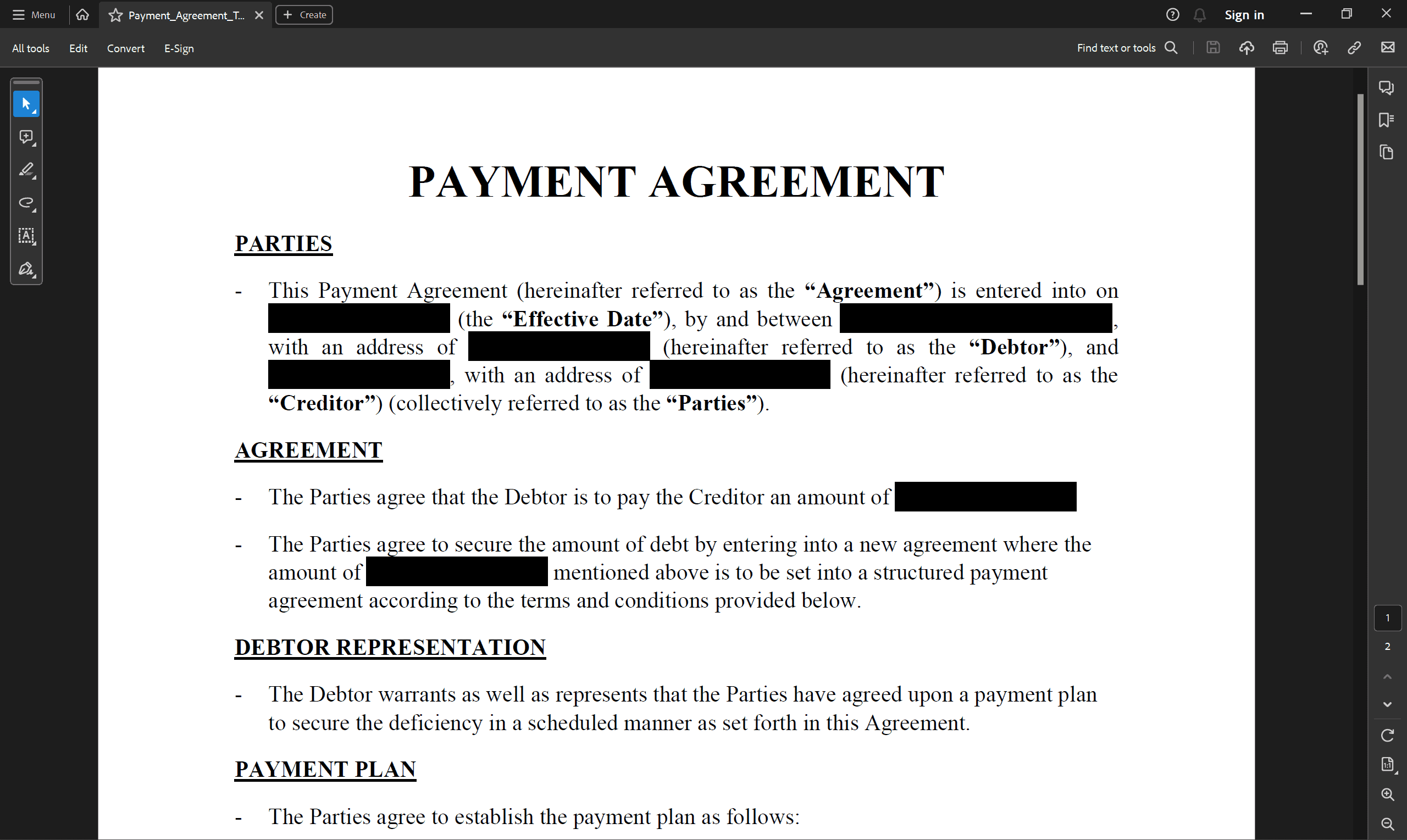
A black rectangle over a name or bank account number can make a document appear ready to send. However, the original information may remain inside the file.
Secure PDF redaction means permanently removing sensitive content. Simply covering it changes the page’s appearance without necessarily removing information that should not be shared.
Why covering text is not enough
A rectangle added with a drawing tool may be a separate object placed over the text. In a PDF editor, it can then be moved or deleted, revealing the original information.
The same problem can arise when drawing over text or changing its colour to match the background. Just because information is not visible does not mean it is absent from the document.
PDF redaction actually removes information
PDF redaction, referred to as anonymisation in some programs, permanently removes text and images. Once applied, the selected content is removed; a black area may remain to indicate where the document has been modified.
This feature is available in tools such as Adobe Acrobat Pro and PDF-XChange Editor. It is important to use the dedicated redaction tool rather than ordinary drawing or annotation features. Marking areas must also be followed by applying the redactions and saving the result.
Redaction is useful for contracts, commercial proposals or sample documents containing real contact details. Because correctly applied redaction is irreversible, changes should be made to a copy, with the original file stored separately.
What to check before sharing
The same information may appear on several pages or in an attachment. The review must therefore cover the entire document. Hidden information also deserves attention, and the editor may offer a separate PDF sanitisation feature to remove it.
After saving, reopen the file and check:
- Whether any other instances remain of information that should have been removed.
- Whether the original text can still be searched for or copied.
- Whether the correct version of the file is ready to share.
These checks help identify mistakes, but they do not replace redaction. For example, an unsuccessful search in a scanned document does not, by itself, confirm that the content has been securely removed.
Share the approved version
Even correctly applied redaction serves no purpose if the team accidentally sends the original. The edited copy therefore needs to be clearly labelled and kept separate from the original file.
BrandCloud can serve as a shared location for approved documents and their usage instructions. This makes it easier for the team to identify which version is intended for external distribution.
Secure PDF redaction depends on actually removing information, checking the result and selecting the correct file. A black rectangle alone does not make a document safe to share.