Digital design in Canva is now built around prompting rather than step-by-step creation. With the arrival of AI 2.0, the process of generating outputs has been fundamentally simplified while also expanded with new capabilities. Instead of working with separate tools, users interact with an assistant that can be given a task and is expected to deliver a complete solution.
As a result, a shift is taking place where a design is not only created but also planned. The work is moving from manual editing toward defining the initial prompt.
An AI assistant that plans and creates
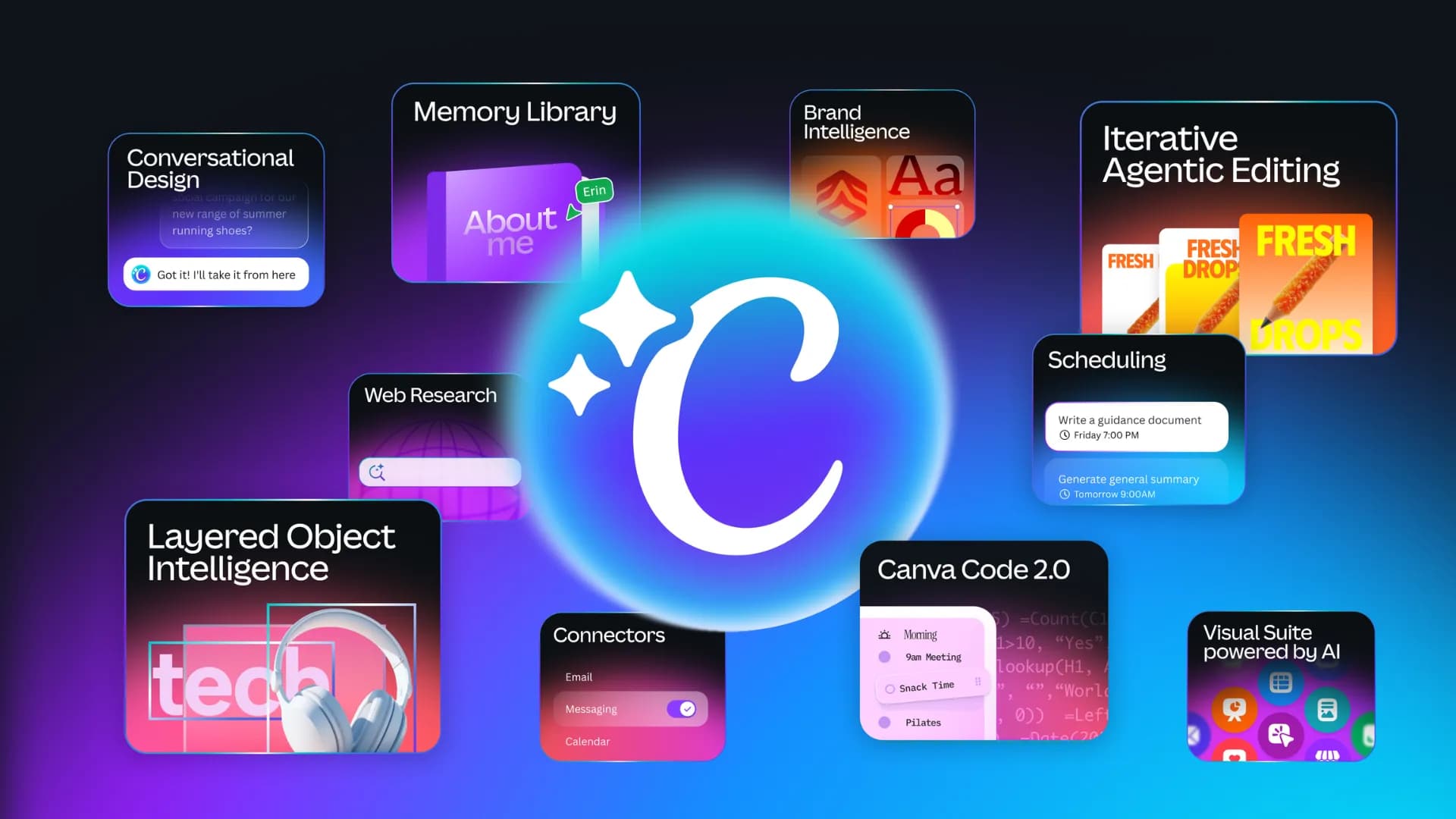

Within AI 2.0, an approach is applied in which a task is first interpreted and then broken down into individual steps. These steps are automatically executed using the available tools. The result is a design that is created without the need to manually assemble individual elements.
Based on a description, multiple design variants are generated and made immediately editable. Outputs are not produced as static images but as structured designs that can be further refined. A key aspect here is the use of layers. Individual elements of the design can be adjusted separately, which preserves flexibility.
In practice, this means that a marketing campaign can be prepared from a single prompt. Visuals for different formats, basic copy, and the overall structure of the message can be generated in one step and then adjusted as needed.
Source: Canva
Connecting tools into a single workflow
AI 2.0 is built on the ability to combine multiple functions into one process. Visual generation, text editing, and content structuring are integrated so that the final output is created as a cohesive whole.
The assistant evaluates which tools should be used and automatically activates them. This removes the need to switch between different features, as the entire workflow takes place within a single environment.
The ability to work with context is also being expanded. If access is granted, data from emails, documents, or calendars can be utilized. Additional features include web research capabilities and the scheduling of recurring tasks.
In this way, a system is gradually being developed where most steps related to content creation and preparation can be handled in one place.
Source: The Verge
Speed and scalable content creation
One of the most visible benefits of AI 2.0 is speed. Designs are generated in a short time and in multiple variations. Users are no longer limited to a single solution but can explore different approaches.
At the same time, content generation has become more efficient. The models used in Canva have been optimized to be faster and more cost-effective. The creation of visuals and video has been significantly accelerated.
In practice, this means that content for social media or campaigns can be produced at a larger scale and in less time. This shift is changing expectations on both the team and client side.
Editing as the defining stage
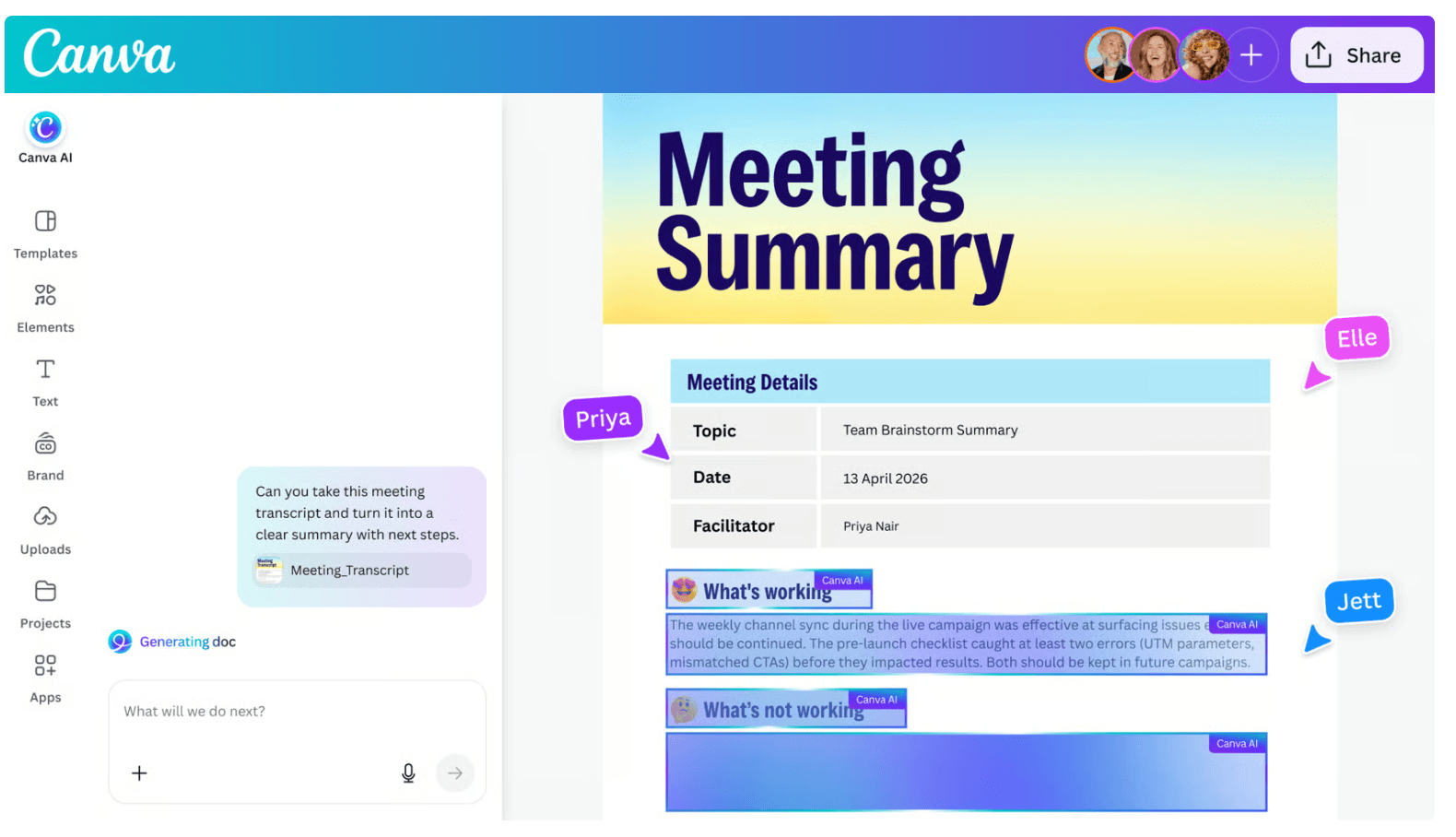
Even though a large part of the process is automated, the final outcome is not determined by AI alone. Designs are generated as a foundation that needs to be refined and adapted to specific requirements.
Editing, collaboration, and publishing remain part of the workflow within Canva. It is in this phase that alignment with the brand’s identity is established. Without further refinement, the output may be functional but difficult to distinguish.
This principle can also be observed in companies that use Canva as their primary working environment. While much of the process is automated, final control is still maintained.
Source: Canva
How to work with AI 2.0 in Canva
To fully benefit from AI 2.0, the approach to design needs to be adjusted. Automatically generated outputs should be treated as a starting point rather than a final result.
Greater emphasis is placed on the quality of the prompt. The more precisely the context, style, and expectations are defined, the more relevant the outputs become. Working with multiple variants and comparing them is also important.
Designs should be further refined at the level of individual layers. This is where space is created for aligning the output with a specific brand. Without this step, visual outputs tend to become increasingly uniform.
BrandCloud helps maintain control over how these outputs are used. It enables teams to manage assets, define brand rules, and share final materials consistently. Even when AI is used, communication can remain aligned with the defined brand identity.
AI 2.0 in Canva therefore does not represent only a tool for faster creation. A new way of working is being established, where designs are generated automatically, but their final form is still shaped through deliberate refinement.