You scan a contract into a PDF, open it, and try to search for a specific name. The search returns no results, even though you can clearly see the name on the page. This usually happens because the PDF contains pages stored as images rather than machine-readable text.
This is exactly the problem OCR is designed to solve. The technology recognizes text within an image and converts it into a format that a computer can process. As a result, even scanned PDFs can become searchable, allowing you to copy text or process their content further.
What is OCR?
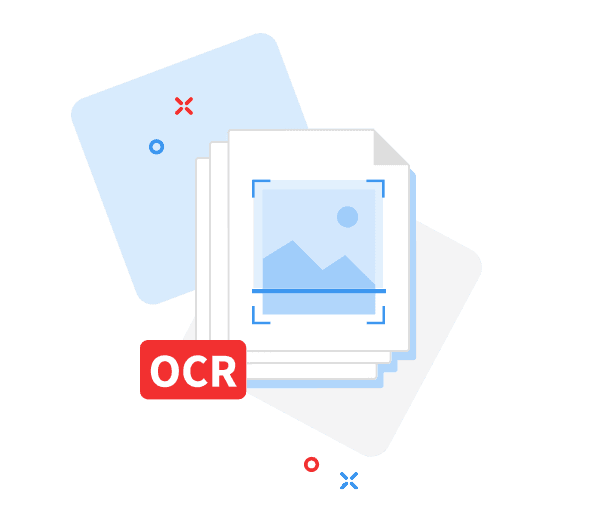
OCR stands for Optical Character Recognition. It is a technology that identifies letters, numbers, and other characters in image data and converts them into text.
A paper invoice is a typical example. Scanning it creates a digital image of the document. A person can read the text, but without further processing, software primarily sees image data. OCR can recognize individual characters and convert them into machine-readable text.
How does OCR work in PDFs?
OCR software first analyzes the image of a page. Depending on the technology used, it may adjust the contrast, remove image noise, or straighten a page that was scanned at an angle.
It then identifies areas containing text and recognizes individual characters and words. Modern OCR systems may also use machine learning and neural networks. During processing, they can apply language rules and dictionaries to determine the most likely interpretation of the recognized text.
In a PDF, the resulting text can be stored as a text layer over the original scan. This means the appearance of the document does not have to change. You still see the original scanned page, but you can now select text or search for a specific word or phrase.
This is useful for contracts, invoices, forms, technical documentation, and older company materials.
How to tell if a PDF needs OCR
Not every PDF needs OCR processing. A document exported from Word or another text editor, for example, will usually already contain a text layer.
You can check this with a simple test. Try selecting a few words in the PDF or use the search function to find a term that is clearly visible on the page. If you cannot select the text and the search returns no results, you are probably working with an image-based PDF.
OCR is also useful when you need to index and search the content of a large collection of scanned documents.

How accurate is OCR?
OCR is not error-free. Recognition accuracy depends primarily on the quality of the source document.
The best results are achieved with sharp, high-contrast printed text. Blurry scans, small or unusual fonts, complex tables, damaged documents, and handwritten notes can all make recognition more difficult.
Language also matters. When processing a document in a particular language, the OCR tool should support that language and its specific characters.
If the extracted information is going to be used in accounting, contracts, or other documents where exact wording and figures matter, the OCR output should be reviewed.
OCR and document management in BrandCloud
The value of OCR increases as the number of stored documents grows. If a company manages hundreds of PDFs, knowing the file name or folder location is not always enough. You also need to be able to find information contained inside those documents.
BrandCloud uses OCR to recognize the text content of PDF documents. This makes it possible to work with information that was originally embedded in scanned pages, making documents easier to find and larger digital asset libraries easier to manage.
OCR complements metadata and other methods of organizing files. While metadata describes the asset itself, OCR makes the text contained within the document accessible.
When to use OCR and what to consider
Before processing documents with OCR, it is worth checking a few basic points:
- Check whether the PDF already contains a text layer.
- Use the highest-quality, sharpest scans available.
- Select the correct language for recognition.
- Review OCR results when accuracy is important.
- For contracts and other sensitive files, check where an online OCR service processes and stores your documents.
Turning a scanned PDF into a searchable document
OCR addresses a common problem with digital documents: text that a person can see on a scanned page may not actually exist as text from a computer's perspective.
Optical Character Recognition converts this content into a machine-readable format. The PDF can then be searched, its text can be copied, and its content can be used by other systems.
When dealing with larger document collections, OCR becomes even more useful. Information stored inside PDFs no longer has to be found by manually opening and browsing individual files. Instead, it can become part of a structured approach to digital content management.