Affinity is a graphics application for drawing, photo editing and page layout. Page layout involves arranging text and images on pages. In Affinity, you can create anything from a single illustration to a complete document intended for print.
A new version for iPad was announced on 2 November 2026. It brings these tools together in an interface designed for touch and Apple Pencil. This lets you take a project from the first sketch through to print preparation in a single file.
Drawing and vector graphics in one app
Sketch Studio is designed for freehand drawing. It offers brushes, textures and layers. You can develop your sketch further in Vector Studio by editing curves and individual nodes. Vector graphics let you resize shapes without losing sharpness.
Your sketch and the refined artwork stay in the same document. You do not need to move the design to another app when switching from freehand drawing to more precise shapes.
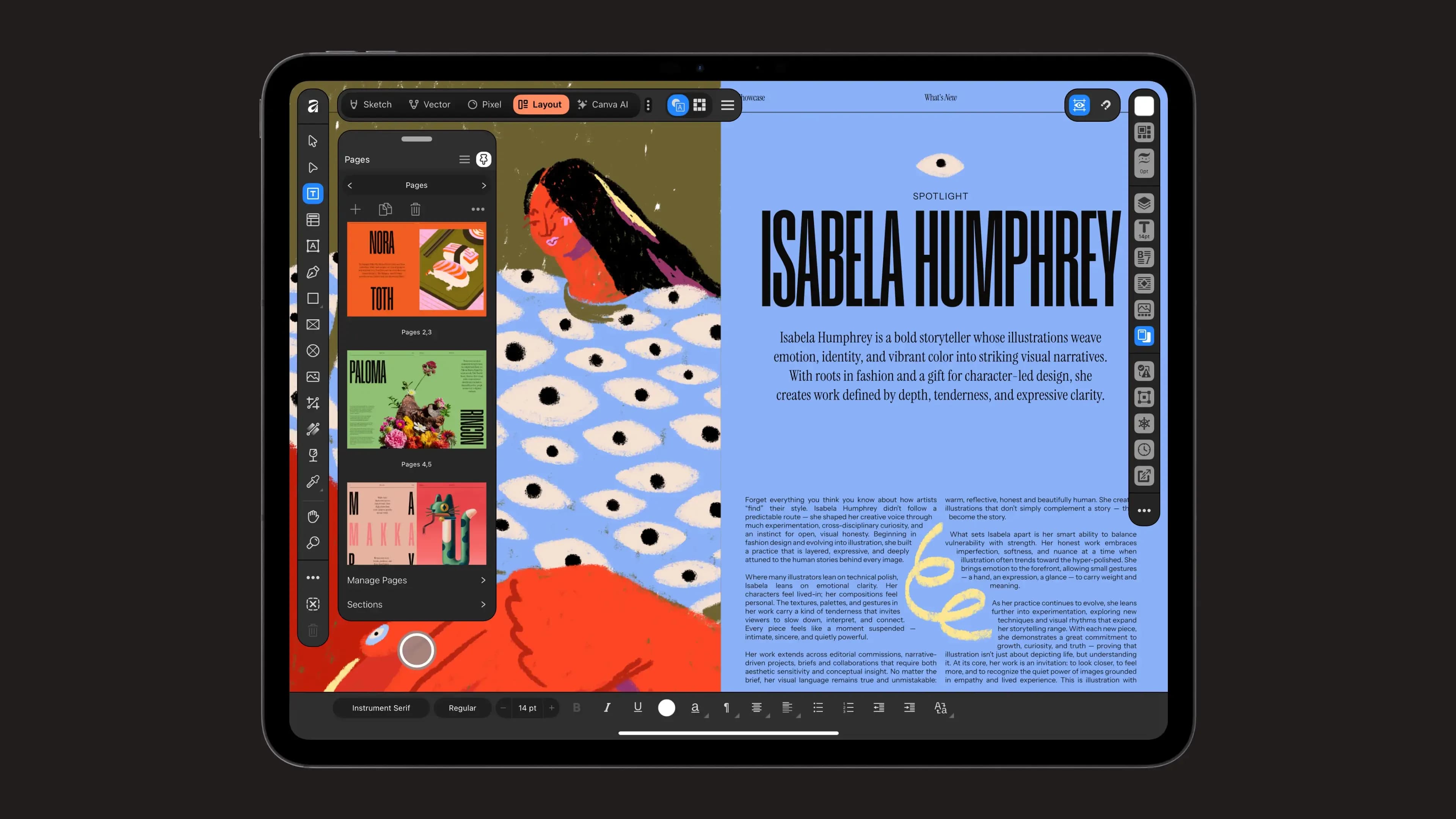
Source: Affinity
Photo editing directly on iPad
Photo editing takes place in Pixel Studio. It includes retouching, colour and contrast adjustments, and layers. Apple Pencil lets you work on specific parts of an image.
Photo adjustments remain editable without overwriting the original image. You can revisit colour settings or change the strength of an adjustment. This is useful when matching the photo to the rest of the design.
Page layout without switching to a computer
The app also includes tools for arranging text and images on a page. Guides, grids and detailed typography controls are available.
For longer documents, shared text styles and master pages help keep the appearance consistent. Text can flow automatically onto subsequent pages. You can then export the finished design for print.
The connection between page layout and image editing is especially useful when creating brand materials. You can adjust a photo or illustration while working on the page itself.
Is the new Affinity for iPad free?
All core drawing, graphic design, photo editing and page layout tools are free for individuals. You need a Canva account to use the app. The artificial intelligence features within Affinity require a premium Canva plan.
On iPad, you can work with the same project files as in the desktop version. However, the available features differ at launch. For example, the tablet version does not yet support macro recording, which saves sequences of steps for repeated edits.
Faster updates to brand materials on iPad
One advantage of using a single app is being able to respond to feedback directly in the design. In Affinity, you can edit the photo, illustration and text layout. You see every change in the context of the whole page. This makes it easier to judge whether the individual elements still work together.
You can bring BrandCloud into this process when preparing the brief. For each campaign, use it to gather selected photos, graphic assets and instructions for using them. The designer then works on iPad with the materials chosen for that specific project.
Once the design is finished, prepare it for handover. In BrandCloud, you can save approved campaign assets for each intended use. Add a note explaining where each file should be used. Colleagues can then easily choose the right version of the design when updating the website or creating other materials.
From the first idea to a finished design
The new Affinity expands the options for graphic design on iPad. Its tools let you move smoothly between different types of editing. Drawing, photo editing and page layout can all happen in the same project. For a company team, it makes sense to combine this way of working with easy access to assets and a clear handover process.